

Virtual Offsite Ideas That Work for Remote Teams

A good virtual offsite is a short, focused block of shared time that does three things an ordinary meeting week does not: it lets people see each other as humans, it gives them a problem to solve together, and it leaves behind a habit they keep. Below are virtual team offsite ideas we would actually run, grouped by what you want the day to do, plus a sample agenda, tips for keeping it inclusive, and ways to make it last past the final call.
TL;DR
- Keep the offsite short and split into blocks of 60 to 90 minutes with real breaks. Screen fatigue is the main enemy, not a lack of ideas.
- Mix three kinds of activity: quick openers, a collaboration challenge, and one unstructured social block.
- Use openers that take two to five minutes and let anyone pass. Chat plus voice keeps quieter people in.
- Turn the best activity of the day into a recurring ritual, because one event does not build a culture.
- Gatherilla runs the browser-based games, with no downloads, so you can drop them into any block of the agenda.
Table of Contents
- What a virtual offsite is actually for
- A sample agenda for a half-day virtual offsite
- Quick openers for the first five minutes
- Connection ideas for the small-group block
- Collaboration and problem-solving activities
- Offsite ideas for onboarding new hires
- Rituals that continue after the offsite ends
- How to keep it inclusive and not forced
- Our view: stop planning events, start building habits
- Run your offsite games with Gatherilla
- Measuring whether your offsite worked
- FAQ
- Sources
What a virtual offsite is actually for
An in-person offsite works partly because of the logistics: a new place, shared meals, walking between sessions. None of that exists on a video call, so copying the in-person format onto a screen usually produces eight hours of presentations. The goal has to be narrower.
There is a reason to protect this time. A Forbes Human Resources Council contributor notes that engaging team members in meaningful activities outside daily tasks is one way to raise job satisfaction in remote settings. And Slack’s team points out that remote employees can feel isolated, which is why digital spaces for celebration and informal socializing matter for building trust.
So pick one primary goal before you pick any activity:
- Connection: people who rarely talk learn something real about each other.
- Collaboration: a team practices solving a problem together under light pressure.
- Alignment: the group agrees on priorities, norms or a plan for the next quarter.
- Onboarding: new hires meet the team in a structured, low-stakes way.
Most offsites try to do all four and do none well. Choose one main goal and one supporting goal, then build the agenda around them.
A sample agenda for a half-day virtual offsite
Here is a format that works for teams of 8 to 40 people. Adjust the blocks to your time zones. If your team spans more than four or five time zones, run two shorter sessions rather than forcing one awful hour for somebody.
| Block | Length | What happens | Goal |
|---|---|---|---|
| Arrival and opener | 15 min | One-word check-in plus a quick poll | Warm up the room |
| Small-group connection | 30 min | Breakout pairs or trios with prompts | Real conversation |
| Break | 15 min | Cameras optional, no agenda | Rest |
| Collaboration challenge | 45 to 60 min | Team game or scavenger hunt | Practice working together |
| Working session | 45 min | Priorities, norms or planning | Alignment |
| Break | 15 min | Open | Rest |
| Social close | 30 min | Trivia, leaderboard game or recognition round | End on energy |
Three rules keep this honest. First, put the social blocks before the heavy work, not after, because people think more openly once they have laughed together. Second, never schedule more than 90 minutes without a break. Third, end with something light and competitive so the last memory of the day is positive.
Quick openers for the first five minutes
The first few minutes decide whether people join in or sit on mute. Skip the long personal-sharing rounds, which put people on the spot, and use formats with a clear time limit and an easy way to pass.
An Engineering Leaders facilitator guide argues that the best five-minute opener asks a question where people may disagree, needs little or no equipment and has a clear time limit. For remote groups, it suggests pairing spoken discussion with a written channel such as chat. The same guide describes forced-choice polls and one-word chat check-ins as roughly two-minute formats.
Ideas that fit that mold:
- One-word check-in. Everyone types one word for how they are arriving. SessionLab lists the One Word Method as a 2+ minute opener that suits small groups of roughly 4 to 8 people. For larger groups, have people type at the same time and read a few aloud.
- This or that. Sweet or savory, mountains or beach, tabs or spreadsheets. A forced choice is easy to answer and sparks friendly argument.
- Chat waterfall. Pose a question, have everyone type an answer but hold off on pressing enter. On your signal, everyone sends at once. Nobody waits to see what others said first.
- Show one object. People grab something within reach and explain in one sentence why it is on their desk.
- Change three things. Partners look at each other, turn off cameras for a moment and change three things about their appearance or background. The other guesses.
If you want scripts you can read word for word, our guides to Zoom icebreakers that take under two minutes and Microsoft Teams icebreakers cover the most common call tools. For a broader set organized by situation, see our remote icebreaker games guide for team leaders.
Connection ideas for the small-group block
This is where the offsite earns its keep. People rarely get unstructured time with colleagues outside their own function, and small groups are where that happens.
Breakout speed pairs
Split the group into pairs and give them a prompt. The Engineering Leaders guide describes breakout speed-networking as two four-minute rounds, which is enough time to get past small talk without dragging. Good prompts: “What is something you are learning right now?” or “What is the best piece of advice you ignored?” Rotate partners between rounds so everyone meets two people.
Cross-team coffee chats
Built In’s roundup of remote team-building ideas includes cross-departmental coffee or tea breaks and small-group storytelling prompts held weekly or monthly. In an offsite, compress this into one 20-minute block: random trios from different departments, one story prompt, no agenda.
Personality-based groups
The Forbes piece mentioned earlier suggests using an Enneagram test to sort people into smaller groups by personality type to encourage deeper conversation. It is an option for teams already comfortable with that kind of exercise. Make participation voluntary, and offer a simple random-grouping alternative for anyone who would rather not.
Skill swaps
Ask three or four volunteers to teach something in five minutes: a keyboard shortcut, a pour-over coffee technique, how they edit photos. It surfaces the human side of colleagues and costs nothing.
Collaboration and problem-solving activities
The middle of the day should make people work on something together that is not their job. The stakes are low, so people can try, fail and laugh.
- Virtual scavenger hunt. Teams of three to five race to find items at home or answer clues, then show them on camera. It rewards speed and humor, and suits groups of any size.
- Virtual escape room. Small teams share clues and divide tasks. Watch who takes the lead, who organizes, and who notices the detail everyone else missed. Those observations make good debrief material.
- Murder mystery or social deduction game. These take longer to explain but build communication fast, because players have to question and persuade each other.
- Team trivia with a leaderboard. Split into mixed-department teams and keep the questions a blend of work-related and silly. Real-time leaderboards add a pleasant edge.
- Build-a-process challenge. Give teams a fictional but plausible problem (“launch a product in six weeks with half the budget”) and ten minutes to sketch a plan in a shared doc. Each team presents in 60 seconds.
Whichever you pick, hold a three-minute debrief afterward: what helped the team work together, and what got in the way? That question turns a game into something the team can actually use at work. If you need games that do not feel forced, our piece on team building games that don’t make people cringe goes through what separates a good one from an awkward one. Teams on Microsoft’s platform can also look at team building games that work inside a Teams call.
When the offsite includes a hard topic
Some offsites include a session on feedback, conflict or priorities, where people have to say things that are uncomfortable. Do not improvise it. Ask participants to prepare in advance, and give them a short written structure so the conversation starts from clarity instead of anxiety. A one-page brief is a useful format here, and this guide on how to rehearse difficult conversations at work shows how to build one. Share it before the offsite, then use the working block for the real discussion.
Offsite ideas for onboarding new hires
A virtual offsite is a strong moment to bring in people who joined recently, especially when they have never met most colleagues in person. But a big group call is the worst place for a newcomer to introduce themselves cold. Prepare them first.
- Introductory video before the event. Pitch recommends having new hires record a short intro video and share it in a weekly bulletin, so colleagues already know a face and a few facts. Share the video a week before the offsite and people will have something to talk about.
- One-on-one intros. A startup playbook published by First Round Review suggests giving every new hire a 30-minute one-on-one with everyone in the company. That works for a startup. In a bigger company, run a scaled version: five or six pairings spread across the offsite.
- Short video calls to attach voices to names. Slack advises having teammates schedule brief video or phone calls to introduce themselves and put a face and voice to a new hire’s name.
- Orientation games. Low-pressure games where there is no wrong answer, such as team trivia about the company or a “guess the colleague” quiz, help newcomers learn names and roles. We collected 25 new employee orientation games, and our Day 1 remote onboarding checklist shows how to schedule them alongside the first day’s essentials.
Teams that run onboarding offsites often discover that the format itself needs work. After one virtual offsite, First Round reported, the startup overhauled its onboarding process to include different materials and activities. Treat the offsite as a test of what your onboarding is missing.
Rituals that continue after the offsite ends
The day itself matters less than what is still happening six weeks later. The most useful output of an offsite is one or two small recurring habits.
- Open coworking call. Built In notes that an open, recurring video call for live coworking lets teammates recreate office-style casual conversation and get quick, candid answers. Leave it running two afternoons a week and make joining optional.
- Monday journaling. The First Round playbook describes a Monday morning ritual of 15 minutes of quiet journaling with prompts and gratitude exercises. It suits teams that like a calm start more than a social one.
- Ask-me-anything sessions. Slack suggests leaders hold routine AMA sessions by video, quarterly or monthly. Let people submit questions anonymously ahead of time.
- Daily challenge. A five-minute word or trivia puzzle that the whole team plays on its own time costs nobody a calendar slot. This is the cadence Gatherilla was built around: a short, shared challenge each day that keeps people in touch between larger events.
- Rotating hosts. First Round’s playbook points to recurring rituals, rotating responsibilities and adapting to the team’s culture as ways to keep activities going. Give each person a turn to choose the opener, and ownership spreads.
Start with one ritual, not four. If it survives a month, add another.
How to keep it inclusive and not forced
Most team-building complaints come down to the same few failures: mandatory fun, forced vulnerability, unfair time zones and activities that favor extroverts. Counter each of them in the design.
- Always allow a pass. Nobody should have to explain why they are skipping a prompt. Make it explicit at the start of the day.
- Offer two ways to respond. Pair voice with chat. People who think in writing get a fair chance, and it helps non-native speakers too.
- Do not require cameras for everything. A quiet breakout can run with video optional. Insisting on cameras all day increases fatigue.
- Avoid activities that depend on home circumstances. A “show your pet” or “tour your kitchen” prompt excludes people who share a space or do not want to show it. Choose prompts about opinions, preferences and ideas instead.
- Check accessibility. Use captions, send materials in advance, and pick games that work with a keyboard and without audio cues.
- Respect time zones and holidays. Rotate the inconvenient slot rather than always putting one region at midnight.
- Keep the work tied to the work. People tolerate games when they see the point. Tell them why each block is there.
If you are an HR leader worried about psychological safety specifically, our guide to no-setup icebreakers for HR leaders covers formats that lower the stakes. Teams that live in sprints will find icebreakers for standups, retros and planning more natural than general party games.
Our view: stop planning events, start building habits
We built Gatherilla because we saw the same pattern again and again. A team runs a well-organized virtual offsite, everyone says it was great, and within a month the energy is gone. The calendar fills up and the games stop.
The lesson we took from that is that connection behaves more like exercise than like a vacation. A single intense session feels good and changes little. Ten minutes a day changes a lot, though it feels unremarkable while it is happening. That is why we focus on short, zero-preparation activities that run in the browser, with no downloads and no accounts needed for players, because the more steps there are between a team and a game, the sooner the game gets dropped.
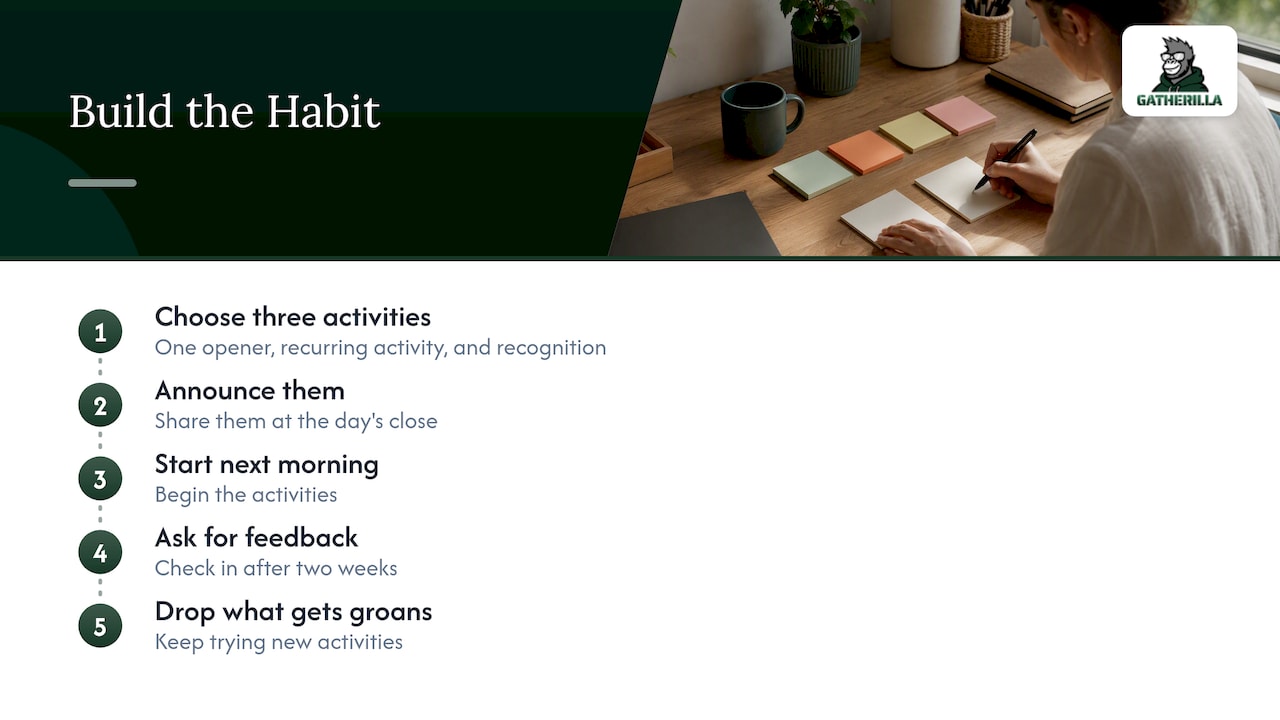
Our advice to a team lead planning an offsite is simple. Use the offsite to launch the habit. Pick one opener, one daily or weekly activity, and one way to recognize teammates for living the company’s values. Announce them at the close of the day, start the next morning, and ask for feedback after two weeks. If an activity gets groans, drop it without ceremony. A team that is allowed to stop doing things will keep trying new ones.
— Thomas
Run your offsite games with Gatherilla
If you want the social and collaboration blocks of your agenda handled, Gatherilla gives you customizable multiplayer games, icebreakers, daily word and trivia challenges and real-time leaderboards that run in the browser and work with any video conferencing tool. Nobody needs to install anything, so you can start a game in the middle of a call.

There is a free plan with limited games. Premium, which adds more activities, reporting and priority support, is priced at $0.50-$1.00 per seat per month, or $5-$10 per seat per year. See the current plans on our pricing page, or look at the Gatherilla platform and try a game with your team before the offsite.
Measuring whether your offsite worked
A light-touch review beats a long survey. Within two days, ask three questions: What was the best part? What should we drop? What do you want more of? Then, a month later, check whether the rituals you launched are still running and who is running them. Participation in recurring activities is a more honest signal than a happy score on the day.
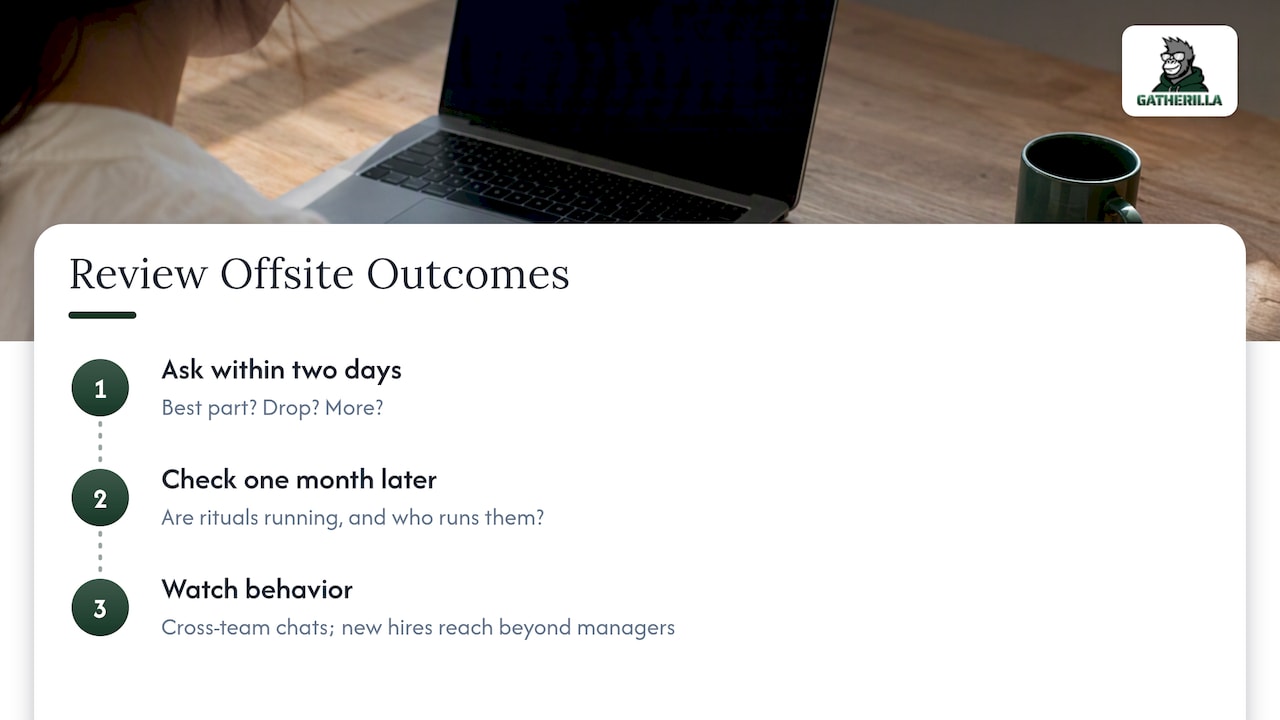
Watch behavior too. Are people from different teams talking in channels they did not use before? Do new hires reach out to colleagues beyond their manager? Those are the outcomes you are after, and no game guarantees them, but a repeated cadence of small interactions gives them room to happen.
FAQ
How long should a virtual offsite be?
For most teams, a half day of about three to four hours of actual programming, with breaks, is plenty. Full-day video sessions tire people out and lower the quality of discussion. If you have a lot to cover, split it across two or three shorter sessions on separate days.
What are good virtual offsite ideas for a large team?
Choose formats that scale: polls and chat-based openers for the full group, then breakouts of three to six people for deeper conversation. Trivia with mixed-department teams and scavenger hunts also work well with dozens of players. Keep presentation time short and give each breakout a facilitator or a clear prompt.
How do I make a virtual offsite less awkward?
Keep the early activities short and low stakes, such as a poll or a one-word check-in, and let anyone pass. Explain the reason for each block and avoid prompts that require sharing private details. Leave some unscheduled time, too, because people connect best when they are not being directed.
How often should we run a virtual offsite?
Many teams hold one or two a year, often tied to planning cycles or a team milestone. Between them, small weekly or daily rituals do the real work of keeping people connected. Pick the cadence that your team can sustain without it becoming a chore.
Can virtual offsite activities work for hybrid teams?
Yes, but design for the people on screens first. Put everyone on their own device, even those in the same office, so remote participants are not watching a conference room. Browser-based games make this easy because every person plays from their own laptop.
Sources
- Connectedness 2.0: Tips For Hosting A Successful Virtual Off-Site, Forbes
- Distance is no match for these remote team-building activities, Slack
- 32 engaging ice breakers for virtual meetings, SessionLab
- Icebreaker games for work meetings, offsites and meetups, Engineering Leaders
- Running remote offsites and onboardings, Pitch
- Use This Startup’s Playbook for Running Impactful Virtual Offsites, First Round Review
- 52 Top Virtual Team Building Activities for Remote Teams, Built In
- Rehearse difficult conversations at work