

Kickoff Meeting Games: Open Hybrid Meetings in Five Minutes

For most kickoff meetings, the best approach is a quick 5-minute icebreaker if time is tight, a no-prep game if you want zero setup, a virtual-ready format for distributed teams, or a larger active activity for all-hands launches. The right pick depends on group size, how much energy the room needs, and whether anyone is joining remotely. For remote or hybrid teams, a browser-based tool like Gatherilla removes the setup problem entirely.
TL;DR:
- Two truths and a lie suits groups under 12; a one word check in takes 2 to 4 minutes and scales to larger meetings.
- Offer chat or camera off participation, and avoid questions about family, religion, or physical ability to keep participation voluntary and inclusive.
- For hybrid games, shorten timing by about a third, assign remote attendees specific roles, and replace physical props with a shared screen or document.
- Facilitators can explain rules, demonstrate for 15 to 20 seconds, use a visible timer, and reserve two minutes for a teamwork debrief.
Table of Contents
- 1. Quick 5-Minute Kickoff Games to Open a Meeting
- 2. No-Prep and Low-Prep Kickoff Games
- 3. Virtual and Hybrid-Ready Kickoff Games
- 4. Large-Group and Active Kickoff Activities
- How to Choose and Facilitate the Right Kickoff Game
- Why We Build Gatherilla Around Daily, No-Setup Games
- What Most Kickoff Advice Gets Wrong
- Run These Games with Zero Setup
- FAQ
- Sources
1. Quick 5-Minute Kickoff Games to Open a Meeting
When a kickoff has a packed agenda, a five-minute opener still does the job of warming up the room without eating into working time. These games need no materials and fit almost any group size, in person or on a call.
- Mood meter: ask everyone to rate their energy 1 to 10 and share one word why; works for any group size, virtual or in person, in under 3 minutes.
- Two truths and a lie, short variant: each person gives two true facts and one false one about their work history, group guesses; best for groups under 12, works virtually with chat guesses.
- One-word check-in: go around and have each person say a single word describing how they feel about the project; takes 2 to 4 minutes, scales to large groups if kept brisk.
- Caption this photo: share a quirky stock image on screen and ask for one-line captions in chat or out loud; strong for virtual meetings since everyone can type at once.
- Would you rather: pose a light work-related dilemma and ask for a show of hands or a poll; works well in hybrid rooms using a shared screen.
- Desk or background show-and-tell: ask each person to point to or describe one object near them and why it matters; naturally virtual-friendly since cameras are already on.
- This or that rapid fire: call out quick pairs (coffee or tea, morning or night person) and have people answer with a thumbs up or down; fast for groups up to 20.
- Weather report check-in: ask people to describe their current mood as a weather pattern, sunny, stormy, foggy; a gentle way to surface stress without directly asking about it.
- Name that habit: each participant shares one small work habit they are proud of; works best in groups under 10 for time.
- Highlight of the week: one sentence on the best thing that happened recently, personal or professional; keeps things light and takes seconds per person.
A simple facilitator prompt covers most of these: “We have five minutes before we dive in. Go around and share [prompt] in one sentence, I’ll start.” For scripted timing on these exact formats, our Zoom icebreaker scripts walk through word-for-word openers for calls under two minutes.
2. No-Prep and Low-Prep Kickoff Games
Some kickoffs happen with no notice and no budget for materials. These games need nothing but a facilitator willing to ask a question.
- Common ground: split into pairs or trios and give them 90 seconds to find three things they have in common, then share one with the group.
- One-minute show-and-tell: each person describes something on their desk or in their room, no props required beyond what’s already there.
- Human bingo, adapted: instead of a printed card, call out traits (“has traveled for work,” “speaks two languages”) and ask people to raise a hand if it applies, skipping anything personal or sensitive.
- Finish the sentence: give a prompt like “The best team I ever worked on…” and let people answer in turn.
- Silent nod round: for camera-shy groups, ask a yes or no question and have people respond with a thumbs up on screen instead of speaking.
- Rose and thorn: one good thing and one challenge from the past week, no explanation needed beyond a sentence each.
- Alphabet check-in: assign each person a letter and ask for a word starting with it that describes their mood, a playful twist with zero setup.
Keep instructions culturally neutral and avoid questions tied to family status, religion, or physical ability. Offer a camera-off or chat-based alternative for anyone who prefers not to be on video, and give neurodivergent participants the option to type instead of speak. A facilitator only needs to say the prompt, give a 60 to 90 second timer, and call on a volunteer to start.
Pro Tip: Always give people a visible opt-out, like “or share in the chat instead,” so participation stays voluntary rather than forced.
3. Virtual and Hybrid-Ready Kickoff Games
Distributed teams need games built for the medium, not in-person formats awkwardly ported to a video call. The goal is giving remote participants the same agency as people in the room, since hybrid meeting research shows that a consistent viewpoint and real interaction options increase remote attendees’ sense of presence.
- Breakout room speed intros: send groups of three or four into breakout rooms for four minutes with one prompt, then bring everyone back for a one-line summary each.
- Shared doc word cloud: everyone adds one word describing their hopes for the project to a shared document, then the facilitator reads the pattern aloud.
- Virtual scavenger hunt, mini version: call out an item category (“something blue,” “something older than you”) and have people grab it and show their camera.
- Poll-based energizer: run a live poll with a lighthearted question and reveal results together, which keeps remote and in-room participants on equal footing.
- Emoji reaction round: ask a question and have people respond using only emoji reactions on the call, fast and inclusive of quieter participants.
- Collaborative playlist: ask each person to drop one song title into a shared doc that represents their work style, read a few aloud.
- Browser-based trivia or word games: a no-download multiplayer game works well here since everyone joins from a link regardless of device or location.
- Remote role assignment: for any in-person game, give remote participants a specific role (scorekeeper, timekeeper, caller) rather than a passive viewer seat.
- Chat-based storytelling: one person starts a sentence, the next adds a line in chat, building a group story in real time.
- Virtual high five: close with a synchronized unmute moment where everyone says “go team” at once, a small but real connection point.
When converting an in-person game to remote, shorten the timing by about a third, assign explicit roles so no one is left watching, and use a shared screen or document instead of physical props. A browser-based option removes the download and account friction that otherwise slows virtual games down; our guide to browser-based team building covers how that works in practice.
Pro Tip: Give every remote participant a job, even a small one like reading scores aloud, so presence isn’t passive.
4. Large-Group and Active Kickoff Activities
All-hands launches and conference-style kickoffs need activities that scale past a single video call or small room.
- Team challenge relay: split the room into teams for a timed task relay (puzzle pieces, trivia rounds, physical stations), with a scoreboard visible to everyone.
- Rapid ideation stations: set up several stations around the room, each with a different prompt related to the project, and rotate small groups through in 5-minute blocks.
- Company-values scavenger hunt: hide clues tied to company values around the venue and have teams race to solve them.
- Logistics checklist: confirm space capacity, materials per station, AV and microphone setup, a clear timing schedule, and a facilitation team with assigned roles (lead, timekeeper, scorekeeper).
- Hybrid inclusion plan: assign a dedicated remote host, run live polling so distant participants can vote in real time, and mirror at least one physical station with a virtual equivalent so no one is left watching passively.
How to Choose and Facilitate the Right Kickoff Game
Picking the right game starts with four questions: what is this meeting actually for, how much time do you have, how many people are joining, and does anyone need an inclusion accommodation. A five-minute slot calls for a quick icebreaker, a half-day launch can support a larger active format.
- Introduce the activity clearly: state the game, the time limit, and what you want people to get out of it.
- Demonstrate first: model the activity yourself for 15 to 20 seconds so no one is guessing at the rules.
- Run with a visible timer: announce when half the time is up to keep things moving.
- Call time firmly: end on schedule even if a group wants more time, and promise a follow-up if needed.
- Debrief with two or three questions: ask what people noticed, how it connects to how the team will work together, and one takeaway to carry into the project.
The Penn State team-science launch toolkit recommends exactly this structure: explain, demonstrate, time-box, and debrief, since a short debrief turns a fun activity into a real signal about communication patterns and potential coordination risks.
| Pitfall | Why it happens | Quick fix |
|---|---|---|
| Activity runs long | No visible timer or time checks | Announce time at the halfway mark |
| Remote participants go quiet | No explicit role or camera prompt | Assign a role or chat-based task |
| Debrief feels tacked on | Skipped due to time pressure | Reserve 2 minutes minimum, non-negotiable |
Why We Build Gatherilla Around Daily, No-Setup Games
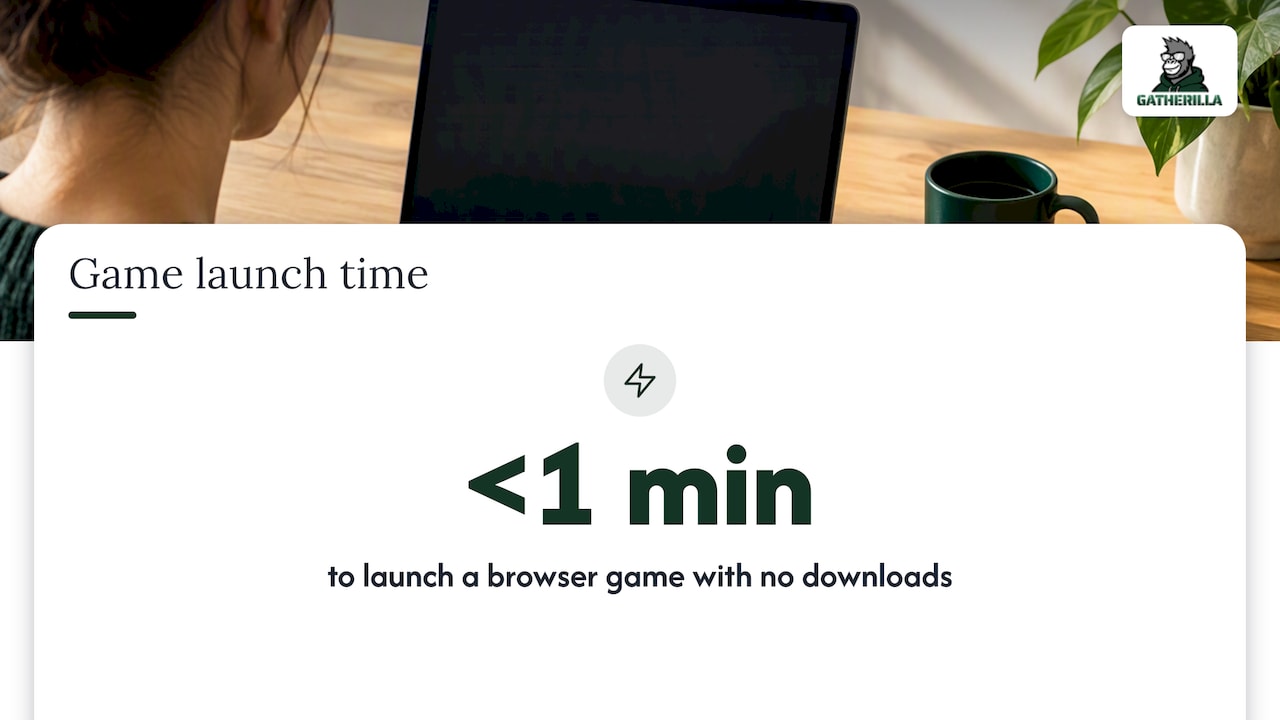
We built our platform because kickoff energy fades fast once the meeting ends. Our games run in a browser with no downloads, so a facilitator can launch one in under a minute whether the kickoff is remote-only, hybrid, or spread across mismatched schedules. Daily challenges keep that same connection going after the kickoff is over, which matters more than any single icebreaker. For more formats, our remote icebreaker guide and hybrid engagement resources cover scripts we use ourselves.
Author: Thomas
What Most Kickoff Advice Gets Wrong
Most advice on kickoff games treats the activity itself as the win. It isn’t. The game is only useful if someone connects it back to how the team will actually work, and that step gets skipped constantly because facilitators run out of time or feel awkward asking reflective questions.
The bigger issue I see is games chosen for novelty rather than fit. A large-group scavenger hunt dragged onto a ten-person virtual call falls flat, and a rapid-fire quiz given to a grieving or overloaded team reads as tone-deaf. Match the format to the room’s actual energy, not to what looked fun in a blog post.
If you take one thing from this, prioritize the debrief over the game. A mediocre icebreaker with a sharp two-question debrief teaches a team more about itself than a brilliant game with no follow-up at all.
— Thomas
Run These Games with Zero Setup
If coordinating props, timers, and breakout rooms sounds like more work than the kickoff itself, that’s exactly the friction we built our platform to remove. Everything runs in a browser, so there’s nothing to install and no IT approval to chase before the meeting starts.

- No downloads or accounts needed, so a kickoff can start the moment people join the call.
- Per-seat Premium pricing runs $0.50 to $1.00 per month per seat or $5 to $10 per year per seat, depending on billing cycle.
- A free tier lets you try core games before committing to a paid plan.
- Built-in analytics show which activities actually drove engagement, useful for repeat kickoffs with the same team.
This article is editorial guidance, and Gatherilla is the tool we offer for teams who want these games ready to go. Visit our pricing page to compare plans, or explore the full platform to see what’s included before your next kickoff.
FAQ
What is a fun game to start a meeting?
A one-word check-in or a quick poll question works well since both take under three minutes and need no preparation. For remote groups, a browser-based trivia round or word game adds a bit more energy without requiring downloads.
What are some fun ways to kick off a team meeting?
Mood meters, two truths and a lie, and caption-this-photo prompts are all fast, low-prep options suited to most meeting lengths. For hybrid groups, giving remote participants a specific role, like timekeeper or scorekeeper, keeps everyone engaged rather than just watching.
What are some good ideas for a kickoff meeting?
A strong kickoff meeting combines a short icebreaker, clear introductions, a review of objectives and timeline, and early action items, a structure recommended by the Penn State team-science launch toolkit. Debriefing the icebreaker with two or three questions helps connect it to how the team will actually collaborate.
What are some good 5-minute team icebreakers?
One-word check-ins, “would you rather” polls, and weather-report mood descriptions all fit comfortably inside five minutes. These work for virtual, hybrid, or in-person groups since they need no materials beyond a prompt and a timer.
Sources
- Team Launch | Toolkit - Team Science Toolkit | CTSI | Penn State
- Perspectives: Creating Inclusive and Equitable Hybrid Meeting Experiences