

500+ Attendees: Town Hall Icebreakers That Require No Downloads

Use short, scalable, browser-friendly icebreakers, polls, this-or-that votes, and emoji check-ins, to open participation fast at any town hall. They work because they need no download, run in parallel across hundreds of attendees at once, and give quiet participants a way in that speaking up never could. Below you will find a quick shortlist, a full catalog by time and format, and a facilitator checklist to run any of them without a hitch.
TL;DR:
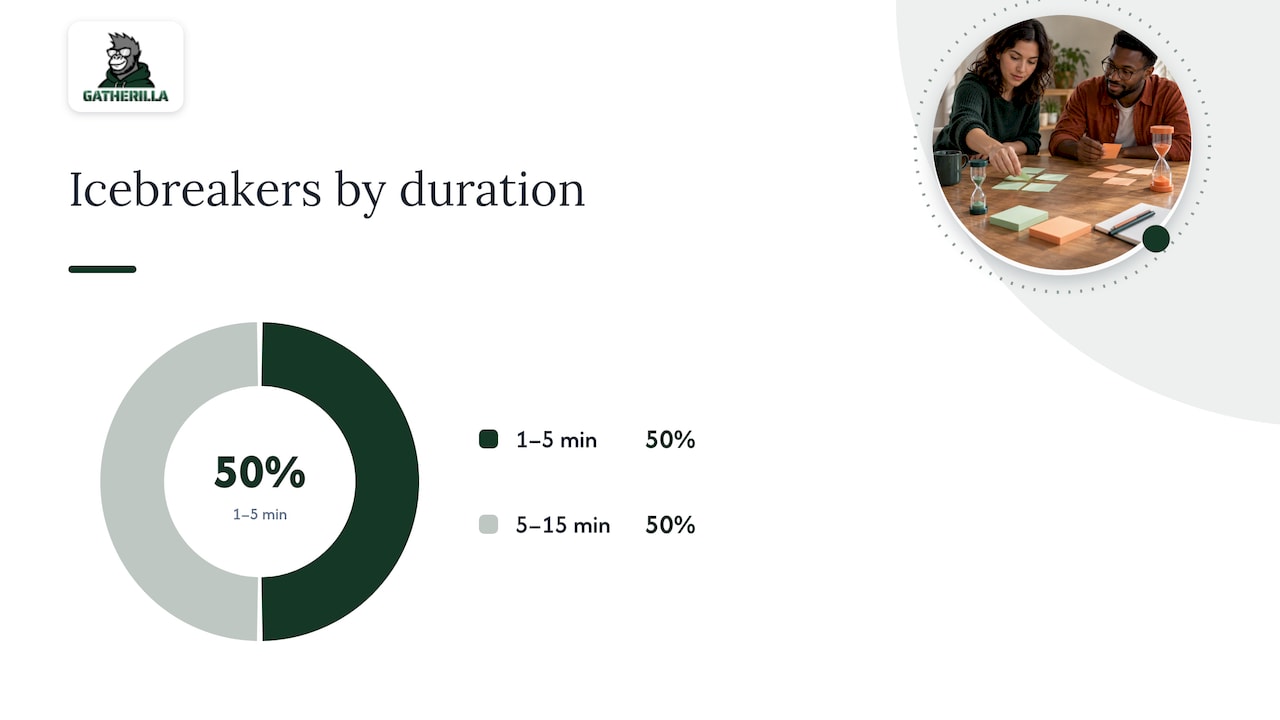
- Most virtual icebreakers can be executed within 1 to 5 minutes using simple polls, chat, or reaction tools without any setup or downloads.
- Larger, interactive formats like live Q&A with upvotes or parallel discussion channels require more planning but significantly boost engagement in meetings over 15 minutes.
- For remote and hybrid audiences, offering multiple participation channels, including verbal, chat, and pre-submitted options, ensures accessibility and inclusion.
- Proper technical preparation, such as testing polls and captions, along with a clear run-sheet, minimizes failures and smooths execution.
- Regular iteration and matching activity type to the meeting goal and size are key to maintaining effective and engaging town hall icebreakers.
Table of Contents
- 1. Six quick town hall icebreakers you can run today
- 2. A full catalog of icebreakers by time and format
- 3. How to pick the right icebreaker for your town hall
- 4. Scaling icebreakers and production tips for very large town halls
- 5. Accessibility and inclusion checklist for town hall icebreakers
- 6. Simple tech and setup checklist for reliable icebreakers
- 7. A copy-paste run-sheet and facilitator checklist
- 8. Publisher expertise: when browser-first icebreakers are the right call
- 9. What running dozens of town halls actually teaches you
- 10. How a browser-first games platform simplifies town hall icebreakers
- Sources
- FAQ
1. Six quick town hall icebreakers you can run today
These six cover the range organizers need most: fast, low-friction, and built to scale without extra software or setup time.
- Emoji mood check-in: ask attendees to drop an emoji in chat or a reaction bar showing how they feel about the week; takes 30 to 60 seconds, works in virtual, hybrid, and in-person formats with colored cards, and needs zero setup.
- This-or-that poll: a binary choice question (coffee or tea, morning person or night owl) run through a built-in polling tool; takes 1 to 2 minutes, scales to thousands, and gives instant visual results everyone can see.
- One-word check-in: attendees type a single word describing their current state into chat or a poll field; takes 2 minutes, works for any group size, and is easy to scan aloud or summarize on screen.
- Live word cloud: participants submit a short phrase that builds into a shared visual in real time; takes 2 to 3 minutes, is genuinely large-group friendly, and needs only a browser-based polling app.
- Quick trivia round: a single company or industry trivia question with multiple choice answers; takes 3 to 5 minutes, works well hybrid, and doubles as a light knowledge refresh.
- Two truths and a lie (asynchronous): submitted ahead of time and revealed via poll during the meeting; takes 3 to 5 minutes, avoids put-someone-on-the-spot risk, and fits distributed teams well.
Each of these avoids sequential speaking, which is the single biggest bottleneck in large virtual and hybrid meetings. For more format ideas built specifically for distributed teams, see this library of remote icebreaker formats.
2. A full catalog of icebreakers by time and format
Organizers rarely need one perfect icebreaker. They need a menu they can match to whatever slot just opened on the agenda. The list below groups activities by duration so you can grab one that fits without redesigning your run-sheet.
Quick prompts (1 to 5 minutes)
These need no materials beyond a poll or chat window and work for any group size.
- Rose, thorn, bud: attendees share one good thing, one challenge, and one thing they’re looking forward to via chat or a three-field poll. Goal: quick emotional temperature check. Tech: chat or poll app. Hybrid note: in-room attendees can shout out one word while remote attendees type.
- Would you rather: a fast binary choice with a twist (remote work forever or a four-day week). Goal: light energy boost. Tech: polling tool. Large-group note: results display instantly as a bar chart, so no one waits on individual answers.
- Guess the number: ask attendees to guess a company-relevant figure (years since founding, number of offices) before revealing it. Goal: light engagement plus a teaching moment. Tech: poll with a numeric range.
- Photo prompt: attendees drop a photo (pet, desk view, local weather) into a shared chat thread or gallery. Goal: humanize the room. Tech: chat or a shared upload link. Note: skip if bandwidth or privacy concerns apply.
- Caption this: show an ambiguous image and ask for one-line captions in chat. Goal: humor and creativity. Tech: screen share plus chat.
Short group activities (5 to 15 minutes)
These need slightly more coordination, often a producer or co-host managing the second channel while the main speaker continues.
- Breakout pair intros: two minutes in pairs, then one shares back. Goal: relationship building. Tech: breakout rooms. Large-group variation: cap this at groups under 300, since managing return-from-breakout timing gets harder past that point.
- Team trivia bracket: a short multi-question trivia round with running scores shown on screen. Goal: energy and light competition. Tech: quiz or poll app with score tracking.
- Collaborative playlist build: attendees submit one song via chat or form, building a team playlist played during breaks. Goal: ongoing culture touchpoint, not just a one-off. Tech: shared form or chat.
- Values bingo: a bingo card of behaviors tied to company values; attendees mark squares as they hear examples during the town hall. Goal: reinforce culture while staying alert. Tech: shared bingo card link, no download required. See a working example in this browser-only icebreaker bingo.
- Speed feedback round: attendees answer one open question in chat, and a moderator reads three or four aloud. Goal: candid input capture. Tech: chat plus a moderator. Research on town hall feedback tools found that lightweight, timestamped response methods let quieter participants contribute input that traditional turn-taking formats miss, and help organizers connect feedback to the specific moment it was raised, a technique documented in CommunityClick research on town hall feedback.
Larger interactive formats (15 or more minutes)
These require the most planning but pay off in sustained engagement across very large audiences.
- Live Q&A crowdsourcing with upvotes: attendees submit and upvote questions throughout the meeting rather than raising hands. Goal: surface the most relevant questions without live moderation guesswork. Tech: moderated Q&A tool. This mirrors the group support system pattern where electronic tools increase the volume of input and cut down on the delay caused by one person speaking at a time, a finding from research on electronic facilitation of large meetings.
- Parallel discussion channels: split attendees into topic-based chat threads or breakout rooms running simultaneously, then report back highlights. Goal: depth without slowing the main session. Tech: breakout rooms or threaded chat.
- Company trivia tournament: a multi-round trivia bracket with live leaderboards spanning the full meeting. Goal: sustained energy across a long agenda. Tech: quiz platform with real-time scoring, ideally browser-based so no one needs to install anything mid-meeting.
- Recognition wall: attendees submit shoutouts throughout the event, displayed on a rolling screen. Goal: peer recognition tied to company values. Tech: shared submission form or chat feed.
Each of these format types scales differently, and matching the format to your actual headcount matters more than picking the flashiest option.
3. How to pick the right icebreaker for your town hall
Start with one question: what is this icebreaker actually for? Energizing a tired afternoon crowd calls for something different than checking morale after a rough quarter or building connection among people who rarely interact.
- Goal first: energizing needs pace and humor, mood-checking needs a simple scale or emoji, and connection-building needs shared stories or pairs.
- Audience size: under 100 attendees can handle live sharing; 100 to 499 works best with polls and short breakouts; 500 or more should lean almost entirely on parallel, anonymous-friendly formats like polls and word clouds.
- Time available: never spend more than 10% of total meeting time on the icebreaker unless connection-building is the actual agenda item.
- Tech constraints: confirm your platform supports polls or reactions before planning around them, and always have a card-based or verbal backup for in-room attendees.
- Cultural sensitivity: skip anything that assumes shared context (religious holidays, regional references) in a global or mixed audience.
For hybrid meetings with more people in the room than online, weight the format toward what remote attendees can see and do easily, not just what plays well on the big screen. Watch for red flags: forced individual sharing in front of hundreds of people, and any activity with a setup cost that outweighs its payoff.
4. Scaling icebreakers and production tips for very large town halls
At scale, the icebreaker’s success depends less on the activity and more on the production behind it. Group support systems research found that electronic tools increase the number of comments participants make and reduce the delay caused by waiting for one speaker at a time, though they can also increase off-topic input that needs light moderation, a pattern documented in studies on electronic facilitation of large meetings.
- Enable polls and reactions in your meeting platform before the event starts, and default to anonymous aggregation so candid answers do not carry social risk.
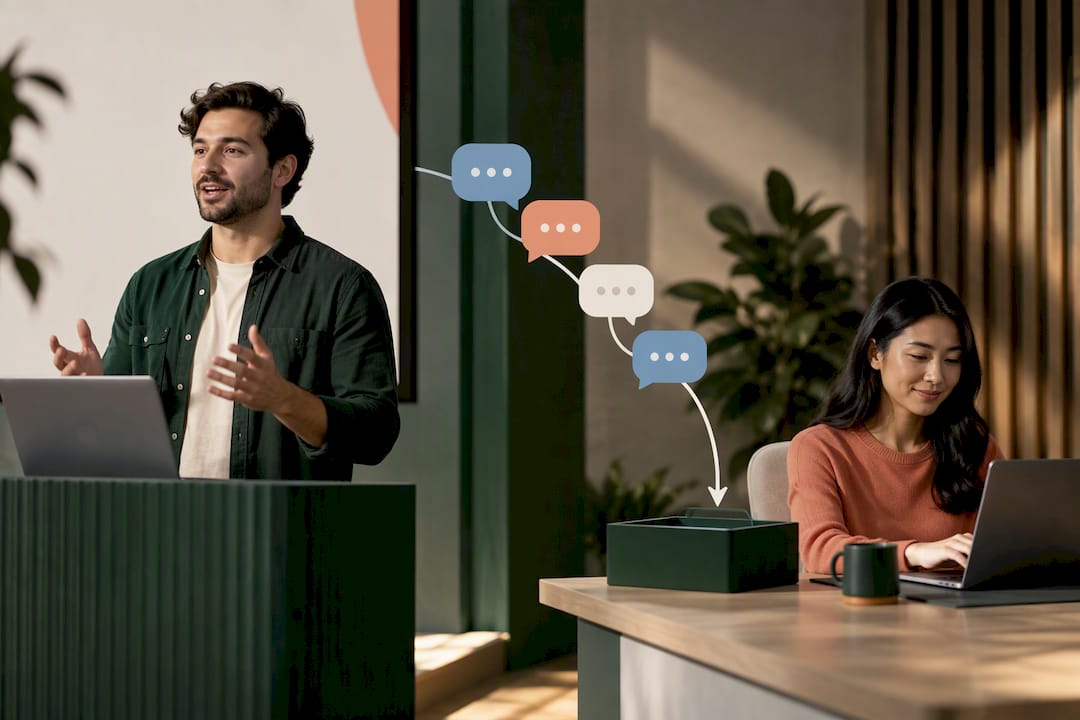
- Run at least two channels in parallel, a poll or chat alongside any moderated Q&A, so silent attendees always have an alternative to speaking.
- Assign clear producer roles ahead of time: someone managing the green room, a remote-specific facilitator watching chat, and a Q&A moderator filtering submissions.
- Sequence the run: green room check, icebreaker prompt, 60 to 90 seconds for responses, quick narration of results, then transition to the main agenda.
Platforms like Microsoft Teams support this kind of production directly, with green room prep, moderated Q&A, and a Polls app for real-time input, according to Microsoft’s town hall hosting guidance.
Pro Tip: Assign one person whose only job during the icebreaker is watching chat, so no question or comment gets lost while the main host is talking.
5. Accessibility and inclusion checklist for town hall icebreakers
An icebreaker that only works for people comfortable unmuting on camera excludes a large share of any large audience. Offering multiple channels fixes this by design rather than by exception.
- Offer at least three participation channels: verbal for those who want to speak, chat or text for those who prefer typing, and a phone-in or pre-submitted option for anyone without reliable video access.
- Enable captions on every icebreaker segment, not just the main presentation, since a caption gap during a fast poll leaves some attendees guessing.
- Use keyboard-accessible polls and screen-reader-friendly question wording, avoiding phrasing that depends on seeing an image or color alone.
- Write neurodiversity-friendly prompts: clear, literal questions work better than ones relying on inference or social nuance.
- Invite dissent explicitly at the start, framing the icebreaker’s purpose so participants know sharing an unpopular answer is safe.
Providing at least three participation channels, live verbal, phone-in, and pre-submitted written comments, materially improves accessibility and inclusion for meeting attendees, according to accessibility guidance for meeting platforms. Facilitation research on hybrid meetings also points to moderated Q&A queues and parallel text-based input as concrete ways to prevent a few dominant voices from crowding out everyone else, as outlined in this guide to hybrid meeting facilitation.
6. Simple tech and setup checklist for reliable icebreakers
Most icebreaker failures are technical, not creative. A five-minute setup check before the meeting starts prevents the majority of them.
- Run a green room test with your host, producer, and remote facilitator at least 10 minutes before doors open.
- Add the Polls app or your platform’s equivalent, and pre-load your first two or three questions.
- Enable captions and confirm they are actually turned on, not just available.
- Prepare short poll links or QR codes so in-room attendees can join from their phones without hunting for a meeting code.
- Test speaker audio and captioning together, since a caption lag during a live poll narration creates confusion.
- Have a no-download fallback ready: a browser link works when an app requires installation, and colored cards work when Wi-Fi does not.
- Save and export poll results immediately after the session, and plan a short follow-up message referencing what the group shared.
For platform-specific setup steps, this guide to running icebreakers in Microsoft Teams walks through the exact menu paths.
7. A copy-paste run-sheet and facilitator checklist
A written run-sheet removes the guesswork that causes dead air during a live town hall. Keep it to one page and script the transitions word for word.
- Pre-event (10 minutes before): confirm green room, test polls, confirm captions are live.
- Instruction (20 to 30 seconds): read the prompt exactly as written, state the time limit, and name the response channel.
- Activity window (30 seconds to 5 minutes depending on format): hold silence, monitor chat, do not rush.
- Narrate results (15 to 45 seconds): call out one or two standout responses or the overall poll shape.
- Tie-back (15 to 30 seconds): connect the icebreaker to the meeting’s actual topic before moving on.
- Post-event: export results, post a thank-you in chat, and flag any follow-up items for the next town hall.
8. Publisher expertise: when browser-first icebreakers are the right call
Browser-first tools remove the single biggest point of friction in a large virtual town hall: asking hundreds of people to install something before they can participate. Platforms built around no-download, quick-setup multiplayer games fit this need directly, since attendees join from a link and start playing within seconds. HR and people ops teams running recurring town halls tend to prefer this route when the goal is consistent, low-effort engagement rather than a one-time elaborate production, as highlighted by DCFB Wellness corporate wellness programs. A browser-first approach makes the most sense for regular meetings; a deeper interactive production may suit a single flagship event with a larger AV budget.
9. What running dozens of town halls actually teaches you
The biggest win comes from switching to parallel, anonymous polls, so quiet attendees suddenly participate. The biggest caution: never assume last quarter’s icebreaker will land the same way twice. Audiences shift, so keep iterating and keep expectations modest.
— Thomas
10. How a browser-first games platform simplifies town hall icebreakers
Everything covered above, no downloads, fast setup, and parallel participation are key features of modern browser-first team-building platforms. These platforms offer customizable multiplayer games designed for remote and hybrid teams, along with daily challenges that help maintain team engagement between events.

- Zero-download games: attendees join from a browser link, no app install or account creation required.
- Quick setup: organizers can launch a session in minutes rather than building custom polls from scratch.
- Ongoing engagement: daily challenges keep teams connected between scheduled town halls, not just during them.
If your team is weighing whether a dedicated icebreaker platform fits your production constraints, the Gatherilla product page outlines the game library, and the pricing page lists the Free plan alongside Premium options for teams that want more games and reporting.
Sources
- Host a town hall in Microsoft Teams | Microsoft Support
- CommunityClick: Capturing and Reporting Community Feedback from Town Halls to Improve Inclusivity (CSCW 2020)
- Electronic Facilitation of Large Meetings (group support systems study)
- A guide to virtual & hybrid meeting facilitation | Interaction Associates
FAQ
What are some good 5-minute icebreakers for meetings?
Emoji check-ins, this-or-that polls, and live word clouds all fit comfortably inside five minutes and need only a browser or chat window. They work well because they avoid sequential speaking, letting a whole room respond at once instead of waiting on turns.
What are some good office icebreakers?
Rose, thorn, bud and one-word check-ins work well in office settings because they take under two minutes and adapt easily to both in-room and hybrid formats. Values bingo also fits well when the goal is reinforcing culture during a longer meeting rather than just breaking the ice.
What are some fun and engaging icebreakers for community building?
Breakout pair introductions and collaborative playlist builds both encourage genuine connection rather than surface-level small talk. Recognition walls, where attendees submit shoutouts throughout an event, also build community by surfacing peer appreciation in real time.
What are five great icebreaker questions?
Strong options include: what’s one good thing from this week, coffee or tea, what’s a song stuck in your head, what’s one word for how you’re feeling today, and would you rather work remote forever or four days a week. Each works as a quick poll or chat prompt without requiring anyone to speak aloud.
How long should a town hall icebreaker take?
Most quick prompts run 1 to 5 minutes, while short group activities can take up to 15 minutes depending on group size. As a rule, keep the icebreaker under 10% of total meeting time unless connection building is the actual point of the agenda item.