

Virtual New Year Party Ideas for Remote Teams

The best virtual New Year party for a work team is short, built around one shared activity, and easy for everyone to join: a team trivia round, a quick game, a look back at the year and a look ahead at the next. Keep it to two hours at most, send invitations early, and let people take part at their own comfort level. Below you will find ideas that work, how to plan them, and a sample agenda.
TL;DR
- Pick one anchor activity (trivia, a fast game block, or a year-in-review) and add one or two light extras. Do not stack six.
- Keep the party to two hours or less, and invite people at least two weeks ahead with the date, time, theme and login details (Eventbrite).
- Make participation voluntary, caption-friendly and time-zone-aware so the whole team can join.
- Use the video tool your team already has. A browser-based game needs no downloads.
- Turn the party into a habit with five-minute New Year icebreakers in regular meetings.
Table of Contents
- What makes a virtual New Year party work for a team
- Games that get a team laughing
- Social ideas beyond games
- Reflect on the year and set shared goals
- Quick New Year icebreakers for regular meetings
- Welcoming new hires into the celebration
- Make it accessible and comfortable for everyone
- How to plan it: time, materials and a run-of-show
- Our perspective
- Run your New Year party with Gatherilla
- FAQ
- Sources
What makes a virtual New Year party work for a team
A work celebration is not a family video call. People are tired at year end, calendars are full, and some teammates would rather skip anything that feels forced. The parties that land share three traits.
One clear purpose. The U.S. government’s Virtual Team Toolkit advises that an icebreaker should have a clear objective, be explained so everyone understands the rules, and need advance preparation only when necessary (Partnership for Public Service). Decide whether the goal is laughter, reflection, recognition or welcoming new people, and choose activities that serve it.
Low friction. Every login, download or account creation loses a few people. Use Zoom, Slack, Google Meet or Microsoft Teams, which most teams already have. Deel’s team-building guide makes the same point: a dedicated platform is not needed for quick activities (Deel).
Real choice. Nobody should be pushed into singing, sharing something personal or turning on a camera for a game. Offer a chat-only way to join every activity.
Games that get a team laughing
Games are the safest anchor for a work party because they give people something to do with their hands and attention, which beats the awkwardness of small talk.
Team trivia with a year-end twist
Trivia is the easiest format to run. Eventbrite’s 2026 guide notes that live-streamed themed trivia suits medium-to-large groups because people can answer through chat or reactions (Eventbrite). For New Year, build rounds around:
- The year in review: company milestones, product launches, office inside jokes.
- Pop culture of the year: songs, shows, memes.
- Traditions around the world: how different countries welcome the new year.
- Who said it: anonymous quotes from team chat, with permission.
Split into teams of four to six so that quieter people can contribute without a spotlight. Our virtual team trivia playbook walks through scoring and pacing, and the virtual Jeopardy guide shows how to run a board in about 15 minutes.
Minute-long challenges
Short, silly physical challenges suit a festive mood. Think of stacking cups, balancing a paper ball, or building the tallest tower from desk items, all against a 60-second clock. They need almost no explanation, and spectators enjoy them as much as players. Our list of virtual Minute to Win It games has ready-made rounds.
Escape rooms and cooperative puzzles
Eventbrite’s guide says virtual escape rooms work best for small-to-medium groups, or for larger groups split into teams (Eventbrite). A countdown-themed puzzle, where the team must solve clues before a virtual midnight, fits the occasion well.
Games inside your video tool
If your team lives in Zoom or Microsoft Teams, you can run games in the same window. See our guides to Zoom games for work, team-building games for Microsoft Teams and virtual meeting games that build connection fast.
Social ideas beyond games
Not everyone wants a competition. Mix in one lower-pressure option.
- Virtual cooking or mixology. Eventbrite’s party guide lists virtual cooking or mixology as a popular choice, and a mocktail class includes everyone (Eventbrite). Send the recipe and shopping list a few days ahead.
- Movie night or collaborative playlist. Teammates add songs to a shared playlist, and the host plays them with a quick guess-who-added-it round.
- Talent show. Keep it to two minutes per act and make it optional. Pet cameos count.
- Scavenger hunt. Household scavenger hunts (find something red, something older than you, your favorite mug) get people moving and showing a bit of their home without anyone feeling exposed (PerkUp).
- Themed dress-up. A theme such as a decade, a color or festive hats gives the camera something to enjoy. Keep it optional.
- Countdown by time zone. If your team is spread out, celebrate a series of midnights: one toast at each time zone’s midnight, with the people from that zone leading.
Reflect on the year and set shared goals
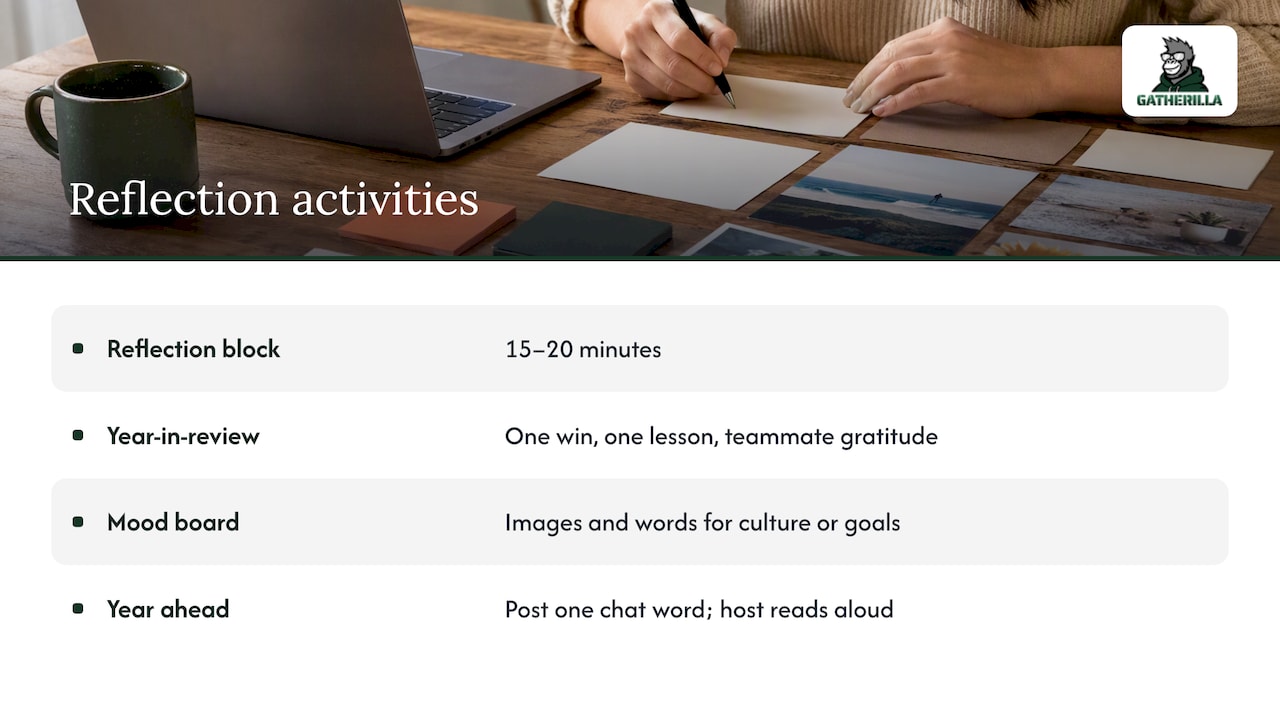
New Year is a natural moment to pause. A reflective block gives the party meaning and takes only 15 to 20 minutes.
Year-in-review round. Ask each person to share one win, one thing they learned and one thing they are grateful for about a teammate. Make recognition the point: naming a colleague’s help does more for culture than any prize.
Collaborative mood board. Eventbrite describes a shared digital mood board as a place to collect images and words about workplace culture or future goals, which suits quiet contribution (Eventbrite). Any shared whiteboard works; for ideas on tools that support shared online collaboration, see this piece on augmented hybrid team collaboration.
One word for the year ahead. Each person posts a single word in chat for the team’s next year, then the host reads them out. It is fast and works for any group size.
SessionLab’s write-up of a virtual end-of-year event makes a useful reminder: adapting favorite team activities to an online setting takes careful planning and design to stay engaging (SessionLab). Test the reflection prompts on a colleague first.
Quick New Year icebreakers for regular meetings
You do not need a full party. Many teams get more value from five-minute rituals in the last meetings of December and the first of January.
- This or That, New Year edition: resolutions or intentions, early riser or midnight owl, fireworks or a quiet night in. Deel notes that activities like this fit into an existing meeting in about five minutes (Deel).
- Best moment of the year: one sentence each, in chat or aloud.
- Going deeper in pairs: the Wharton Neuroscience Initiative’s Fast Friends guidance suggests pairs or trios answering progressively deeper questions in breakout rooms. The full exercise runs around 45 minutes, but rounds can shrink to as little as 3 to 5 minutes before a meeting, with participation voluntary and skipping allowed (Wharton Executive Education).
- Lighter prompts: Columbia University Human Resources suggests short icebreakers about hobbies, recent cooking, books, weekend highlights, music or name origins (Columbia HR). Add a New Year angle: a favorite food for the holidays, or a song that defined your year.
For more formats, read our remote icebreaker games guide and team building games that do not make people cringe.
Welcoming new hires into the celebration
A new employee who joined in the fall may not know anyone well enough to enjoy a party. A few small steps help.
- Pair them with a host buddy who greets them in the call and introduces them to others.
- Use low-risk icebreakers such as Two Truths and a Lie or a household scavenger hunt, which PerkUp recommends for helping new employees share personal context and build camaraderie (PerkUp).
- Make trivia about the company, so newcomers learn while playing. Foothold America suggests a company-resource scavenger hunt and trivia or escape-room games for new U.S. hires (Foothold America).
- Give them a moment to shine. The same source describes a short first-week celebration where the new hire shares what they have learned, contributed and look forward to. A New Year party can host a version of this: what did your first months teach you, and what are you looking forward to next year?
Make it accessible and comfortable for everyone
Planning for accessibility is part of good hosting, not an add-on. Section508.gov says accessibility should be built into meeting culture as standard practice rather than treated as an afterthought (Section508.gov). In practice:
- Captions and support. Check that your platform supports captions, explain during registration how to request support professionals or interpreters, and offer a telephone call-in option (HUD).
- Share materials ahead of time. The same HUD guide advises sharing meeting materials in advance, which helps participants with visual impairments or processing challenges.
- Name a chat monitor. Los Angeles’s Department on Disability recommends assigning a staff member to monitor chat and call on virtual participants, and keeping technical help available (LA Department on Disability).
- Skip flashing visuals. The same guidance says to avoid animated or flashing virtual backgrounds. For a glittery New Year theme, choose static backgrounds.
- Hybrid rooms. If some people are together in an office, require microphones for in-person speakers so remote colleagues can hear.
- Voluntary sharing. Wharton’s guidance stresses clear confidentiality expectations and the freedom to skip questions (Wharton Executive Education). Say this out loud at the start.
Handling time zones
Pick a start time and show it in each major time zone in the invitation. For teams spanning the U.S. and beyond, hold two shorter sessions instead of one late-night call, and record the reflection portion for those who miss it. Never schedule a mandatory event outside someone’s working hours.
How to plan it: time, materials and a run-of-show
Eventbrite’s guidance is practical: keep a virtual party to two hours or less, invite guests at least two weeks ahead with the date, time, theme, dress code and login details, test camera and audio, and prepare for connectivity or audio problems (Eventbrite). A written agenda with a welcome and tech check also helps prevent awkward silences (Party Checklist). For a structured approach to live agendas, technology checks and participant support, this article on hybrid event production basics is worth a look.
Here is a 60-minute run-of-show you can copy:
| Minute | Segment | Notes |
|---|---|---|
| 0–5 | Welcome and tech check | Confirm audio, explain chat, say that everything is optional |
| 5–15 | Icebreaker | This or That, or one-word check-in |
| 15–40 | Anchor game | Team trivia or minute-long challenges in small teams |
| 40–52 | Year in review | Wins, thanks and recognition |
| 52–58 | Goals for next year | One word each, or add to a shared board |
| 58–60 | Countdown and toast | Cameras on only if people want |
Need a 30- or 90-minute version? Our virtual company event agendas cover all three lengths.
A short checklist
- Send the invitation at least two weeks ahead, with a calendar file.
- Name a host, a timekeeper and a chat monitor.
- Test the game link on a second device.
- Prepare a backup plan if audio fails: chat-based trivia still works.
- Send a thank-you message with highlights within a day.
Our perspective
We built Gatherilla because the most common failure of virtual team events is not a bad idea. It is preparation and friction. A leader finds a great game, then spends an evening building slides, hunting for links and worrying about who will need to download what. By the time the party arrives, the energy is gone.
Our view is that a New Year party should be the high point of something your team already does, not a one-off that people dread. A daily or weekly rhythm of short games, trivia and recognition makes the party feel natural, because people already know each other’s sense of humor. That is why our games run in the browser, with no downloads and no accounts needed to join, and why they work alongside whichever video tool you already use.
Recognition matters most at year end. Tie your games and shout-outs to your company values, and the party becomes a record of what your team did well, not just a pause in the workday.
Thomas
Run your New Year party with Gatherilla
Gatherilla is a browser-based platform of customizable multiplayer games for remote and hybrid teams: team trivia, daily word and trivia challenges, icebreakers, onboarding games and real-time leaderboards. It needs no downloads and works with any video conferencing tool, so you can host a New Year session in the call your team already uses.

There is a free tier to try. Premium is priced per seat, at $0.50 to $1.00 per month or $5 to $10 per year, and adds more games, analytics and reporting, and priority support. See the plans on our pricing page or start from the Gatherilla homepage.
FAQ
How long should a virtual New Year party for work be?
Keep it to two hours at most, and for most teams 45 to 60 minutes is enough (Eventbrite). A tight hour with one anchor game and a short reflection feels better than a long call that fades out. Hold it during working hours so nobody gives up their evening.
What is the easiest activity to run with no preparation?
A five-minute round of This or That or a one-sentence best-moment check-in needs nothing but a video call. Both fit into an existing meeting (Deel). For a bigger moment, a ready-made trivia game in the browser takes minutes to set up.
How do we include people in different time zones?
Show the start time in every major time zone in the invitation. Consider two shorter sessions, or celebrate a series of midnights across zones, and record the reflection segment for those who cannot attend live. Keep participation optional.
How do we make the party accessible?
Use captions, offer a phone call-in option, share materials ahead of time, and assign someone to monitor chat and call on remote participants (HUD). Avoid flashing or animated backgrounds (LA Department on Disability).
What if some teammates do not like parties?
Say at the start that everything is optional and offer chat-only ways to join. Let people skip any question (Wharton Executive Education). Competitive games in small teams and quiet activities such as a shared mood board suit different temperaments.
Sources
- Eventbrite: 15 Virtual Party Ideas That Everyone Will Want to Attend
- Eventbrite: creative team-building activities
- Deel: Non-cheesy five-minute virtual team building activities
- Wharton Executive Education: Create Authentic Connections with Virtual Team Members
- Partnership for Public Service: Virtual Team Toolkit
- Columbia University Human Resources: Best in Flex
- PerkUp: 9 Fun Ways To Welcome New Employees Virtually
- Foothold America: Virtual Onboarding for New US Hires
- HUD: Guide for Planning an Accessible Virtual Meeting or Event
- LA Department on Disability: Event Accessibility
- Section508.gov: Accessible Meetings
- SessionLab: How to Run a Virtual End-of-Year Team Event
- Party Checklist: Virtual Party Activity Checklist