

Virtual Halloween Games for Remote Teams: Low-Prep Ideas
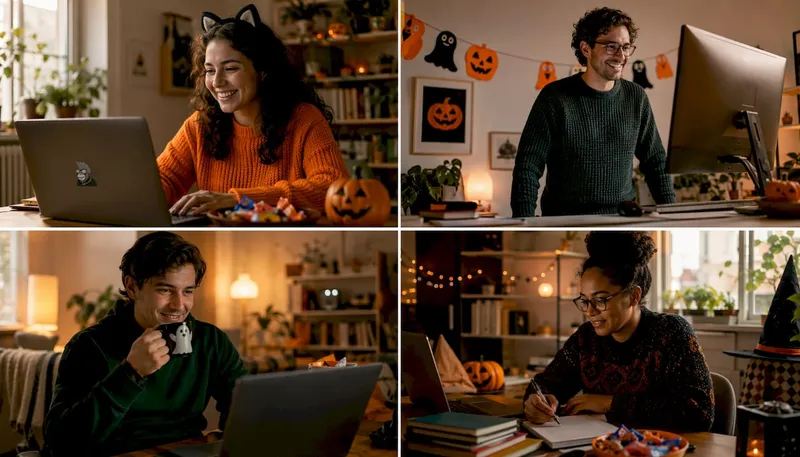
The easiest, most engaging virtual Halloween games for remote teams are short, browser-based group activities: trivia, scavenger hunts, murder mysteries, escape rooms, costume contests, and virtual pumpkin carving. Each one adapts to different group sizes and tech constraints without requiring downloads or IT tickets.
Quick picks by group size:
- Small teams: Virtual murder mystery or Halloween escape room — intimate enough for everyone to contribute, long enough to feel like a real event.
- Mid-size groups: Halloween trivia tournament with team breakouts, or a virtual scavenger hunt with a live leaderboard.
- Large company-wide events: Costume contest with audience voting, a mini-game show with speed rounds, or browser-based pumpkin carving with a shared gallery.
Browser-based, no-download options are the lowest-friction choice for any size. Participants join from a link, no app installs needed, and IT stays out of it entirely.
Table of Contents
- The Best Virtual Halloween Games and How to Run Each
- Low-Prep Halloween Games You Can Run Inside Any Meeting
- How to Host a Virtual Halloween Event That Actually Runs Smoothly
- What Tech You Actually Need for Virtual Halloween Games
- Why Halloween-Themed Virtual Events Actually Work
- Key Takeaways
- Why Short Games Beat Long Agendas for Remote Teams
- Gatherilla Makes Browser-Based Halloween Games Easy to Launch
- Useful Sources and Further Reading
The Best Virtual Halloween Games and How to Run Each
Here is a side-by-side comparison to help you pick before diving into the details.

| Game | Best group size | Duration | Tech needed |
|---|---|---|---|
| Virtual escape room | Small | About an hour | Browser or video + puzzle doc |
| Murder mystery | Small–mid | Around one hour | Video conferencing + breakout rooms |
| Halloween trivia | Any | Under an hour | Video + polling or browser game |
| Virtual scavenger hunt | Any | About half an hour | Video + chat |
| Virtual pumpkin carving | Any | Around 30 to 45 minutes | Browser-based carving tool |
| Costume contest | Any | Around 15 to 25 minutes | Video + voting tool |
| Mini-game show | Mid–large | Approximately 30 to 45 minutes | Browser game or video + slides |
| Spooky charades/Pictionary | Small–mid | About 20 to 30 minutes | Video + whiteboard tool |
1. Virtual Halloween escape room
Who it suits: Team-building, problem-solvers, competitive groups. Group size: 6–15 (split into teams of 3–5 for larger groups). Duration: 45–60 minutes including debrief. Tech: Browser-based puzzle platform or a shared Google Doc with clues; video conferencing for communication.
Free virtual escape rooms are available for remote teams and typically run 30–45 minutes. The Escape Game’s Monster Mansion is one browser-based example with word puzzles, sound clues, and a pause-and-resume feature that most boxed escape games lack.
3-step setup:
- Choose a free or paid escape room link and test it solo the day before.
- Send the link and a one-paragraph brief to participants 24 hours ahead.
- Open breakout rooms during play so small teams can strategize without cross-talk.
Pro Tip: Give each team a shared doc or whiteboard to track clues. Teams that write things down solve puzzles faster and stay more engaged throughout.
2. Halloween murder mystery
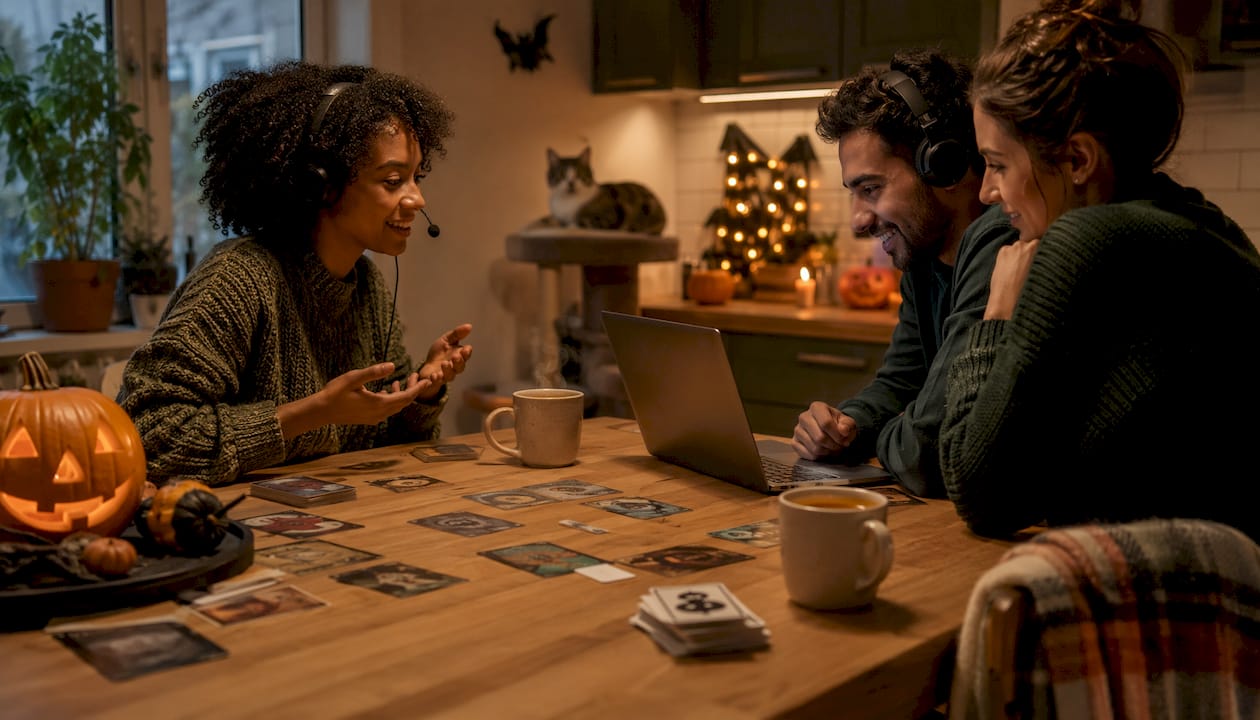
Who it suits: Social groups, mid-size teams who enjoy storytelling. Group size: 8–30 (assign roles ahead of time for groups over 15). Duration: 60–90 minutes. Tech: Video conferencing with breakout rooms; character sheets distributed by email or shared drive.
Murder mysteries work because everyone has a job. Nobody sits passively waiting for a slide to advance. Assign characters by email the day before, keep the host’s role to narrator and timekeeper, and use breakout rooms for private conversations between suspects.
3-step setup:
- Download or purchase a Halloween murder mystery kit (many free printable versions exist online).
- Email character sheets and a one-page rules summary 48 hours before the event.
- Schedule two 10-minute breakout sessions mid-game for private suspect conversations.
Pro Tip: For participants who find intense mystery themes uncomfortable, offer a “detective observer” role — they follow the story and vote on the culprit without playing a character.
3. Remote Halloween trivia
Who it suits: Any team, icebreaker-friendly, scales to any size. Group size: 10–200+. Duration: 20–40 minutes. Tech: Video conferencing plus a browser-based quiz tool or polling feature.
Halloween quizzes from public broadcasters and educational sites offer ready-made question banks you can adapt for an adult-friendly format. Mix pop culture, spooky history, and silly “would you rather” prompts to keep energy up across rounds.
3-step setup:
- Build a 20–25 question quiz across 4–5 themed rounds (history, movies, costumes, spooky science).
- Use team breakouts for rounds 2 and 4 so people collaborate, not just compete solo.
- Announce a small prize category (best team name, fastest answer) to raise stakes.
Pro Tip: Add one “asynchronous bonus round” — post three trivia questions in Slack or Teams the morning of the event. Early answers count toward the live score, which pulls in people who might miss the live session.
4. Virtual Halloween scavenger hunt
Who it suits: High-energy groups, icebreakers, family-friendly events. Group size: 10–100. Duration: 20–30 minutes. Tech: Video conferencing + chat; no external platform required.
The format is simple: read a clue, participants race to find a matching item at home and hold it up on camera. Physical party games translate well to virtual play when you convert tactile tasks into timed-find or photograph challenges. Keep rules simple and give people alternative ways to participate — describe the item, draw it, or nominate a household member to retrieve it.
3-step setup:
- Write 10–15 clues ranging from easy (“something orange”) to tricky (“something that makes a spooky sound”).
- Assign a point value to speed (first three to show the item) and creativity (best interpretation).
- Use the chat for photo submissions from participants who prefer not to be on camera.
Pro Tip: Send clues in a sealed PDF the night before for participants in different time zones who want to play asynchronously. They submit photos; the live group votes on favorites.
5. Virtual pumpkin carving
Who it suits: Creative teams, low-pressure socializing, family-friendly. Group size: 5–50. Duration: 30–45 minutes. Tech: Browser-based carving tool (no download); video conferencing for the reveal.
Browser-based pumpkin carving tools let teams design and share pumpkins without any software installation. Pumpkin Studio, for example, lets creators place finished designs on a public Halloween map, vote on favorites, and edit saved designs after the session ends. That persistent gallery extends engagement well past the live event and gives people something to share on internal channels.
3-step setup:
- Share the browser tool link in the calendar invite so participants can explore it before the session.
- Set a 20-minute carving timer; the host shares their screen to show the gallery building in real time.
- Run a 5-minute audience vote on categories: scariest, funniest, most creative.
Pro Tip: For participants on low-bandwidth connections, offer a “describe your ideal pumpkin” alternative. They narrate; a willing teammate carves it on their behalf.
6. Virtual costume contest
Who it suits: Any group, high participation, low prep for organizers. Group size: 10–200+. Duration: 15–25 minutes. Tech: Video conferencing + a polling tool (Google Forms, Mentimeter, or built-in Zoom polls).
Costume contests are the lowest-lift event on this list. The prep is almost entirely on participants, not the organizer. Set clear categories ahead of time (scariest, most creative, best group costume, best DIY), run a quick parade where each person gets 20 seconds on camera, then open the poll.
3-step setup:
- Announce categories and a “no costume required” opt-out option in the event invite.
- During the event, run a 60-second spotlight per participant or team.
- Tally votes live and announce winners with a small prize (gift card, extra PTO, public shoutout).
Pro Tip: Add a “virtual background costume” category for people who prefer not to dress up. It levels the playing field and often produces the most creative entries.
7. Mini-game show with speed rounds
Who it suits: Mid-to-large groups, high energy, competitive teams. Group size: 20–100. Duration: 30–45 minutes. Tech: Browser-based multiplayer game or video conferencing with a slide deck and polling tool.
Think of this as a Halloween-themed version of a TV game show: rapid-fire rounds, a live leaderboard, and a host who keeps the pace moving. Rotate formats every 5–7 minutes — one round of trivia, one of visual puzzles, one of “name that horror movie theme song” — so no single skill dominates. Kahoot alternatives built for team building add leaderboard mechanics and multiplayer features that basic quiz tools miss.
3-step setup:
- Script 5–6 rounds of 3–5 questions each, varying the format (multiple choice, image, audio).
- Assign a co-host to manage the leaderboard and chat while the main host runs the show.
- Build in a 2-minute “commercial break” halfway through for bathroom and snack runs.
Pro Tip: Record the final leaderboard screen and post it in your team channel after the event. People who missed it will ask to join next time.
8. Spooky charades and Pictionary
Who it suits: Small-to-mid groups, icebreakers, low-tech environments. Group size: 6–30. Duration: 20–30 minutes. Tech: Video conferencing; optional collaborative whiteboard (Miro, Google Jamboard, or Zoom’s built-in whiteboard) for Pictionary.
PBS KIDS Halloween games emphasize step-based problem solving and creativity, which maps directly onto charades and Pictionary mechanics. Build a prompt list around Halloween themes: “zombie doing yoga,” “vampire at the DMV,” “witch ordering coffee.” The absurdity is half the fun.
3-step setup:
- Prepare 30–40 Halloween prompts in a randomizer (a simple Google Sheet works).
- Split into two teams; each team gets 60 seconds per prompt.
- For Pictionary, share the whiteboard link in chat so both teams can see the drawing in real time.
Pro Tip: For participants with mobility limitations or camera anxiety, offer a “describe it in three words” variant instead of acting or drawing.
Low-Prep Halloween Games You Can Run Inside Any Meeting
No external platform, no budget, no problem. These eight options drop into a regular meeting with almost no setup.
- Spooky two-minute trivia: Read 5 Halloween questions aloud; participants type answers in chat. Fastest correct answer wins a point.
- Scare-and-Share micro-story: Each person adds one sentence to a group ghost story, round-robin style. Takes 5–8 minutes for a team of 10.
- Freeze dance with Halloween prompts: Play 30 seconds of a spooky song; when it stops, everyone freezes. Host picks the best freeze pose. Works on any video call.
- Find a spooky item: Give participants 60 seconds to grab the most Halloween-adjacent object in their home. Best item wins.
- Silly fill-in ghost story: Share a Mad Libs-style ghost story template in chat; participants fill in blanks before the host reads it aloud.
- Costume show-and-tell: Each person explains their costume (or their ideal costume) in 30 seconds. No judgment, no voting, just conversation.
- Halloween emoji quiz: Post a series of emoji combinations in chat; teams decode the horror movie title. Example: = Psycho.
- Two truths and a lie (Halloween edition): Each person shares two real Halloween memories and one invented one. Group votes on the lie.
How to turn “Find a Spooky Item” into a 10-minute meeting segment:
- Announce it at the top of the meeting: “We’re doing a 60-second scavenger hunt at the 10-minute mark.”
- At the 10-minute mark, start a visible countdown timer and send the prompt in chat.
- Participants return on camera with their item; host picks a winner by audience applause (reactions or thumbs-up emoji).
- Resume the meeting agenda. Total time: 3–4 minutes of actual meeting time, plus the 60-second hunt.
How to Host a Virtual Halloween Event That Actually Runs Smoothly
Sample 60-minute run-of-show
| Time | Segment | Notes |
|---|---|---|
| — | Welcome + themed lobby | Play a Halloween playlist; host greets arrivals |
| — | Icebreaker | Low-prep game (emoji quiz, spooky item hunt) |
| — | Main game | Escape room, trivia, or scavenger hunt |
| — | Breakout debrief / voting | Teams share results; costume or pumpkin vote |
| — | Prize announcement + shoutouts | Keep it brief; name every team |
| — | Closing | Recap, photo screenshot, next event teaser |
Roles and responsibilities
Assign these before the event, not during it.
- Host: Runs the agenda, keeps time, reads prompts.
- Co-host/moderator: Manages chat, mutes disruptive audio, handles tech issues.
- Judge: Scores costume or creative contests; announces results.
- Breakout facilitators: One per breakout room to keep groups on task.
Tech checklist (run this 30 minutes before go-time)
- Confirm screen-share permissions for all co-hosts.
- Test breakout room assignments and verify the number of rooms.
- Check audio and video on the host machine.
- Have a backup plan: a simple trivia slide deck ready if the main game platform fails.
- Confirm recording policy with HR and communicate it to participants in the invite.
Accessibility and inclusivity
Not everyone wants to be scared, dress up, or be on camera. Build opt-outs into the design, not as an afterthought.
- Offer a “no costume” option explicitly in the invite.
- Use team building games that don’t make people cringe as a filter when choosing formats — avoid jump scares, gore themes, or anything that requires physical dexterity.
- Enable live captions on Zoom or Teams for participants with hearing differences.
- For participants on limited bandwidth, provide a text-only participation path (chat answers, emoji reactions).
- Post an asynchronous version of the main activity in Slack or Teams for people in different time zones. Async team building across time zones is more manageable than most organizers expect.
Common technical issues and quick fixes
The single most common reason virtual events fall flat is a technical problem in the first five minutes. Run a full tech rehearsal the day before, not the morning of.
- Muting issues: Assign the co-host to monitor and mute; remind participants to use “mute on entry.”
- Video lag: Ask participants to close unused browser tabs and disable VPN if possible.
- Screen-share permission denied: Pre-assign co-host status to anyone who needs to share.
- Game platform won’t load: Have the backup slide deck open and ready before the event starts.
- File-sharing blocked by IT: Use a public link (Google Drive, Dropbox) rather than an email attachment.
Pro Tip: Set a themed waiting room with a Halloween playlist and a “lobby slide” showing the agenda. Participants who join early transition from work mode to party mode before the event even starts, which measurably improves early engagement.
What Tech You Actually Need for Virtual Halloween Games
The good news: you probably already have everything required.
Video conferencing
Zoom, Microsoft Teams, and Google Meet all support the core features you need: breakout rooms, screen sharing, polling, and chat. The differences matter only at the margins. Teams integrates more tightly with Microsoft 365 for file sharing; Zoom’s breakout room controls are slightly more flexible for rapid reassignment. For team building games on Microsoft Teams, the built-in Together Mode and reactions add a layer of presence that standard grid view lacks.
Browser-based multiplayer games
Pros:
- No downloads or installs for participants.
- Works on any device with a modern browser.
- Reduces IT friction to near zero.
- Often free or low-cost.
Cons:
- Dependent on stable internet; low-bandwidth users may experience lag.
- Less customizable than purpose-built enterprise platforms.
- Public free tools may carry ads or limited features.
Browser-based team building games are the lowest-friction option for mixed-device teams. Participants join from a link in the calendar invite. No app store, no IT ticket, no “my download is stuck” messages five minutes before the event.
Polling and voting tools
Google Forms, Mentimeter, and built-in platform polls (Zoom, Teams) handle costume voting and trivia scoring without any extra accounts. For larger events, Mentimeter’s word cloud and live ranking features add visual energy to voting rounds.
Collaborative whiteboards
Miro and Google Jamboard (or Zoom’s built-in whiteboard) work for Pictionary and collaborative storytelling. Desktop is strongly preferred for any creative or carving task — touchpad drawing on a laptop is frustrating; a mouse or stylus makes a real difference.
Minimum device recommendations
- Desktop or laptop preferred for carving, whiteboard, and puzzle tasks.
- Stable internet connection (at least 5 Mbps upload for smooth video).
- Updated browser (Chrome or Firefox, latest version) for browser-based games.
- Headset or earbuds to reduce echo in group audio.
Gatherilla’s platform covers the browser-based multiplayer layer entirely: no downloads, quick setup from a single link, built-in leaderboards, and analytics that let HR track participation without manual scorekeeping.
Why Halloween-Themed Virtual Events Actually Work
The case for spending 45 minutes on a spooky trivia game is stronger than it sounds.
Remote team experts note that small-group collaboration combats isolation more effectively than solo activities or large-group-only formats. The mechanism is straightforward: when people work together on a low-stakes task, they reveal personality traits that a normal work meeting never surfaces. That brief exposure to a colleague’s competitive streak or terrible pumpkin-carving skills builds the kind of familiarity that makes future collaboration easier.
Themed events work because they give people permission to step out of their work roles briefly. Playful risk — wearing a costume, guessing a horror movie from three emojis, racing to find a rubber duck — creates the social stimulation that routine check-ins cannot.
Practitioners consistently recommend wrapping familiar formats in a Halloween theme rather than inventing entirely new meeting structures. A weekly trivia becomes a Halloween trivia. A Friday icebreaker becomes a ghost story round. The format is already trusted; the theme does the heavy lifting. Organizer workload drops, and participant buy-in rises because the activity feels familiar.
Pre-event atmosphere matters too. A themed waiting room, a curated Halloween playlist, or a shared pumpkin gallery in the lobby slide shifts participants from work mode to party mode before the first prompt lands. That transition is not cosmetic. It sets the expectation that this meeting is different, which changes how people show up.
Persistent, shareable creative spaces extend that engagement past the live session. A gallery of team pumpkin carvings posted in Slack after the event creates social proof: people who missed it see what they missed, and participation in the next event tends to be higher.
Key Takeaways
The most effective virtual Halloween games for remote teams are short, browser-based, and built around small-group collaboration — trivia, escape rooms, scavenger hunts, and costume contests each adapt to any group size with minimal prep.
| Point | Details |
|---|---|
| Match game to group size | Small teams (6–15) run best with escape rooms or murder mysteries; large groups (50+) need costume contests or trivia with breakouts. |
| Browser-based beats downloads | No-install games reduce friction, increase participation, and eliminate IT issues before the event starts. |
| Themed familiar formats win | Wrap an existing trivia or icebreaker in a Halloween theme rather than inventing a new meeting format to cut organizer prep time. |
| Build in opt-outs | Offer no-costume options, text-only participation paths, and live captions so every team member can join comfortably. |
| Gatherilla for turnkey setup | Gatherilla’s browser-based platform handles multiplayer games, leaderboards, and HR analytics from a single link with no downloads required. |
Why Short Games Beat Long Agendas for Remote Teams
The conventional wisdom on virtual events is that more is more: longer agendas, bigger budgets, fancier platforms. After watching teams run seasonal events across a range of formats, the opposite tends to be true. A 20-minute Halloween trivia with team breakouts produces more genuine conversation than a 90-minute all-hands with a keynote and a raffle.
The reason is attention economics. Remote participants are one click away from their inbox. A long agenda gives them permission to half-attend. A short, high-stakes game with a visible leaderboard and a real prize gives them a reason to stay present. The constraint is the feature.
What most organizers underestimate is the value of the transition moment. The five minutes before a themed event, when someone’s showing off a ridiculous costume or a pumpkin they carved at midnight, is often where the real team-building happens. The game is the excuse. The sidebar conversation is the outcome. Design for that sidebar: build in a 5-minute unstructured “lobby” before the agenda starts, and you will get more genuine connection than any structured icebreaker produces.
The other thing worth saying plainly: accessibility is not a nice addition to a virtual Halloween event. It is the design constraint that makes the event work for everyone. An opt-out for costumes, a text-only participation path, and a post-event async version are not accommodations for edge cases. They are the difference between an event that 60% of your team attends and one that 90% of your team attends.
Gatherilla Makes Browser-Based Halloween Games Easy to Launch
Running a Halloween event for your remote team should not require a project plan. Gatherilla gives HR managers and team leads a single browser link that launches multiplayer games, tracks scores on a live leaderboard, and logs participation data for reporting — no downloads, no IT coordination, no manual scorekeeping.

The practical difference from cobbling together a trivia slide deck, a polling tool, and a breakout room plan: everything lives in one place. Quick setup means you can go from “we should do something for Halloween” to a live game session in under 10 minutes. Built-in analytics let you show leadership that the event happened, who participated, and how engagement compared to previous sessions.
Three steps to launch a Halloween session on Gatherilla:
- Sign up at gatherilla.com and start a free session — no credit card required to explore the game library.
- Pick a game from the Halloween-ready activity options and customize the prompts or team names.
- Run and track — share the join link in your calendar invite, watch the leaderboard fill in real time, and download the participation report afterward.
For HR teams running corporate team building at scale, Gatherilla’s subscription tier adds priority support and deeper analytics. Start with the free tier and upgrade when the team is ready.
Useful Sources and Further Reading
| Source | What it supports |
|---|---|
| Virtual Escape Rooms — Free Halloween Activities | Free escape room and scavenger hunt options for remote teams (30–45 min) |
| Pumpkin Studio | Browser-based pumpkin carving with shared gallery and voting features |
| Child’s Play in Action — Virtual Halloween Party Ideas | Small-group collaboration research and themed-format practitioner guidance |
| PBS KIDS for Parents — Halloween Games | Accessible, low-tech game mechanics and storytelling prompts |
| CBBC — Halloween Games and Quizzes | Trivia question inspiration and family-friendly prompt ideas |
| Clif Bar — Halloween Party Games | Active game formats adaptable for virtual scavenger hunts |
| Gatherilla — Browser-Based Team Building Games | No-download game setup and browser-based platform benefits |
| Gatherilla — Async Team Building | Asynchronous participation and time-zone-friendly event design |
| Gatherilla — Remote Team Building Guide | Comprehensive remote team-building tactics and event cadence |
Recommended
- Team Building Games That Don’t Make People Cringe | Gatherilla Blog
- Browser-Based Team Building Games: Play Together Without Downloads or IT Approval | Gatherilla Blog
- 15 Icebreaker Games for Large Groups | Gatherilla Blog
- Team Building Games for Microsoft Teams (That Actually Work in a Call) | Gatherilla Blog