

Virtual Game Day at Work: A Simple Plan That Works
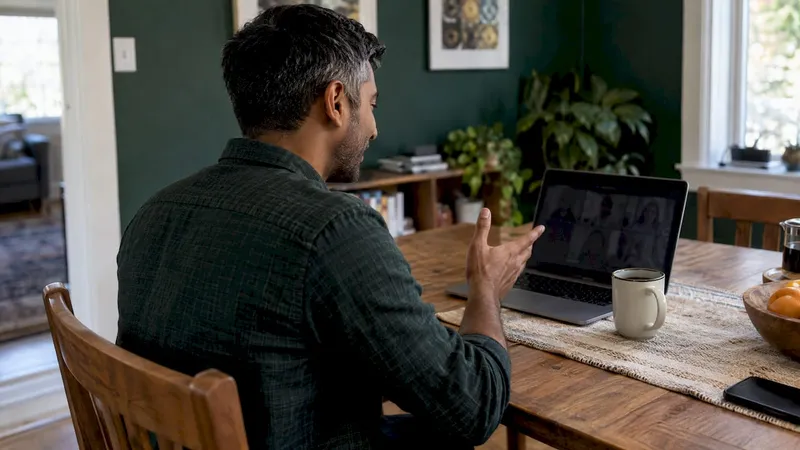
A good virtual game day at work is short, easy to explain and optional. Pick two or three games that fit your team’s size and the time you have. Name one person to run the session. Keep the tech to the video tool your team already uses. Most game days fail because of too many moving parts, not because the games are boring.
This guide covers how to choose games, how to run the hour, how to keep remote and hybrid coworkers on equal footing, and when a single event should become a habit.
TL;DR
- Choose by three constraints: time, group size and goal. Short and simple beats elaborate.
- Run a 45 to 60 minute game day as three short blocks of 10 to 15 minutes, with one facilitator and one person watching the chat.
- Make every game opt-in, and design for the people on screen first.
- Skip anything that needs downloads, new accounts and breakout rooms all at once.
- Once a game day works, add a five-minute weekly ritual. Regular small touchpoints tend to build more connection than one big event.
Table of Contents
- What a virtual game day at work actually is
- How to choose games for your team
- Games that work well at work
- A sample 60-minute game day
- How to run it so everyone understands the rules
- Include remote and hybrid coworkers
- Make it a habit, not a one-off
- Where Gatherilla fits
- Run your first game day with Gatherilla
- FAQ
- Sources
What a virtual game day at work actually is
A virtual game day is a scheduled block, usually 30 to 60 minutes, where coworkers play a few group games together over video. It can be a standalone event, a replacement for a dull Friday meeting, or a team’s monthly social. It differs from a full team-building offsite in one way: nobody needs to travel, and the preparation is measured in minutes.
Three formats cover most needs:
- The icebreaker block. One or two quick games at the start of a regular meeting, 5 to 10 minutes.
- The game hour. Three or four games in a dedicated slot, with a facilitator.
- The recurring ritual. A tiny game on a fixed day each week or every day, so it becomes part of the team’s rhythm.
If you only have budget and goodwill for one, start with the game hour. It tells you quickly what your team enjoys.
How to choose games for your team
The most useful rule comes from a facilitation guide to Zoom games. Its author advises that short and simple is often best, with rules that are easy to explain and few moving parts. He suggests asking three questions before picking anything: how much time do I have, how many people are playing, and what is the goal?
Those three questions sort the options fast.
Match the game to the time you have
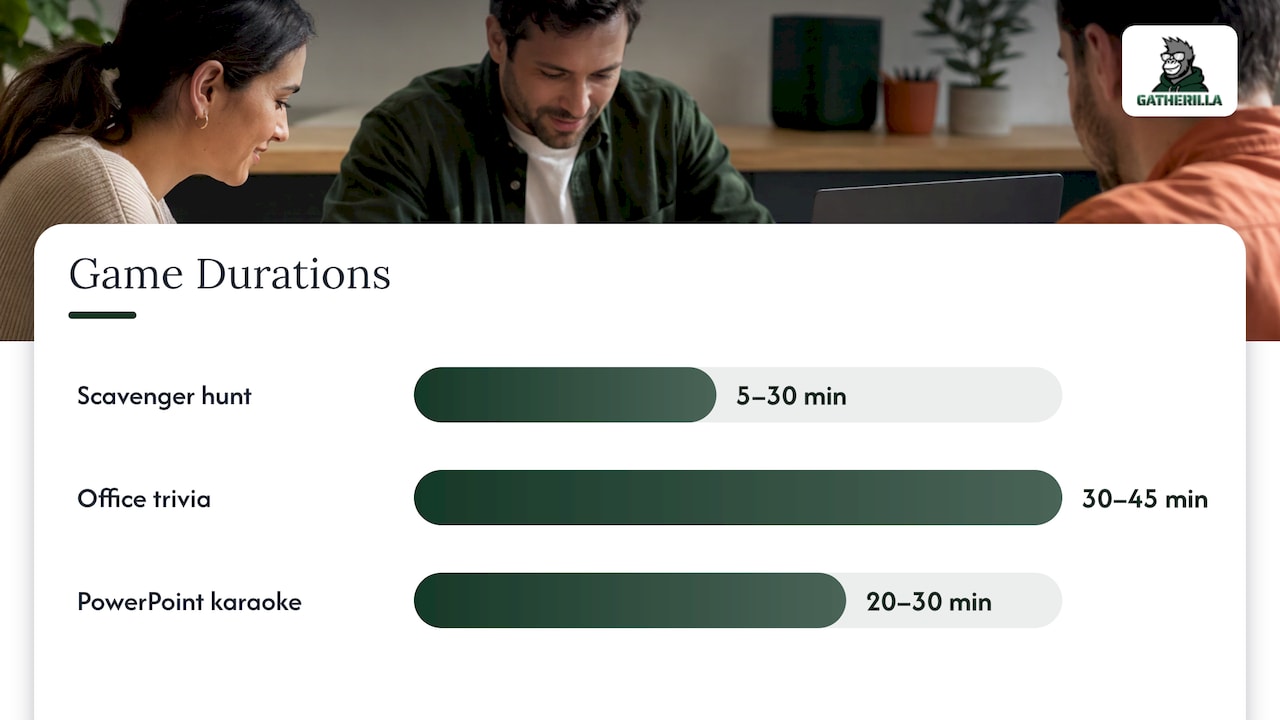
The same guide lists durations and group ranges for each game. A lightning scavenger hunt runs 5 to 30 minutes for 2 to 30 people. An office trivia challenge takes 30 to 45 minutes for 5 to 30 people. PowerPoint karaoke takes 20 to 30 minutes at any size. Use those ranges as a planning baseline, then add a few minutes for explaining rules.
A rough guide for your own planning:
| Time available | Good fit | Why it works |
|---|---|---|
| 5 minutes | One-word check-in, this-or-that, would-you-rather | One prompt, no setup, everyone answers in chat or aloud |
| 10 to 15 minutes | Two truths and a lie, a quick word game | Short enough to avoid fatigue, personal enough to spark conversation |
| 30 to 45 minutes | Team trivia, scavenger hunt | Gives room for scores, banter and a clear winner |
| 60 minutes | A mix of three short games | Variety keeps different personalities engaged |
Match the game to your group size
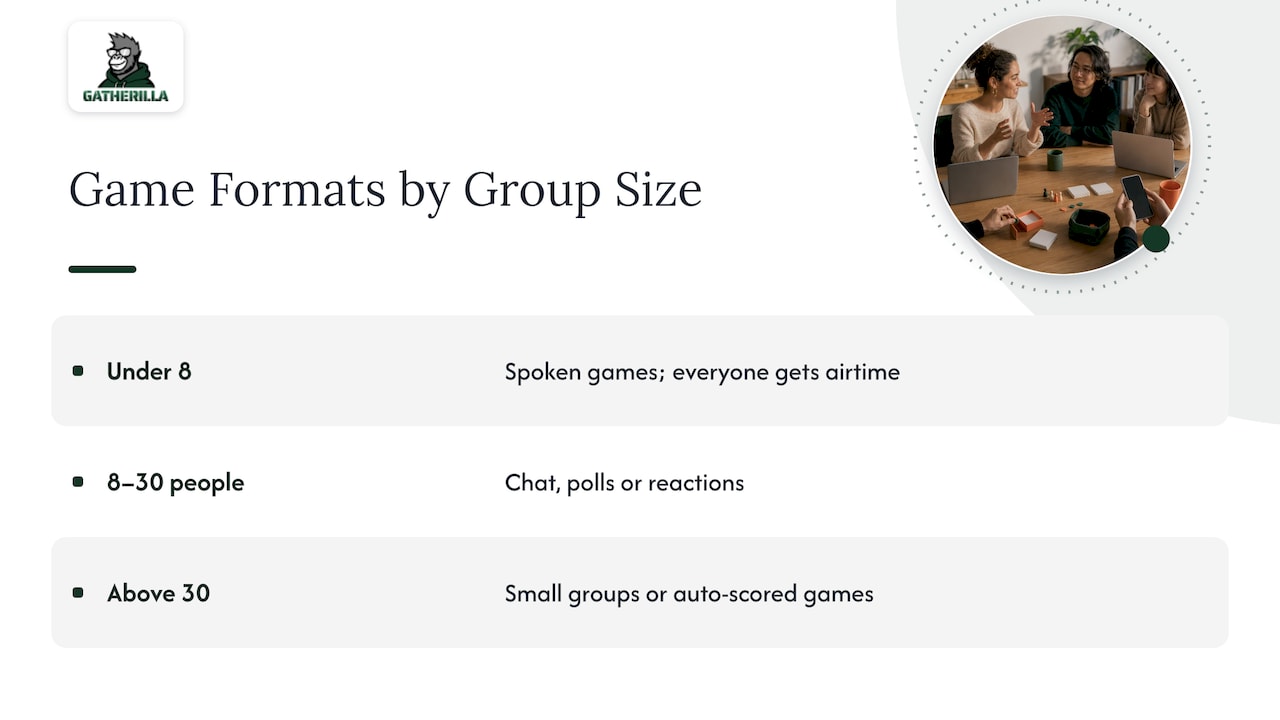
Under 8 people, spoken games like two truths and a lie work well because everyone gets airtime. Between 8 and 30, use chat, polls or reactions so people answer at the same time rather than waiting a turn. Above 30, split into small groups or use games that score individuals automatically, such as trivia or word challenges.
Match the game to the goal
Be honest about what you want from the hour:
- Getting to know each other: personal-prompt games such as two truths and a lie or this-or-that.
- Energy and laughs: fast, silly challenges with a visible score.
- New hire welcome: low-pressure formats where no one is put on the spot. One team-building guide suggests an onboarding arc: an assigned buddy, five short chats in the first week, and an async question thread for newcomers who prefer lower pressure.
- Reset after a reorg or a hard quarter: activities framed as a fresh start, with some light competition.
For quick icebreaker ideas with ready scripts, see our guide to Zoom icebreakers or the longer list of remote icebreaker games.
Games that work well at work
You do not need a big catalog. These categories are reliable.
Quick icebreakers
Two truths and a lie, one-word check-ins, this-or-that and would-you-rather show up again and again in team-building roundups. One five-minute activity list includes two truths and a lie, word association, desert island scenarios, memory chain and would-you-rather as quick icebreakers. A guide to icebreaker questions says opening a meeting with one good question takes about 90 seconds and suits scenarios such as new employee orientation and a team reset.
Trivia
Trivia is the safest centerpiece for a game hour. It has clear rules and a scoreboard, and it lets quiet people contribute without performing. A roundup of office games lists office trivia at 10 to 15 minutes for any number of players, with prepared questions. If you want a full format for HR teams, our virtual team trivia playbook walks through question writing, rounds and scoring.
Gratitude and bonding rounds
Not every game needs a winner. The same five-minute list includes compliment chains, passing an object, and quick gratitude rounds as bonding exercises. They suit the end of a game day, when energy is high and people are ready to say something kind.
Physical-challenge games
Short, silly challenges done with objects on a desk work well on camera. Our collection of virtual Minute to Win It games covers ideas that need nothing beyond household items.
A sample 60-minute game day
Short segments help. A hybrid team-building guide recommends segments of 10 to 15 minutes, so people can move between reflection, interaction and light fun without getting tired. Here is one way to apply that.
| Minutes | Block | Format |
|---|---|---|
| 0 to 5 | Welcome and rules | Host states the purpose, the time limit and that joining each game is optional |
| 5 to 15 | Warm-up | One-word check-in or this-or-that in chat |
| 15 to 30 | Main game | Team trivia in two or three rounds, with a visible score |
| 30 to 45 | Small-group game | Breakout rooms of 3 to 5 people for two truths and a lie |
| 45 to 55 | Wind-down | Gratitude round, one person at a time, pass allowed |
| 55 to 60 | Close | Thank everyone, announce the next one |
If your team lives in Microsoft Teams or Webex, we have pages with games built for each: team building games for Microsoft Teams, Microsoft Teams icebreakers and Webex icebreakers.
How to run it so everyone understands the rules
Name a facilitator
The Zoom games guide recommends bringing a facilitator or designating someone to keep things moving and make sure everyone can take part. It also suggests breakout rooms for deeper connection and encourages people to use emojis, visual reactions or chat to make up for missing body language. It does not need to be the manager. Often a lively colleague does a better job, and the manager gets to play.
Give one model answer
Before any prompt-based game, answer the question yourself in a few seconds. A model answer shows the expected length and tone, and it makes the next person braver. Then set a short timer, collect answers, read a few aloud and move on.
Keep the tech to one layer
Every extra step costs you minutes and people. A game that needs a link, a new account, a screen share and breakout rooms gives the group several ways to lose time. Choose how people will respond first (chat, poll, reactions, a spoken round, breakout rooms or a shared screen), then pick the game that fits that method. Browser-based games with no downloads and no accounts keep the setup to a link in the chat.
Respect the clock and the choice
A small-business guide to online team building names four features of effective virtual sessions: deliberate facilitation rather than unstructured social time, clear time boundaries that are respected, real voluntariness, and alignment with how the team already works. Announce the end time and end on time. Say out loud that anyone may pass.
The same guide argues that the platform matters far less than how events are run, and that building facilitation skill comes before specialized tools. Start with the basics: a clear plan, a calm host and a short agenda.
Include remote and hybrid coworkers
If some people sit in a conference room and others are on screen, the screen group often gets less airtime. The hybrid team-building guide gives a simple rule: design for remote attendees first, then adapt for the room. Its practical suggestions:
- Ask the virtual team to answer first, then the room.
- Use opt-in formats that let people pass on any question.
- Favor low-tech formats, such as audio discussion or shared documents, for colleagues with limited bandwidth.
- Put one person in charge of the remote group, one in charge of the room, and one person on chat.
A good test is whether remote and in-person people get the same voice, visibility and fun. Our guide on keeping remote participants engaged in hybrid meetings goes deeper on seating, camera setups and turn-taking. The same thinking applies to the daily huddle for teams split between home and office, where a short, regular check-in keeps everyone in the same conversation.
Make it a habit, not a one-off
A game day is a good start, but the effect fades if it happens once a year. The team-building guide above makes the case for cadence: short, opt-in, repeatable interactions fit better than rare one-off events, and a five-minute weekly ritual beats a quarterly event nobody asked for. The small-business guide agrees. It says the most consistently effective practice is 5 to 10 minutes of connection time inside existing weekly meetings, with no preparation and no tools beyond the normal video call.
A realistic ladder looks like this:
- Run one game hour to see what people enjoy.
- Add a two-minute icebreaker to the start of one recurring meeting.
- Add a daily or weekly challenge that people can play on their own time.
- Rotate who hosts, so it never depends on one person.
Where Gatherilla fits
Most teams do not lack ideas for games. They lack the 20 minutes of prep that turns an idea into a good session, and so the game day gets postponed.
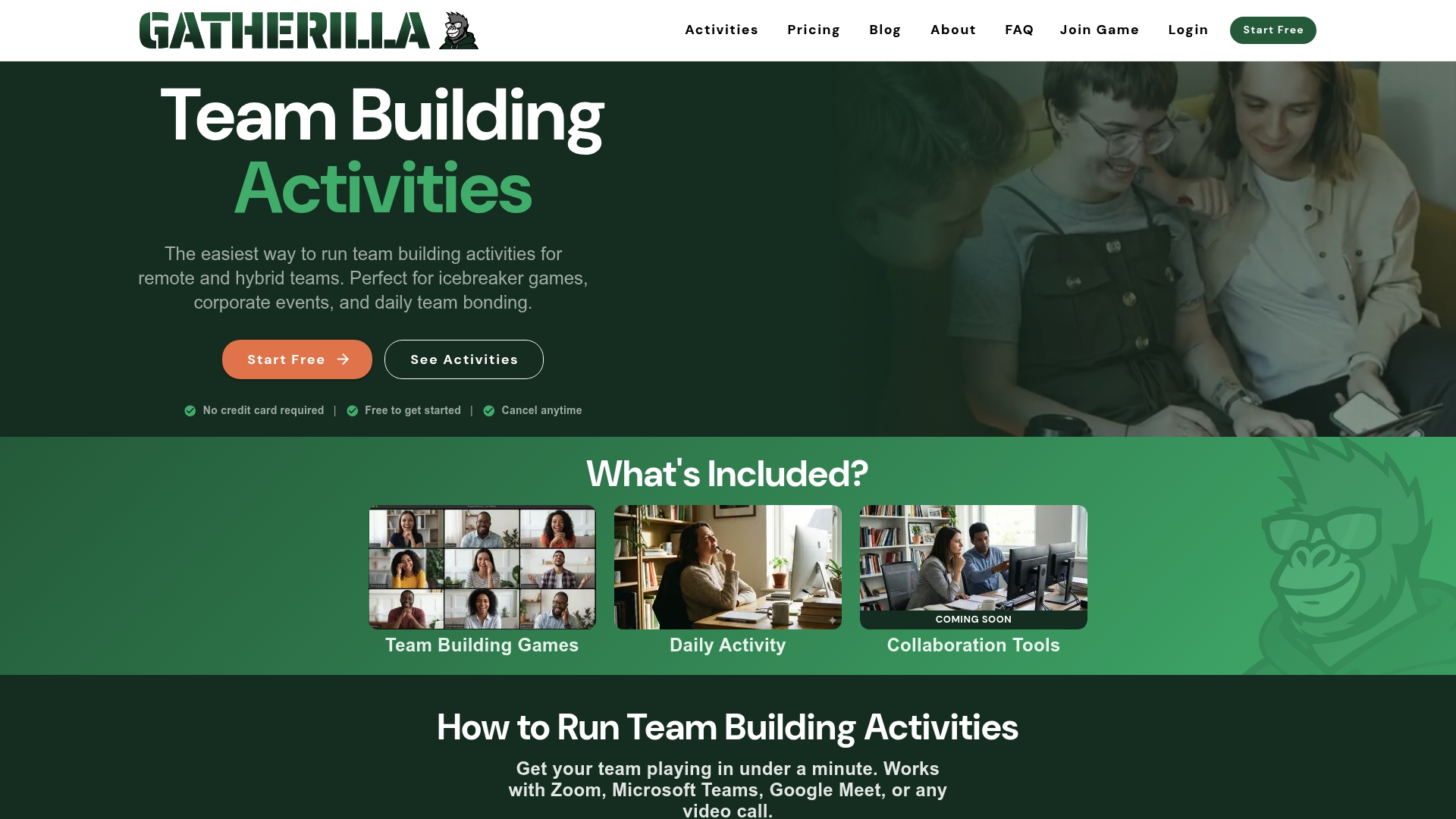
That is why we built Gatherilla as a browser-based platform with customizable multiplayer games that need no downloads and no accounts. You share a link, people click, and the game starts. It works with any video conferencing tool, so your team stays in the meeting it already knows. We designed it so a leader can run a trivia round or an icebreaker with zero preparation.
We also believe engagement works best as a daily habit rather than an occasional event. That is why we include a daily word and trivia challenge, real-time leaderboards and onboarding games for new hires, alongside peer recognition tied to company values. A game day becomes the kickoff, and the daily challenge keeps the momentum going the rest of the month.
Thomas
Run your first game day with Gatherilla
If you want to try this without building anything yourself, Gatherilla gives remote and hybrid teams multiplayer games, icebreakers, onboarding activities and daily challenges in the browser. The Free plan lets you start with a limited set of games. Premium adds more games, reporting and priority support, and is published at $0.50 to $1.00 per seat per month, or $5 to $10 per seat per year. See the current details on the pricing page.
Pick a time, drop the link in the calendar invite and let people join with one click.
FAQ
How long should a virtual game day at work be?
Aim for 45 to 60 minutes for a full game day, built from blocks of 10 to 15 minutes. For a meeting icebreaker, 2 to 5 minutes is plenty. Announce the end time up front and stick to it.
How many games should I plan?
Three or four short games is enough for an hour: a warm-up, a main game, a small-group game and a wind-down. Variety matters more than quantity, because different people enjoy different formats.
What if some coworkers do not want to play?
Make participation optional and say so at the start. Use formats that let people pass on any question or watch and cheer in chat. Voluntary participation tends to produce more genuine engagement than pressure.
What do I need to run one?
You need your regular video conferencing tool, a facilitator and a plan for how people will respond (chat, polls, reactions or speaking). Many games run in the browser with a shared link and no downloads. Test that the link opens on a laptop and a phone before the session.
Can a virtual game day work for hybrid teams?
Yes, if you design for the people on screen first. Let remote participants answer before the room, assign someone to watch the chat, and avoid games that depend on being physically together.
Sources
- 20 fun games to play on Zoom
- 35 team building activities for in-person and remote teams
- Hybrid team building activities for on-site and remote employees
- Online team building games: a small business guide
- 25+ creative office games
- 50+ five-minute team building activities
- Icebreaker questions and games for every group