

Virtual Conference Games That Work: Formats, Timing, Setup

The best virtual conference games are short, cooperative and tied to a goal the audience can feel: meeting someone new, resetting energy after a long session, or recalling what a speaker just said. Pick the game after you pick the outcome, keep it under five minutes for recurring sessions, and make joining optional. Do that and a game becomes part of the program instead of an interruption.
This guide covers what the research says about games at online events, a set of formats that fit different conference moments, a hosting process you can reuse, and the mistakes that make attendees mute themselves and look away.
TL;DR
- Choose the outcome first (welcome, energy, introductions, collaboration or reflection), then the game. Tell attendees why you are playing.
- Keep recurring games to about five minutes. Save longer, hosted games for a dedicated networking slot or a team event.
- Favor team scoring, anonymous input and chat-only options over public rankings that embarrass quieter attendees.
- Test links, audio and screen share beforehand, run one practice round, and show a visible timer.
- Games support connection but do not replace good management or real conversation.
Table of Contents
- What the evidence says about games at online events
- Match the game to the moment in your conference
- Eight game formats worth running
- A hosting process you can reuse
- Games for webinars and large audiences
- Make it inclusive, not embarrassing
- Our perspective
- Turning a one-off game into a habit
- Running these games with Gatherilla
- Common mistakes to avoid
- FAQ
- Sources
What the evidence says about games at online events
Virtual conferences are easy to join and cheap to attend, but motivation and social interaction tend to suffer. A 2025 study in Smart Learning Environments looked at gamification in online events and reports that game mechanics can support engagement, interaction and immersion. Separate research on remote retrospectives found that games increased engagement and active participation, and that anonymity supported more complete and honest feedback.
Note what the evidence does not say. It does not promise a fixed productivity or retention gain. It says design and facilitation matter. A game that supports the purpose of the session helps. A game dropped in because the agenda felt dull usually does not.
There is also a trust angle. A comparative study of virtual and face-to-face teams found that virtual teams can perform strongly but report lower satisfaction. Among the strategies it identified for building trust in virtual teams were sharing personal interests, icebreaker exercises and, when possible, face-to-face meetings. For HR and event owners, the takeaway is to treat games as one part of a wider connection plan.
A 2025 Swedish dissertation on gamification for spontaneous interaction in digital workplaces argues that workplace games work best when they emphasize safety, voluntariness, meaningfulness, collaboration and relatedness, rather than individual performance alone. That shapes everything below.
Match the game to the moment in your conference
A virtual conference has several distinct moments, and each needs a different kind of game. Use this table to plan.
| Conference moment | Goal | Format that fits | Time |
|---|---|---|---|
| Opening | Welcome, lower barriers | One-word check-in, poll-based “this or that” | 2 to 3 min |
| After a long keynote | Reset energy | Chat-based quick quiz, stretch-and-answer prompt | 3 to 5 min |
| Networking block | Introductions | Small breakout rooms with a shared prompt | 10 to 15 min |
| Mid-session | Recall and reflection | Team trivia on the content just presented | 5 min |
| Workshop | Collaboration | Cooperative puzzle or word challenge in small teams | 10 to 20 min |
| Close | Reflection | Anonymous one-line takeaways | 3 min |
The timing column follows a rule of thumb from meeting-practice guidance. Rhythm Systems recommends zero-prep icebreakers that wrap in about five minutes for regular meetings, and Science of People suggests reserving longer breakout, puzzle or hosted games for a monthly event or onboarding session. Rotating formats also stops the same outspoken people from dominating.
Eight game formats worth running
1. One-word check-in
Ask everyone to type a single word describing how they feel about the day, or the topic ahead. Read a few aloud, or show a word cloud if your platform supports it. It takes two minutes, works with hundreds of people, and requires nobody to speak.
2. This-or-that polls
Put up a poll with a light choice: mountains or beach, early bird or night owl. Results appear instantly, and the host can comment on the split. Keep the prompts easy. Atlassian’s guidance on icebreakers for remote teams stresses starting simple and avoiding personal or divisive topics, which means skipping politics, religion and anything that asks people to reveal private details.
3. Content trivia
After a session, run five questions drawn from what the speaker just covered. Score by team or by room, not by individual. This is the format most directly tied to the conference goal, since it doubles as a recall exercise and gives speakers a quick read on what landed.
4. Daily word challenge
For multi-day events, a shared daily word or trivia puzzle gives attendees a reason to return and a talking point in the chat. It also works for ongoing teams long after the conference ends. Because everyone solves the same puzzle, nobody needs to prepare.
5. Breakout-room introductions with a prompt
Split people into groups of three or four for ten minutes. Give a single prompt, such as the best tip they picked up this morning, and a timer. Small groups make speaking far less intimidating than a plenary, and the shared prompt keeps conversation relevant to the event.
6. Cooperative challenge
Teams work together on a puzzle or guessing game with one shared score. This matches the research emphasis on collaboration and relatedness. Nobody is singled out for being slow, and teammates have to talk to win.
7. Virtual scavenger hunt
Ask attendees to find an object at home that fits a category (something older than ten years, something blue) and show it on camera or describe it in chat. Offer the chat option so people are not pressured to reveal their homes.
8. Anonymous reflection round
Close with a one-line anonymous prompt: one thing you will try next week. Anonymity tends to produce more honest responses, as the retrospectives research suggests, and it gives organizers a feedback signal for free.
A hosting process you can reuse
Government guidance on virtual teams, in the Virtual Team Toolkit, recommends identifying the objective, deciding whether preparation is needed, explaining the activity, and sending advance materials when required. Building on that, here is a sequence that works for conference sessions.
- Choose the outcome and the audience. Welcome, energy, introductions, collaboration or reflection. Say it out loud before you start.
- Match the activity to time and group size. A poll suits 500 people. A breakout prompt suits 30.
- Test the technical basics. Check the link, permissions, audio and screen share. Do this on the same device and network you will use live.
- Explain the goal and the rules. Two sentences. Then show them on a slide.
- Run one practice round. A throwaway question confirms that everyone can vote, type or unmute.
- Keep a visible timer. It protects the agenda and tells people when the game ends.
- Debrief with one work-relevant question. For example: what did that tell us about how we like to approach problems?
- Offer an opt-out. Let people watch, or use chat only. Participation that is voluntary is more genuine, and it matches the research on safety and voluntariness.
Larger events need more. Assign a moderator to watch the chat, a technical producer to handle the tools, written backup instructions in case a tool fails, and a plan for late joiners, such as a one-line recap in chat.
Games for webinars and large audiences
Webinars come with a constraint: most attendees are muted, cameras are off, and nobody can see each other. The games that work are the ones that need only a chat box or a poll.
- Poll-first design. Open with a poll before you say a word of content. It signals that the session is interactive.
- Chat races. Ask a question that has a one-word answer and see how fast the chat fills. Do not rank who typed first, which rewards speed over thought.
- Team quiz by region or department. Tag answers with a team name and keep a running team score.
- Q&A bingo. Give attendees a card of phrases they might hear (a term, a statistic, a joke) and have them mark it off. It keeps attention on the speaker.
For very large groups, anything that needs voices or video will stall. Aim for mechanics where hundreds can participate simultaneously and where the results show up on screen.
Make it inclusive, not embarrassing
The research points to a consistent design preference: cooperative challenges, team scoring, anonymous input and accessible participation, rather than public leaderboards that expose slower or less confident attendees. A few specifics:
- Rank teams, not people. If you must show a leaderboard, show groups.
- Avoid timed speed rounds as the only option. Non-native speakers, people on slow connections and people using assistive tools can be at a disadvantage.
- Offer a chat-only path. Some people will not speak, and that is fine.
- Keep prompts neutral. Skip personal finances, health, family structure and politics.
- Mind time zones and schedules. A game at 7 a.m. for one region is a chore, not a break.
- Do not make prizes the point. A small joke prize is enough. Big prizes change behavior in ways you may not want.
Our perspective
We build games for remote and hybrid teams, so we see the same pattern again and again: the event that gets a one-off burst of laughter rarely changes how a team feels on a Tuesday. What helps is a habit. A five-minute game that is easy to start, needs no download and no account, and shows up every day beats an elaborate session that takes a week to organize.
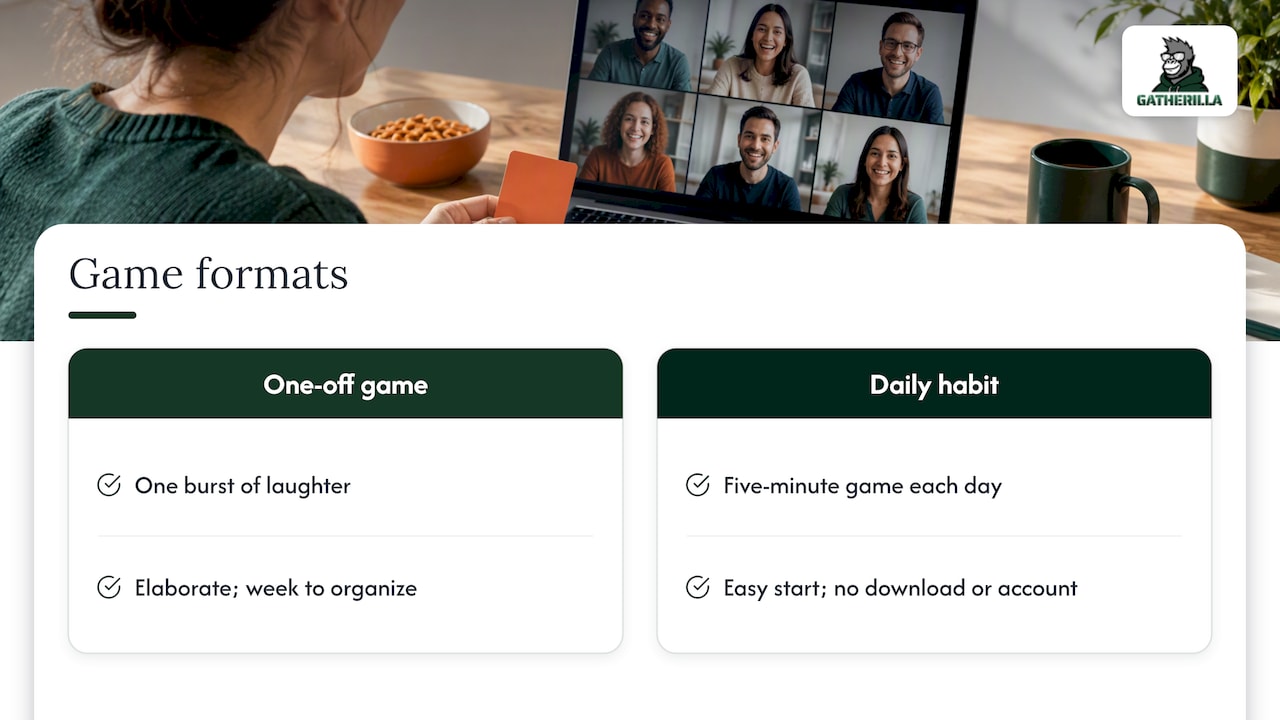
That is why we design around zero preparation. If a host has to learn a tool, upload slides and brief everyone in advance, the game gets cut the first time the agenda runs long. If it opens in a browser and works with whatever video tool the team already uses, it survives.
We also think organizers overestimate what a game can do alone. A game will not fix a poor manager or a confusing strategy. It can give people a low-stakes reason to talk, and that matters, especially for new hires who do not yet know whom to ask a question. Use games to open the door, and then make sure there is something worth walking into.
— Thomas
Turning a one-off game into a habit
Conferences end. Teams do not. If you run a game at a company-wide virtual event, consider what happens the following week.
- Pick one recurring slot. The first five minutes of a weekly meeting works well.
- Rotate formats. Alternate between a quiz, a word puzzle and a poll so no single style dominates.
- Rotate hosts. Let different team members run the game. It spreads ownership.
- Link to values. Prompts that connect to company values, such as recognizing a colleague who helped you this week, give the game meaning beyond fun.
- Track what you can. Participation numbers and short pulse questions show whether the habit holds.
If you want ready-made scripts, our guides on virtual conference icebreakers, Zoom icebreakers that take under two minutes and virtual meeting games cover the formats above in more detail. For bigger audiences, see our list of icebreaker games for large groups, and for company events, virtual corporate event games. If part of your audience is in the room, the hybrid meeting icebreakers guide helps you keep both groups included.
Running these games with Gatherilla
Gatherilla is a browser-based platform with customizable multiplayer games, daily word and trivia challenges, icebreakers for meetings, onboarding games for new employees and real-time leaderboards. It needs no downloads and works with all video conferencing tools, so you can share a link in the conference chat and start.
The Free plan lets you try it with your team. Premium is priced at $0.50 to $1.00 per month per seat, or $5 to $10 per year per seat, and adds more games, reporting and priority support. You can see the current details on the pricing page, or start from the Gatherilla home page.
Common mistakes to avoid
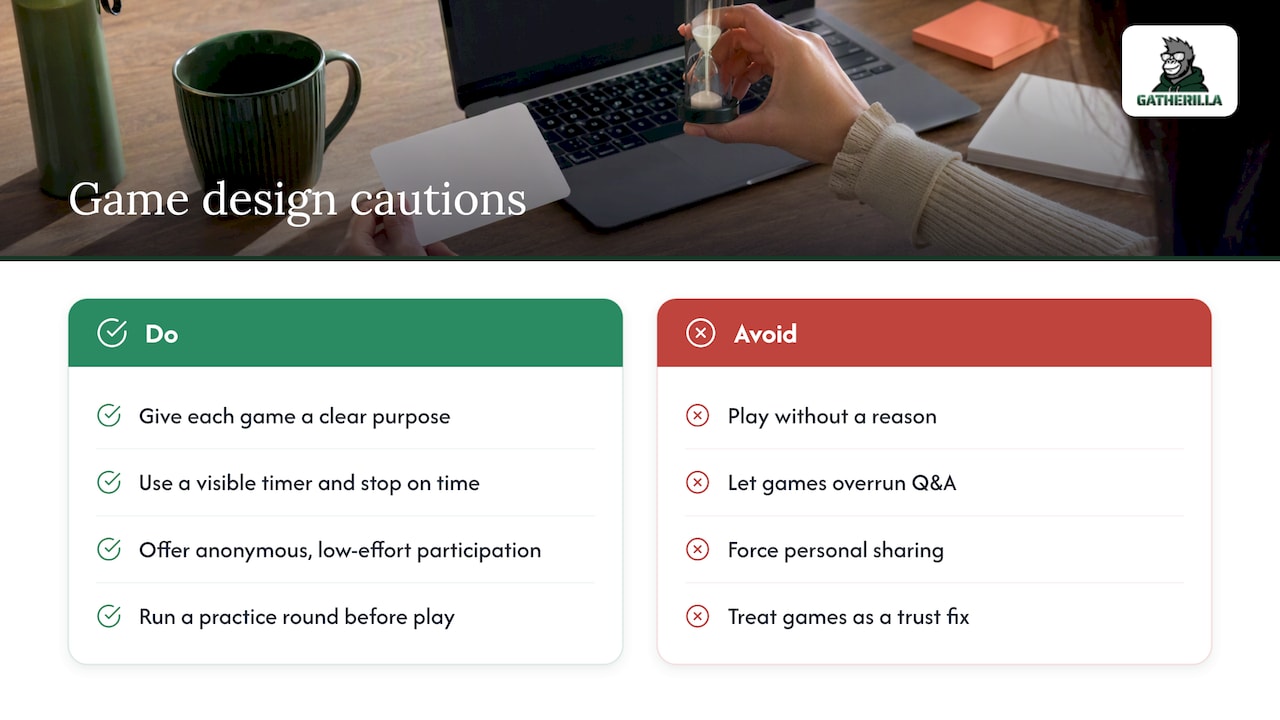
Playing without a reason. If you cannot say in one sentence why the game is there, cut it.
Running too long. A game that overruns eats Q&A time. Use the visible timer and stop on time, even if people are enjoying it.
Forcing personal sharing. Anonymous or low-exposure formats often get more honest answers than being asked to disclose something personal in front of a crowd.
Skipping the test. Most failures are technical: a poll that will not load, a link that needs a login. A practice round catches them.
Ignoring the quiet majority. In a large session, the people who answer are a small fraction of those present. Design for the others by offering low-effort ways to take part.
Treating a game as a fix. Research on virtual teams suggests games are one trust-building tool among several. Real conversations, clear goals and good management still carry the weight.
FAQ
How long should a virtual conference game last?
For recurring sessions, aim for about five minutes or less. Longer games, such as breakout challenges or hosted trivia, fit better in a dedicated networking block, a monthly team event or an onboarding session where connection is an explicit goal.
What games work for hundreds of attendees?
Polls, chat-based quizzes, word clouds and team trivia scale well because everyone can take part at once without speaking. Avoid anything that depends on voices or video from every person. Show results on screen so people see the effect of their input.
How do I get people to join in when cameras are off?
Explain why you are playing, run a quick practice round, and offer a chat-only option. Start with a low-risk prompt that takes ten seconds to answer. Participation grows when people see that it is easy, optional and not judged.
Should I give prizes or show a leaderboard?
Use team scores rather than individual rankings, and keep prizes small. Research on workplace gamification favors cooperation, safety and relatedness over individual performance, and public rankings can embarrass slower or less confident attendees.
Sources
- Leveling up engagement: gamification’s role in creating immersive online events, Smart Learning Environments
- Strategies for Effective Remote Retrospectives: Exploring Retrospective Games, Anonymity, and Continuous Reflection
- Trust, Team Effectiveness, and Strategies: A Comparative Study between Virtual and Face-to-Face Teams
- Den digitala kaffemaskinen: Spelifiering för spontan interaktion i digitala arbetsmiljöer
- Complete List of Virtual Meeting Icebreakers, Rhythm Systems
- Meeting icebreakers, Science of People
- 7 icebreaker games to help your team build authentic connections, Atlassian
- Virtual Team Toolkit, Partnership for Public Service