

Plug and Play Virtual Christmas Party Games for HR and Team Leaders

The best virtual Christmas party lineup mixes two quick icebreakers, one competitive game, and one shared or creative activity, so the hour covers connection, energy, and laughs without dragging. Lean on six proven formats: holiday trivia, a scavenger hunt, virtual bingo, a white elephant or Secret Santa twist, a show-and-tell ornament reveal, and short team challenges. Below you’ll find copyable scripts, pacing math, a hosting checklist, and a low-prep option using Gatherilla for teams that want this handled without the spreadsheet.
TL;DR:
- Trivia and bingo are low-prep options that scale well for any group size and require minimal setup, especially when answers are typed in chat.
- More energetic games like scavenger hunts and prop challenges are best for smaller, camera-ready groups with stable Wi-Fi and immediate camera access.
- Pairing competitive rounds with collaborative activities, like show-and-tell, helps prevent one team’s dominance from dampening overall mood.
- Using platforms like Gatherilla can significantly cut down prep time by providing ready-made multiplayer games with no downloads or accounts needed.
- Including inclusive, non-religion-specific questions and offering answer options that work without cameras ensures everyone can participate comfortably.
Table of Contents
- Which Virtual Christmas Party Games Should You Pick First?
- Ready-to-Run Games With Scripts You Can Copy
- Your Hosting Checklist Before the Party Starts
- Sample Agendas for 30, 45, and 60 Minutes
- Keeping Holiday Games Inclusive for Everyone
- Low-Prep, No-Download Options (Including Gatherilla)
- Templates and Quick Resources to Borrow
- What I’d Prioritize if I Were Running This Party
- Want This Handled Without the Spreadsheet?
- Sources
- FAQ
Which Virtual Christmas Party Games Should You Pick First?
Pick games based on how much energy your group has left by 3 p.m. on a Friday, not on what looked fun in a blog post. Here’s the shortlist that covers most remote holiday parties, with prep time and group size noted so you can match the game to your actual party.
- Holiday trivia — a low-prep crowd-pleaser that works for any group size from 8 to 200; split into teams of 4 to 6 for large companies so scoring stays manageable.
- Virtual scavenger hunt — medium prep, high energy, best for groups under 40 since it needs quick camera check-ins; a natural fit right after an icebreaker to wake people up.
- Virtual bingo — low prep once cards are made, scales to any size, and works well as a background game people can half-watch while chatting.
- White elephant or Secret Santa remote twist — medium prep (someone has to coordinate gift logistics or a no-gift substitute), best for teams of 10 to 30 who already know each other a little.
- Show-and-tell ornament reveal — near-zero prep, works for any size, and doubles as a gentle icebreaker since everyone just shares one object and a 30-second story.
- Short team challenges (Minute to Win It style) — medium prep because you need household props, best in breakout rooms of 4 to 6 so nobody’s just watching.
Trivia and bingo carry the least setup risk because they run entirely inside chat or a shared screen. Scavenger hunts and prop challenges ask more of participants, so save them for teams that already have decent camera habits and stable home Wi-Fi. If your group spans multiple time zones or includes people who’d rather not be on camera, show-and-tell and trivia flex the best since both work fine with cameras off and answers typed in chat.
One practical note before you build a run sheet: pairing a single competitive round with a collaborative or creative one keeps score from becoming the whole point of the party, which event planning guides consistently recommend as a way to stop one team’s win streak from flattening everyone else’s mood. If you want more low-stakes opener options first, a set of remote icebreaker games can slot in before any of the six above.
Ready-to-Run Games With Scripts You Can Copy
1. Holiday trivia
Run trivia in 3 to 5 rounds of 8 to 10 questions each, which is the pacing Jotform’s hosting guide and TriviaMaker’s event breakdown both land on for a 45 to 60 minute session. Mix categories (movies, carols, office in-jokes, general holiday facts) and mix difficulty within each round so early questions don’t scare off quieter players. For groups over 20, assign team captains who submit one answer per round through chat or a shared form. That single change prevents the chat from turning into unreadable noise, since you’re reading one answer per team instead of forty.
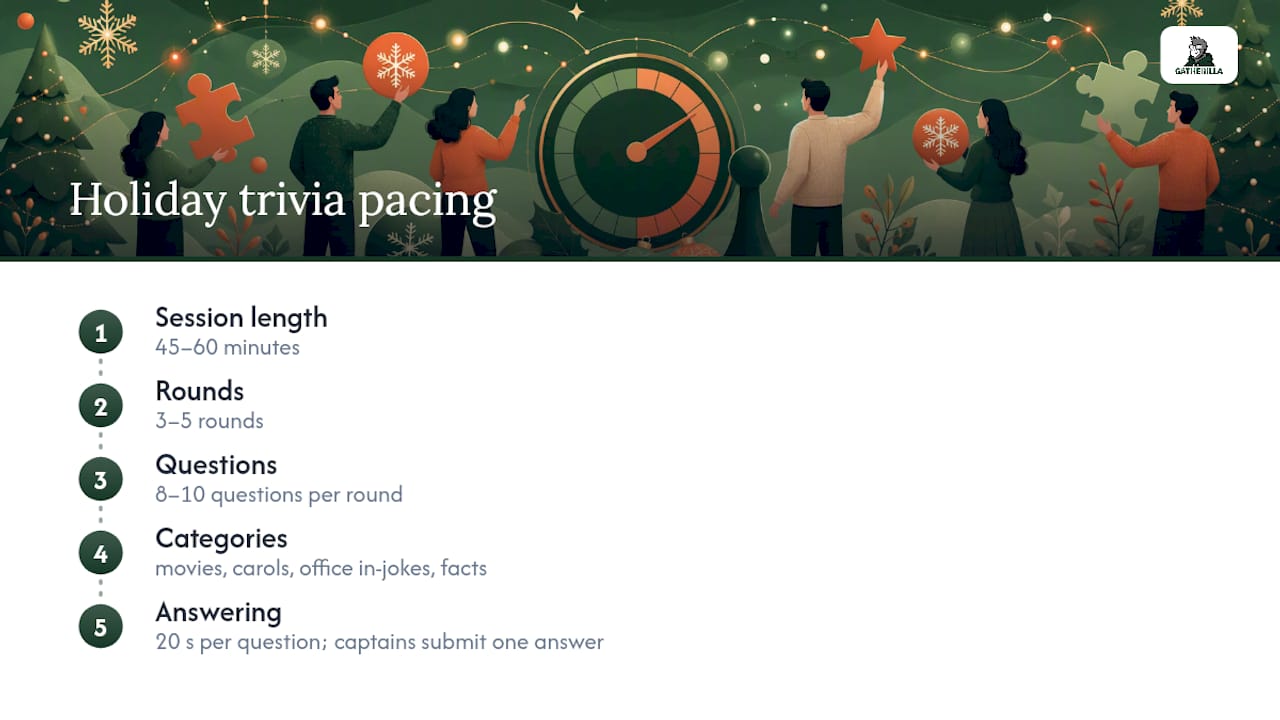
Script: “Round 1 is movies. You’ve got 20 seconds per question. Type your team name and answer in chat. Captains only, please.”
2. Virtual scavenger hunt
Give a list of 8 to 10 household items (“something red,” “your ugliest holiday sweater,” “a gift you haven’t wrapped yet”) and a 90-second timer. Send small groups into breakout rooms of 4 to 6 so people aren’t racing back to a main room of 100 faces. Whoever’s back on camera with the item first gets a point for their group; tally at the end.
3. Virtual bingo
Generate cards ahead of time (a spreadsheet or a free bingo card generator works fine) with squares like “someone’s pet walks through frame” or “host says ‘you’re on mute.’” Share cards as an image in chat or a group document, then call squares live off a master list. Prizes can be as simple as a $10 gift card or first pick of a virtual grab bag.
4. White elephant, Secret Santa, or a no-gift alternative
The classic remote version has each person share their screen to “unwrap” a purchased or regifted item while the group votes on the best steal. If your company policy or budget makes gift exchanges awkward, swap in a no-gift version: everyone shares a favorite meme, GIF, or holiday memory instead, and the group votes on funniest or most heartwarming.
5. Music or emoji Pictionary and quick prop challenges
Emoji Pictionary (guess the movie or carol from an emoji string) and 5 to 10 second music clip guessing games are both low-bandwidth and accessible, since they lean on text and short audio rather than long video streams. For a burst of chaotic energy, run one Minute to Win It round using items already sitting on people’s desks, like stacking cups or balancing a spoon on your nose. If you want a fuller prop-based library, virtual Minute to Win It has a ready set of these built out.

Pro Tip: Keep a Google Form or chat-based answer key running in the background for every game. It means you never lose ten minutes to “wait, what was the answer to round 2?”
Your Hosting Checklist Before the Party Starts
Assign roles before the invite even goes out. A host running the show while also tracking score and fixing someone’s mic is how good parties fall apart in real time, and event guides consistently flag host roles as the difference between a smooth event and a clunky one.
- Host: runs the agenda, reads questions, keeps pace.
- Co-host or tech support: manages breakout rooms, screen shares, and mutes anyone with feedback.
- Scorekeeper: tracks points on a visible spreadsheet or shared doc so nobody argues about the final tally.
On the platform side, use polls for quick trivia answers when your video tool supports them, breakout rooms for scavenger hunts and prop challenges, and screen share for bingo calls and White Elephant reveals. If you’re running this on Microsoft Teams, a look at platform-specific icebreaker tips will save you from fumbling breakout room settings live.
Test everything 24 hours ahead, not five minutes before: screen share, breakout room assignments, and audio on at least one non-host device. Have a backup plan ready, too. If screen share fails, switch instantly to a chat-based version of the same game (read trivia questions aloud, drop bingo squares in chat). If someone’s audio drops, keep going and let them rejoin. One dead mic shouldn’t stall 40 people.
Pro Tip: Send a one-line tech check message in the team channel the morning of the party: “Test your camera and mic before 2 p.m. today.” It catches half your problems before they become live problems.
Sample Agendas for 30, 45, and 60 Minutes
Pick the agenda that matches your invite time, not the one with the most games crammed in. Trivia specifically runs best across 3 to 5 rounds for a full hour, which is the anchor for all three templates below.
- 30 minutes (fast, high energy): 3 minute welcome and rules, 10 minute trivia (2 rounds), 12 minute scavenger hunt in breakout rooms, 5 minute wrap and prize shoutouts.
- 45 minutes (balanced): 5 minute welcome, 8 minute show-and-tell ornament reveal, 15 minute trivia (3 rounds), 12 minute bingo, 5 minute closing.
- 60 minutes (full party): 5 minute welcome and icebreaker, 20 minute trivia (4 rounds), 15 minute White Elephant or no-gift swap, 15 minute Minute to Win It challenges, 5 minute closing and prizes.
Build in a 2 to 3 minute buffer between every game for breakout room transitions and screen share switches. That buffer disappears fast if your host is also fumbling a slide deck, so keep the tech co-host on standby to switch scenes while the host talks. For teams with more than 40 people, favor the 60-minute agenda since larger groups need more time to hear from everyone even once.
Keeping Holiday Games Inclusive for Everyone
Swap religion-specific trivia categories (“Christmas carols” or “Bible verses”) for broader winter and end-of-year categories, like “holiday movies,” “winter traditions around the world,” or “office memories from this year.” That single substitution keeps the party open to teammates who don’t celebrate Christmas without losing any of the festive tone.
Build in chat-based answer options for every game, not just trivia, since typed answers work for anyone who’s on a bad connection, prefers not to talk on camera, or is joining from a noisy space. Offering an asynchronous quiz link or slide deck alongside the live event lets teammates in tough time zones still participate on their own schedule, even if they can’t make the live call.
- Allow cameras off for every game; scoring should never depend on being seen.
- Give a heads-up in the invite that games are optional to play but everyone’s welcome to just watch and chat.
- Swap culturally specific prompts (a country-specific carol, a regional food reference) for ones with a global answer pool, like “name a winter holiday celebrated somewhere in the world.”
- Cap any single question’s difficulty so no one category alienates a chunk of the team.
Pro Tip: Run one test question in a neutral category before the real trivia starts. It tells you fast whether your chat-based answer system actually works for everyone, before it matters.
Low-Prep, No-Download Options (Including Gatherilla)
Not every organizer has three hours to build trivia decks and bingo cards from scratch. A no-download session flow, where the host shares one link and everyone joins from a browser on their laptop or phone, cuts setup time from hours to minutes and skips the “wait, I need to install something” delay that kills momentum in the first five minutes of any call.
This is where Gatherilla fits as a practical shortcut, not a replacement for the scripts above but a faster way to run some of them. The platform is built around zero-preparation multiplayer games that need no downloads or accounts, with quick setup you can start inside a single meeting, and daily challenges that keep the engagement habit going well past the party itself.
Invite script you can copy: “This year’s party runs through Gatherilla, no downloads needed. Click the link, join from your browser, and we’ll jump straight into games.”
- Choose a no-download flow when your team spans multiple devices, operating systems, or IT permission levels.
- Choose a fully scripted DIY setup (from the sections above) when you want total control over question content and pacing.
- A 50-person team that would normally spend 4 to 6 hours building trivia decks, bingo cards, and a run sheet can cut most of that prep by using a ready-made platform instead.
Templates and Quick Resources to Borrow
You don’t need to write every trivia question from scratch. Jotform’s holiday trivia question bank covers roughly 140 categorized questions across movies, carols, and general holiday facts, more than enough to fill five rounds with room to spare. Printable packs, like this 60-card holiday trivia set, can be repurposed as slides for a virtual screen share instead of physical cards.
- For bingo, build cards in a spreadsheet with 24 to 25 squares mixing “silly moment” prompts and holiday facts.
- For prop challenges, ask people the day before to have on hand: a roll of wrapping paper, a spoon, two mugs, and a small stack of books.
- For prizes, budget $10 to $25 gift cards, a company swag item, or bragging rights paired with a fun digital badge.
- For a wider activity library beyond holiday-specific games, ten ready-to-run corporate event activities can be re-skinned with holiday themes in an afternoon.
What I’d Prioritize if I Were Running This Party
Pacing beats variety every time. A party with four well-timed games beats one with eight rushed ones, and the biggest mistake I see organizers make is cramming in “just one more activity” because it looked fun in planning, then watching the whole thing run 20 minutes over and lose half the room to fatigue.
Clear rules matter more than clever games. The trivia round that flops isn’t the one with hard questions, it’s the one where nobody explained how to submit an answer. State the mechanic in one sentence before every round starts.
The connection payoff is real, and it doesn’t take much. Even short, low-stakes social games have been shown to boost synchronous team cohesion in distributed teams, which tracks with what most hosts notice anecdotally: the ornament show-and-tell, not the competitive trivia, is usually what people remember and mention in January. Prioritize that one moment of genuine sharing over squeezing in a sixth game.
— Thomas
Want This Handled Without the Spreadsheet?
If reading through six game formats, three sample agendas, and a hosting checklist made you think “I just want to click one link and start,” that’s exactly the gap Gatherilla fills. Gatherilla runs browser-based multiplayer games with no downloads and no accounts to create, so the setup work in this entire guide compresses into picking a game and sharing a link inside your meeting.

Beyond the party itself, daily challenges keep that same connection going year round, not just during the one hour your team spends together in December. The Free plan is enough to test the format with your team this season, and the Premium plan unlocks more games and reporting if you want to make this a recurring habit rather than a once-a-year event. Head to Gatherilla and start a session before your next team call to see how it fits your holiday agenda.
Sources
- 120+ holiday trivia questions (and answers) for work, parties, and kids | Jotform Blog
- 25 Virtual Christmas Party Ideas in 2025 (Holidays)
FAQ
What are some fun ideas for a virtual Christmas party?
The strongest lineups mix holiday trivia, a scavenger hunt, virtual bingo, a White Elephant or Secret Santa twist, and a quick show-and-tell ornament reveal. Pairing one competitive game with a shared, low-stakes activity, like show-and-tell, keeps the whole party from feeling like a contest.
What are some active Christmas party games?
Scavenger hunts and Minute to Win It style prop challenges are the most physically active options, since both require people to move around their house and get back on camera fast. Run these in breakout rooms of 4 to 6 so the pace stays quick and nobody’s just watching.
What are some of the best virtual party games?
Holiday trivia and virtual bingo consistently top hosting guides because they scale to almost any group size and need the least setup once questions or cards exist. A platform like Gatherilla is worth considering if your team wants ready-made multiplayer games without building any of that from scratch.
What are some good online Christmas games to play?
Emoji Pictionary, short music-clip guessing rounds, and chat-based scavenger hunts work well for teams with mixed bandwidth or camera comfort. Keep any audio clips to 5 to 10 seconds so streaming stays smooth for everyone on the call.