

Introvert Friendly Icebreakers With Copy Ready Scripts Under 3 Minutes

The least awkward icebreakers are short, voluntary activities that ask for small bits of information rather than performance: one-word check-ins, either-or choices, or quick object show-and-tell. A repository study on meeting openings found that activities like these work best at around two to three minutes or less, with the facilitator modeling an answer first and always offering an opt-out. Tools like Gatherilla build this principle into ready-made games so no one has to design the activity from scratch.
TL;DR:
- Short, voluntary icebreakers like one-word check-ins or emoji reactions work best when kept under three minutes and model participation to reduce anxiety.
- Low-pressure prompts that ask for preferences or facts, such as “coffee or tea,” encourage wider participation without forcing storytelling or vulnerability.
- Virtual and hybrid groups should match activity format to size, using chat, polls, or reactions for larger groups, and spoken rounds for small teams of up to five.
- Facilitators should clearly state purpose, set time limits, model answers, and explicitly offer opt-outs to avoid awkwardness and ensure smooth activity flow.
- Culturally neutral prompts and careful moderation help prevent exclusion or discomfort, especially in diverse or remote teams.
Table of Contents
- Categorized Icebreakers for Virtual, In-Person, and Hybrid Groups
- How to Run These Icebreakers Without the Cringe
- Questions That Don’t Ask for a Performance
- Reading the Room and Adjusting on the Fly
- Icebreakers Sized to Your Group
- Keeping Icebreakers Culturally Sensitive
- Moving From the Icebreaker Into the Real Agenda
- When to Keep Icebreakers Short and When to Skip Them
- How Gatherilla Makes Icebreakers Easier to Run
- FAQ
- Sources
Categorized Icebreakers for Virtual, In-Person, and Hybrid Groups
The reason some icebreakers feel awful and others feel fine comes down to one thing: how much they ask of a person before that person has agreed to give it. A prompt like “tell us an embarrassing story” demands vulnerability from someone who may not know a single other person in the room. A prompt like “pick coffee or tea” demands almost nothing. The study on short meeting openings ties this directly to participation: low-information, voluntary formats move people from silent observers to active participants faster, and they do it without the performance pressure that makes people dread “fun” team activities in the first place.
Here is a working bank of formats organized by how much they ask of participants, each with a general timing guidance, group size fit, a shy-friendly adaptation, and a one-line script you can copy.
One-word check-ins. Everyone answers a single prompt in one word: current mood, the weather in their head, or energy level on a scale from “toast” to “espresso.” This takes a very short time for groups of any size and works well in text chat for virtual meetings.
- Script: “In one word, how’s your week going? I’ll start: chaotic.”
This or that. A quick either-or question with no wrong answer: cats or dogs, morning person or night owl, text or call. It takes a brief moment and scales from 3 people to 300, since answers can be shown with a show of hands, a chat reply, or a poll.
- Script: “Quick one: pizza or tacos? Drop your pick in the chat.”
Emoji or thumbs reactions. Instead of speaking, people respond with an emoji or a thumbs gesture to a prompt like “how ready are you for this meeting?” This is ideal for shy participants because it removes verbal performance entirely, and it takes less than a minute.
- Script: “React with an emoji that matches your energy right now. No explanation needed.”
Quick polls. A single-question poll, built into most video platforms, turns a check-in into data instead of a spotlight. Good for groups of 10 or more where going around the room would eat too much time.
- Script: “I’ve dropped a one-question poll. Vote, then we’ll start.”
Object show-and-tell. Ask everyone to grab one object near them (something on their desk, in their bag) and hold it up or describe it in a sentence. It takes a few minutes for a group of 6 to 10 and gives people something concrete to talk about instead of themselves.
- Script: “Grab the nearest object to you right now. One sentence on what it is and why it’s there.”
Paired micro-conversations. Split the group into pairs for a 60 to 90 second exchange on a low-stakes prompt, then skip the report-back. Removing the report-back is what makes this introvert-friendly: the pressure of public performance disappears.
- Script: “You’ve got 90 seconds with your partner: favorite way to spend a weekend. No need to share back with the group.”
Collaborative micro-tasks. A single-line story where each person adds one sentence, or a shared virtual mural where people drop a word or doodle, distributes the work so no one carries the moment alone. Works for 5 to 20 people and takes about three minutes.
- Script: “We’re building a one-line story together. I’ll start: ‘The office plant finally learned to talk.’ Add your line.”
Low-information question prompts. Questions that ask for a fact rather than a story: favorite snack, go-to playlist genre, preferred season. These avoid the “tell us something interesting” trap that puts people on the spot.
- Script: “What’s your go-to snack during a long workday? Keep it to a few words.”
Silent or photo-share prompts. Ask people to drop a photo (a view from their window, their coffee cup) in chat with no commentary required. This fits virtual and hybrid settings especially well, since photos can appear asynchronously as people join.
- Script: “Drop a photo of whatever’s in front of you right now. No caption required.”
No-download quick games. Browser-based trivia or word games that run inside the meeting window skip the friction of app downloads and account setups, which matters when a third of attendees are joining from a phone. These typically run a few minutes and work for groups from 4 to 50.
Pro Tip: Always say the word “optional” out loud when you introduce an icebreaker. That single word does more to reduce social pressure than any clever question you could write.
- Pick a format based on group size and setting first, then pick the specific prompt.
- Keep the ask under one sentence of required output per person.
- Default to chat, poll, or emoji responses for any group larger than eight.
How to Run These Icebreakers Without the Cringe
A good icebreaker script has four parts: a stated purpose, a timebox, a modeled answer, and an opt-out. Skipping any one of these is usually what makes an activity feel awkward, because people are left guessing what’s expected of them and how long it will last.
Here’s a template you can reuse for nearly any prompt:
- State the purpose in one sentence: “This is just to get us talking before we dive in.”
- Give a timebox: “We’ve got two minutes for this.”
- Model the answer yourself first, out loud or in chat, before asking anyone else.
- Offer an opt-out explicitly: “Totally fine to skip if you’d rather just listen.”
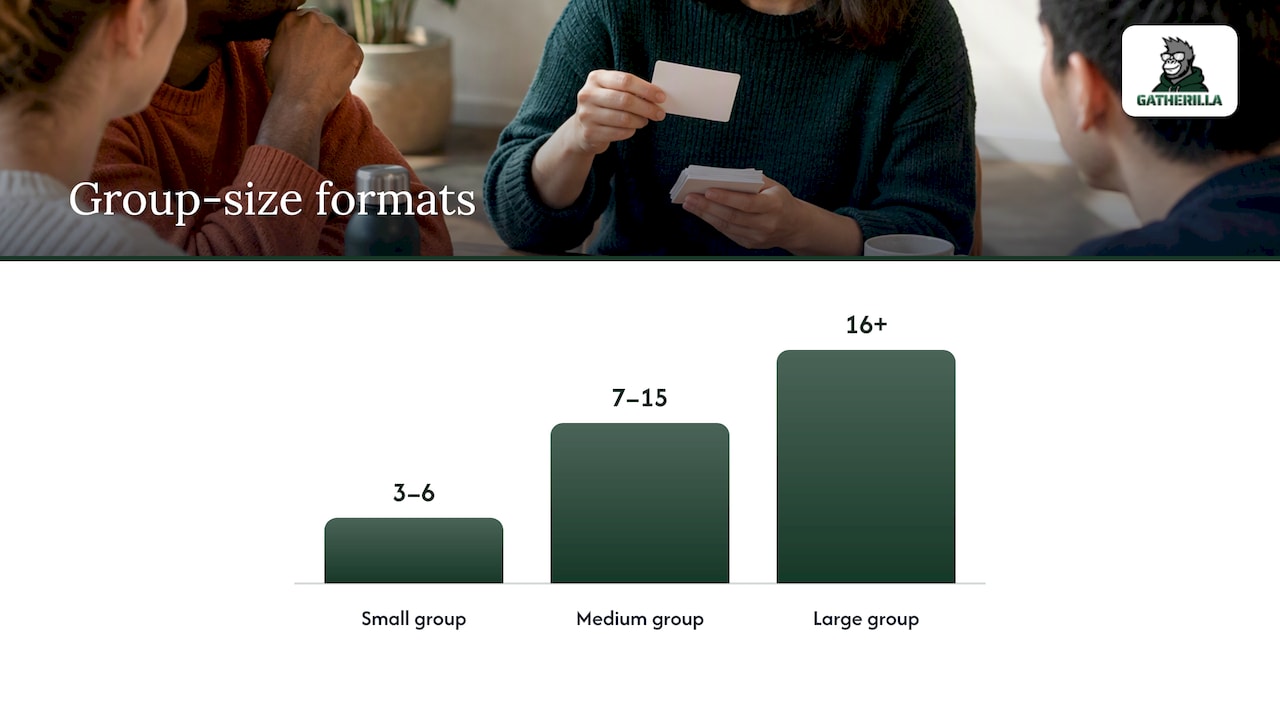
Timing changes with group size. For a group of 3 to 6, a single round where everyone answers out loud takes a few minutes and feels natural. For 7 to 15, switch to chat responses or a quick poll so you’re not waiting on ten sequential turns. For anything above 15, break into smaller groups or rooms for a short minute or two each, then bring everyone back without a report-back requirement. Breakout rooms work well for paired or small-group formats but tend to add friction for simple one-word prompts, which are faster handled in the main room.
Shy or introverted participants generally do better with written responses than spoken ones. Swap a verbal check-in for a chat-based one, use anonymous polls where the tool allows it, and let people opt into a speaking round rather than assuming everyone will take a turn. None of this requires calling attention to who is or isn’t an introvert. The format itself does the work.
Pro Tip: If you sense the room going quiet after a prompt, don’t fill the silence by repeating the question louder. Rephrase it as a simpler binary choice instead (“okay, coffee or tea then”) and that usually gets things moving again.
A few red flags to watch for, and how to recover:
- Someone stumbles answering first: thank them, move on, don’t ask them to “try again.”
- The group answers in monotone, one-word replies with no energy: shorten the activity rather than trying to hype it up.
- One person dominates every round: redirect with “let’s hear from someone we haven’t yet,” without singling the quiet people out by name.
Questions That Don’t Ask for a Performance
The phrase “fun fact about yourself” is one of the most reliably dreaded icebreaker prompts, mostly because it asks people to produce something interesting on command, with an audience, with no warning. That’s a performance, not a check-in, and performance is exactly what makes icebreakers awkward in the first place.
The fix is swapping open-ended storytelling prompts for closed, factual ones. Instead of “tell us something interesting about yourself,” try “what’s one show you’ve rewatched more than once.” Instead of “share an embarrassing moment,” try “tea or coffee, and why.” The second version in each pair asks for a preference, not a narrative, and a preference takes no creativity to produce.
Good low-performance prompts share three traits: they have an obvious, instant answer, they don’t require explaining or justifying the answer, and they work the same whether someone gives a short reply or a longer one. “What’s your favorite season and why” invites elaboration without demanding it, which lets both the quick responder and the chatty one feel comfortable.
Reading the Room and Adjusting on the Fly
The best facilitators treat the icebreaker as a live test, not a script to push through. If the first prompt gets short, flat answers or long pauses, that’s information: the group isn’t warmed up yet, or the format asked for too much too soon.
The fix is almost always to simplify, not to add energy. Swap a verbal round for a chat-based one. Shrink “this or that” down to a single emoji reaction. If a prompt accidentally touches something sensitive (a question about travel lands wrong in a group that just had layoffs, for instance), acknowledge it briefly and move to a neutral backup question rather than plowing ahead.
Watch for a few signals: camera-off participants in a virtual meeting often signal lower energy or comfort, so lean on chat and polls rather than calling on them directly. In person, crossed arms or phones out mid-activity usually mean the group wants this over quickly, so cut a planned three-minute activity down to one. New groups, where people don’t know each other, do better with lower-information prompts than established teams, who can usually handle a bit more personal territory without it feeling forced.
Icebreakers Sized to Your Group
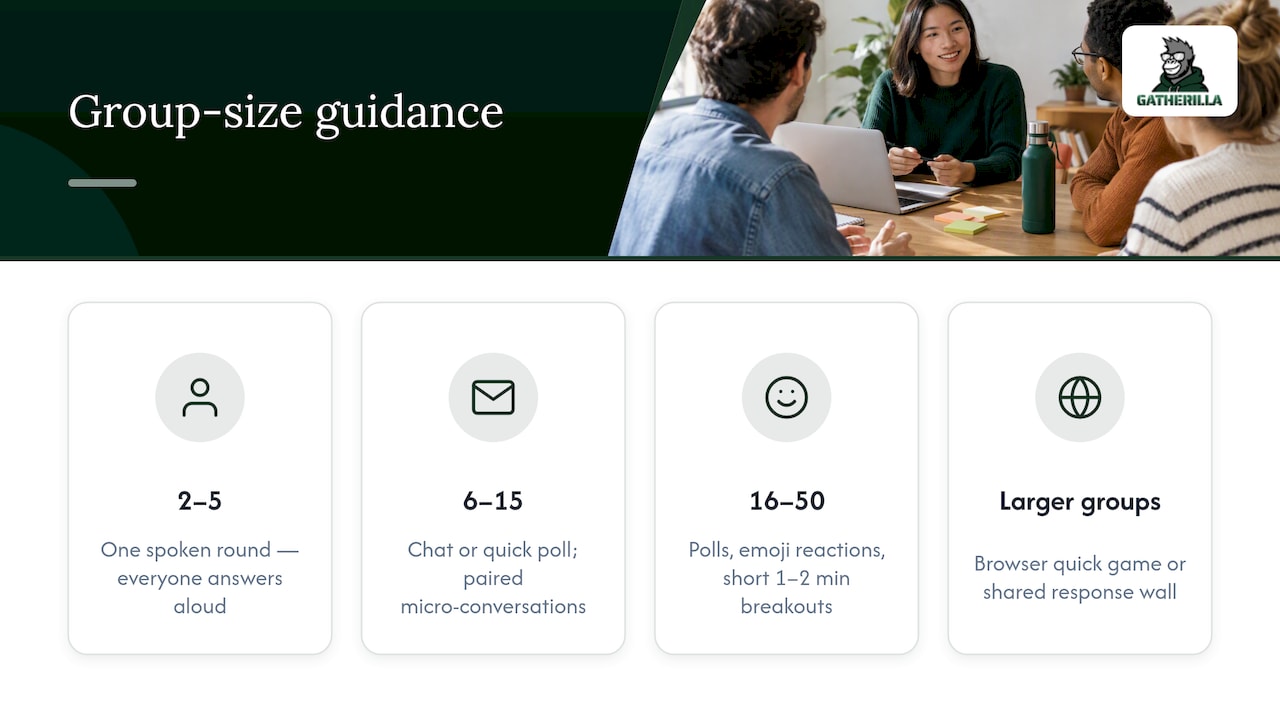
A prompt that works beautifully for five people can fall flat for fifty, and vice versa. For groups of 2 to 5, a single spoken round works fine: everyone answers one low-information question out loud, which takes a very short time total and still feels personal.
For groups of 6 to 15, shift at least one response channel to chat or a quick poll so the activity is kept short. A paired micro-conversation also works well here, since you can form 3 to 7 pairs without needing breakout room software.
For groups of 16 to 50, in-room spoken rounds stop making sense entirely. Polls, emoji reactions, and short breakout rounds (a short minute or two, no report-back) are the formats that hold up. For anything larger, a browser-based quick game with a shared leaderboard or group response wall gives everyone a way to participate without needing a turn at the microphone.
In-person groups have an advantage virtual ones don’t: physical movement. A “find someone with the same shoe color” style mixer works in a room but has no real virtual equivalent, so match the format to the setting rather than forcing an in-person favorite onto a video call.
Keeping Icebreakers Culturally Sensitive
A question that feels harmless to one group can be loaded for another. Questions about alcohol, family structure, religion, dating, or home country can unintentionally exclude or put people on the spot in groups with mixed backgrounds, which is common in most workplaces today.
The safest prompts stick to universally neutral territory: food, weather, media (shows, music, books), weekend activities, or simple preferences. Avoid questions that assume a shared cultural reference, like “what was your favorite childhood cartoon,” since the answer set differs enormously by country and generation.
For multilingual or global teams, keep the language in prompts simple and avoid idioms that don’t translate cleanly. A guide on facilitating cross-language brainstorming sessions offers useful framing here: simpler phrasing and visual or written prompts (rather than purely verbal ones) tend to include more of the group, not just the most fluent speakers.
When in doubt, test a prompt by asking whether someone from a completely different background could answer it in five seconds without needing context. If the answer is no, simplify it.
Moving From the Icebreaker Into the Real Agenda
The transition matters almost as much as the icebreaker itself. A strong opener that just trails off into “okay, so, anyway” kills the momentum it built. The fix is a short bridging line that explicitly closes the icebreaker and names what’s next.
Something as simple as “great, thanks everyone, that’s our two minutes, let’s get into today’s agenda” does the job. It signals clearly that the fun part is over and the work part is starting, which helps people mentally shift gears. For recurring meetings like standups, the bridge can even reference the icebreaker briefly (“love that we’re all team espresso today, now let’s talk blockers”) to keep a thread of continuity without dragging the activity out.
Avoid two common mistakes: letting the icebreaker run long because people are enjoying it, which eats into the actual agenda, and cutting it off abruptly without any transition, which can feel dismissive of the people who just participated. A clean handoff, timed to the minute you promised at the start, respects both the activity and the agenda that follows it.
When to Keep Icebreakers Short and When to Skip Them
Short icebreakers earn their place in weekly standups, onboarding intros, and most hybrid calls where the main goal is getting people talking before the real agenda starts. In those settings, a one-minute prompt does the job and anything longer competes with the work on the table.
Skip the short format, though, when the actual goal is relationship building rather than a quick warm-up, like a quarterly team retreat or a new team’s first week together. Those moments call for a longer, deeper activity, not a rushed one-word check-in that gets treated as a formality.
The pivot point is simple: if people are leaning into the short icebreaker, laughing, adding extra comments, that’s your signal the group has the appetite for something more involved. Don’t force it in week one. Let the short version build trust first, then introduce a longer session once the group is ready for it.
— Thomas
How Gatherilla Makes Icebreakers Easier to Run
Picking the right prompt is half the work. The other half is not having to build a poll, design a mural board, or remember to hit the stopwatch while also running the meeting. There are browser-based platforms built for remote and hybrid teams, with no downloads or account setup required, so a quick game or daily challenge can start the moment your meeting does.

Instead of writing your own this-or-that list every week, some platforms offer a rotating bank of quick multiplayer games and daily challenges designed to drop into a meeting with zero prep. A few things it’s built around:
- Games that run directly in the browser during a video call, with no software install for any participant.
- Daily challenges that keep engagement going between meetings, not just during them.
- Real-time leaderboards for teams that want a light competitive edge without extra setup.
You can try the free tier to see how it fits your team’s routine, or check the Gatherilla pricing page for Premium options starting at a low price per seat per month, which unlock more games and reporting. For teams that run icebreakers every week and are tired of reinventing the wheel, that’s a fast way to make it a habit instead of a chore. Visit Gatherilla to see the full game library.
FAQ
What are non-cringe questions for icebreakers?
Non-cringe questions ask for a quick preference or fact rather than a performance, things like “coffee or tea” or “favorite weekend activity.” They avoid demands for storytelling or vulnerability, which is what usually makes a question feel forced.
What are some good icebreakers for shy people?
Chat-based check-ins, emoji reactions, and quick polls work well for shy participants because they remove the pressure of speaking in front of a group. Paired micro-conversations with no report-back also give quieter people a way to engage without a public spotlight.
What are some interactive icebreaker activities?
Paired micro-conversations, collaborative single-line stories, and shared virtual murals are interactive without singling anyone out, since the activity is shared across the group rather than carried by one person at a time. Browser-based multiplayer games, like the ones Gatherilla offers, also create interaction without requiring any setup.
What are 5 great icebreaker questions?
Strong low-pressure options include: “coffee or tea,” “what’s one show you’ve rewatched,” “what’s your go-to weekend activity,” “react with an emoji for your energy today,” and “grab the nearest object and describe it in a sentence.” Each asks for a quick, factual answer rather than a story.
How long should an icebreaker take?
Most effective icebreakers run about five minutes or less, with many of the simplest formats, like one-word check-ins or emoji reactions, taking under two minutes. Keeping the activity short is part of what keeps it from feeling awkward.