

How to Host a Virtual Team Game People Enjoy

The easiest way to host a virtual team game is to keep it short, put it inside a meeting your team already attends, and use a game that runs in the browser with nothing to install. Pick one clear goal, explain the rules in under a minute, play for 5 to 20 minutes, and close with a quick reflection. Gatherilla is built for exactly that routine: browser-based multiplayer games that work with any video conferencing tool and need no downloads.
This guide walks you through the whole process, from choosing a format to running the session and making it a habit. It is written for team leaders, HR managers and anyone who has been handed the job of making the next call less awkward.
TL;DR
- Short beats grand: a 5 to 15 minute game at the start of a regular meeting does more than a rare two-hour event.
- Match the format to the group: spoken rounds for small teams, polls and chat for big ones, breakout rooms in between.
- Set up before people arrive: one goal, one link, the rules in chat, and a test of the tools.
- Always debrief for a minute or two, because reflection is what turns a game into a lesson.
- Repeat it on a schedule and let people opt in. Frequency matters more than polish.
Table of Contents
- Why a game is worth the meeting time
- What makes a virtual team game work
- Choose the format: time, size and purpose
- How to host a virtual team game, step by step
- Match the game to your situation
- Make it inclusive and comfortable
- Keep it regular without it feeling forced
- Common mistakes and how to fix them
- Start with a free tier
- Our view on hosting virtual games
- FAQ
- Sources
Why a game is worth the meeting time
Remote teams lose the small moments that build trust: the chat at the coffee machine, the joke before a meeting starts. A game puts a little of that back on purpose.
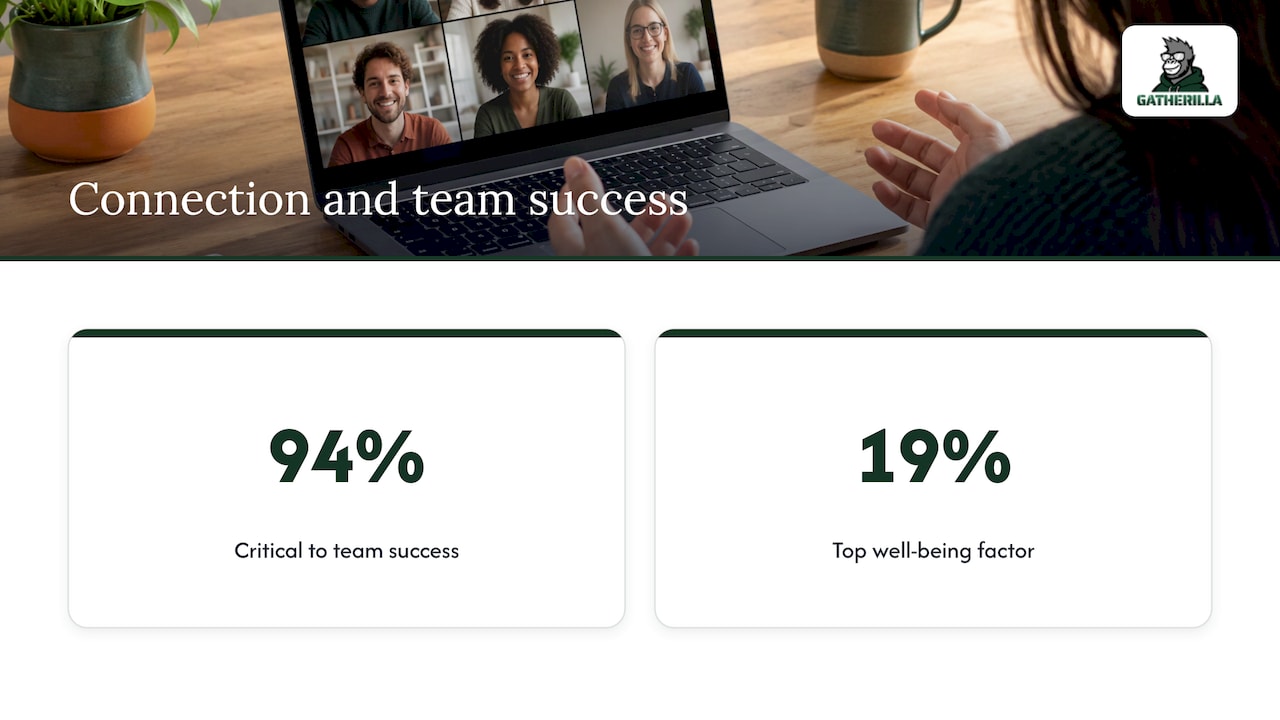
The case for doing it is straightforward. In an Atlassian survey, 94% of workers said mutual respect and connection were critical to their team’s success, and 19% said it was the most important factor in their sense of well-being at work. Connection is not a perk. It is part of how teams get work done.
There is also evidence that the play itself pays off. A randomized trial by Keith and colleagues (2021), summarized in a positive psychology review of virtual communication games, found that focused immersion during team gaming significantly raised team productivity afterward.
What makes a virtual team game work
The same review describes effective virtual games as working on two levels at once. They connect members to each other and to the team’s purpose, and they build communication skills in real time. In practice, a game that works usually has these traits:
- Clear instructions. People should know what to do within thirty seconds.
- Ground rules. Say that passing is fine, that nobody is judged, and how long it will last.
- Room for silence. A pause after a question is thinking time, not failure. Wait it out.
- Visible results. A score, a leaderboard or a reveal gives the group a shared moment to react to.
- Optional participation. Games that feel compulsory feel like work.
A simple test before you pick anything: can a new hire who joined yesterday play it without any background knowledge? If yes, it is a good candidate for a mixed team.
Choose the format: time, size and purpose
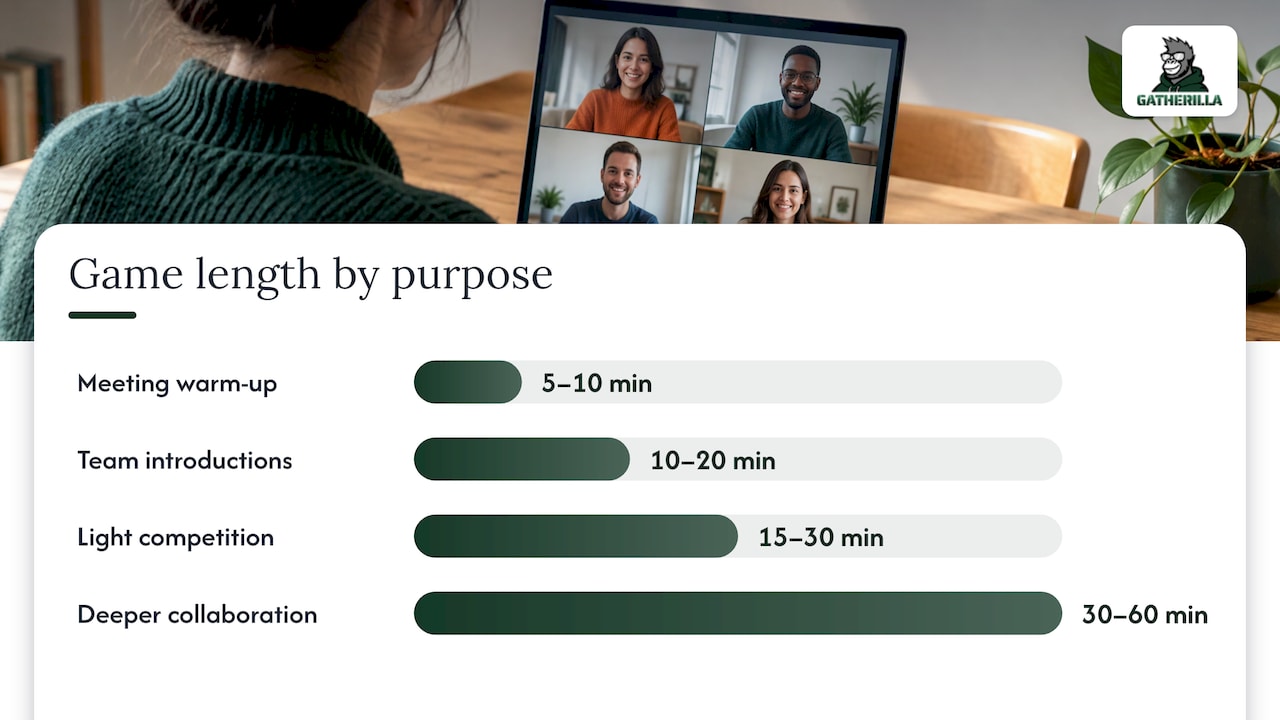
Start with the job the game has to do. An icebreaker opens a meeting. A trivia round gives a group light competition. A longer collaborative challenge builds problem-solving. Then check the time you have and the number of people.
| Purpose | Typical length | Best group size | Example |
|---|---|---|---|
| Warm-up at the start of a meeting | 5 to 10 minutes | Any size | Quick poll, word challenge, two truths and a lie |
| Onboarding or new-team introductions | 10 to 20 minutes | 4 to 15 | Guess who, show and tell, team trivia |
| Light competition | 15 to 30 minutes | 10 to 60 | Trivia with a live leaderboard |
| Deeper collaboration | 30 to 60 minutes | 6 to 12 per group | Puzzle or escape-room style challenge in breakout rooms |
The lengths and sizes above are planning ranges, not rules. They reflect a common pattern in team-building practice: the smaller and newer the group, the more a spoken round works. The bigger the group, the more you need polls, reactions or one-line chat answers so that everyone takes part at once.
If you want a no-cost starting point, FirstHR’s small business guide says the most consistently effective practice is 5 to 10 minutes of connection time built into existing weekly meetings. It needs no preparation and nothing beyond your normal video tool, and it suits groups of 3 to 15.
For ready-made ideas by situation, our own guides cover quick Zoom icebreakers with scripts, Microsoft Teams icebreakers, virtual Minute to Win It games and a trivia playbook for HR.
How to host a virtual team game, step by step
1. Define one goal
Decide what the game is for before you pick it. “Help the three new hires meet the team” is a goal. “Do something fun” is not. One goal keeps the game short and tells you how to judge whether it worked.
2. Pick the game and the slot
Offer two or three options and let the team vote, or simply choose the one that fits your goal. Schedule it during working hours. Asana’s guide to team-building games advises leaders to hold activities in normal work hours across time zones so that nobody feels excluded. If your team spans several zones, rotate the time slot so the same people are not always the ones staying late.
The cheapest slot is the first five minutes of a meeting that already exists. No new calendar invite, no extra ask.
3. Prepare the room in ten minutes
Here is what preparation really involves:
- Write the prompt or rules in a short message you can paste into chat.
- Confirm that the features you need (chat, polls, breakout rooms, screen sharing) are switched on in your meeting tool.
- Decide who runs the controls. If you are also playing, hand the controls to a co-host.
- Test the link and your audio before anyone joins.
This is where a browser-based game removes most of the friction. With Gatherilla, games run in the browser, need no downloads and work with all video conferencing tools, so there is no software for participants to install five minutes before the call. Our games are also customizable, so you can fit the content to your team rather than reading generic questions to people who share none of the references.
4. Open with the rules, not the pitch
Tell people how they will respond (chat, voice, poll or the game screen) before you give the prompt. Then give one example yourself. When the leader goes first with a slightly vulnerable or silly answer, everyone else relaxes.
Start your timer only after the instructions are on screen. Starting it earlier punishes the people who were still reading.
5. Run it and keep the energy up
Your job as host is pace and fairness. Keep these habits:
- Call on people by name for spoken rounds, but allow a pass.
- Read out chat answers so quieter people get airtime.
- Keep scores light. A real-time leaderboard is fun when the stakes are a laugh, not a prize that makes colleagues rivals.
- If breakout groups are stuck for more than a few minutes, drop in with a hint.
For groups, a size of 4 to 6 per breakout room keeps everyone talking. A room of eight is usually where one or two people go quiet.
6. End on time
Finish when you said you would. A game that overruns eats the agenda and makes the next game harder to sell. Close the activity out loud (“That’s our round, thanks everyone”) before you switch screens, so the group knows the meeting is moving on.
7. Debrief for a minute or two
This is the step most hosts skip, and it matters. The positive psychology review points to Kolb’s experiential learning theory: an experience alone does not produce lasting change, and it is reflection that turns it into a usable lesson. Skipping the debrief leaves a well-run game as a short diversion.
You do not need a long discussion. Ask one or two questions that connect the game to the team:
- What did we do well together just now?
- What surprised you about how someone else approached it?
- Where could we use that same approach in this week’s project?
The same source notes that a structured debrief spreads the learning across the group and helps build psychological safety, meaning people feel safe to speak up.
8. Close the loop the same day
Send one question afterward: “Was this worth the time, and what should we play next?” It takes thirty seconds to answer, tells you what to repeat, and shows people that their opinion shapes the next session.
Match the game to your situation
Quick icebreakers before a meeting
Use something that takes under five minutes and needs no explanation: a one-word check-in, a this-or-that poll or a short word challenge. Our 5-minute icebreakers list and virtual conference icebreakers are written to run with zero setup.
Onboarding new employees
New hires do not yet know whose jokes land or who sits in which time zone. Choose games where the answer is about the person, not about the company: two truths and a lie, guess who, or a team trivia round built from the team’s own facts. Keep rounds short so that the newest person is never the only one on the spot. If you are a new manager yourself, our new manager icebreakers give you fifteen ideas for the first meetings.
Hybrid teams
When some people are in a room and others are on screen, pick games where everybody answers on their own device, so the people at home are not watching a conversation in the conference room. See our guides to hybrid meeting icebreakers and keeping remote participants engaged.
Daily bonding for fully remote teams
For teams that rarely meet live, the most useful format is a small daily challenge, such as a word or trivia puzzle that people play when it suits them, with results the team can see. Gatherilla includes a daily challenge for this reason: it turns connection into a routine rather than an event.
Make it inclusive and comfortable
A game that thrills extroverts can be a dread for everyone else. A few habits help:
- Make it optional. Allow people to watch, pass or join late. Participation tends to grow when no one is forced.
- Offer more than one way to respond. Voice, chat, reaction or poll. Not everyone thinks best out loud.
- Avoid games that depend on culture, age or physical ability. Pop-culture trivia from one decade leaves part of the team out. Choose questions that people can answer from their own life.
- Use camera-optional formats. Some people are on bad connections or in shared spaces.
- Never single out the quiet person. Ask for volunteers, or use anonymous polls so everyone contributes equally.
- Mind the group size. Asana suggests formats such as two truths and a lie for groups of three or more, and scavenger hunts for eight or more, which is a useful reminder that some games break down when the group is too small.
Keep it regular without it feeling forced
A single annual event will not fix everyday isolation. A rhythm will. One workable pattern:
| Cadence | Format | Length |
|---|---|---|
| Every meeting or weekly | Icebreaker at the start | 5 to 10 minutes |
| Every 2 to 4 weeks | Team game session | 30 to 45 minutes |
| Quarterly | Hosted event or tournament | 60 to 90 minutes |
That pattern is a practical rule of thumb, not a standard. Adjust it to your team’s calendar. Three habits keep it fresh:
- Rotate the host. When different people choose and run the game, it stops being “the manager’s thing” and the choices widen.
- Rotate the format. Alternate word games, trivia and collaborative challenges so the same people do not always win.
- Rotate the time slot so that no time zone always loses.
One caution from Smartsheet’s remote team-building guide: games do not replace training and career development. Treat them as the social layer on top of good management, not a substitute for it.
Common mistakes and how to fix them
- Too long. A 45-minute game in the middle of a busy week gets resentment. Cut it to 15.
- Unclear rules. If you spend five minutes explaining, the game is too complex. Choose a simpler one.
- Tech trouble. Test the link and share it in chat ahead of time. A game that needs accounts or downloads loses people before it begins, which is why we built ours to work in the browser.
- Forced fun. If people dread it, ask why in your follow-up question and change the format.
- No follow-through. If the team votes for trivia and gets something else every time, they stop voting.
- Wrong audience. Do not use a competitive game with a team that is under pressure or recently reorganized. Use a collaborative one.
Start with a free tier
If you want to try this with your team this week, Gatherilla offers a free plan and a paid Premium plan. Premium is priced per seat: $0.50 to $1.00 per month, or $5 to $10 per year, as published on our pricing page. It unlocks additional games, reporting and priority support, while the free plan gives you limited games to start with.
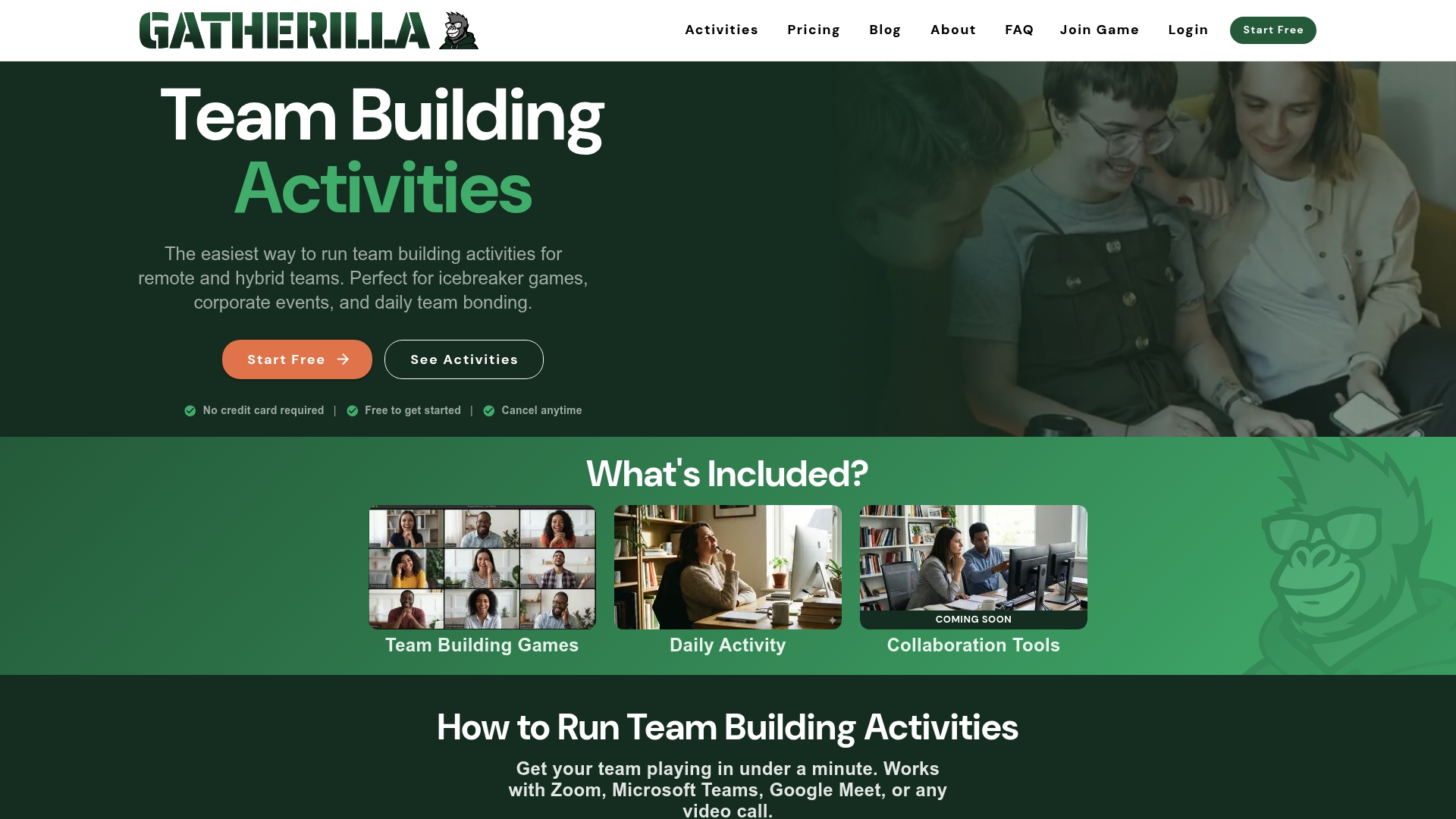
Games run in the browser, work with every video conferencing tool, and include icebreakers, onboarding games, a daily word and trivia challenge and real-time leaderboards. You can look at the full team-building games for remote and hybrid teams on our home page, and if your goal is to lift engagement scores, our guide on how to improve eNPS in 90 days shows how games fit a wider plan.
Our view on hosting virtual games
Most teams do not have a game problem. They have a habit problem. A good game played once a quarter is a nice afternoon, and then everyone goes back to being a row of tiles on a screen.
We built Gatherilla around the idea that engagement should be a daily, sustainable routine rather than an occasional event. That is why the games need no preparation, no downloads and no accounts, and why the daily challenge sits inside the rhythm of the team’s day. When setup takes seconds, the host’s attention goes where it belongs: the people.
We also think recognition belongs next to play. Peer-to-peer recognition aligned to your company values turns a fun moment into something the team remembers. And because HR and team leaders need to trust the tool they bring to the whole company, we offer enterprise-grade security controls.
If you take one thing from this guide, make it this: start small, start soon, and keep going. A five-minute game every week will do more for your team than a perfect event you never get around to planning.
Thomas
FAQ
How long should a virtual team game last?
For a regular meeting, 5 to 15 minutes is enough. Longer sessions of 30 to 60 minutes suit a monthly or quarterly slot with a clear purpose, such as a collaborative challenge in breakout rooms. When in doubt, finish early.
How many people can play a virtual team game at once?
It depends on the format. Spoken rounds work best with small groups, and polls, chat and leaderboards scale to large groups. For big teams, split people into breakout rooms of 4 to 6 so that everybody has a chance to speak.
What do I need to host a virtual team game?
At minimum, a video call tool and a game your team can open easily. Screen sharing, chat and breakout rooms help for bigger groups. With a browser-based platform like Gatherilla, participants do not need to download anything, and the games work with any video conferencing tool.
What are good virtual team games for new employees?
Choose short games where the answers are about people, not company knowledge: two truths and a lie, guess who, or team trivia. Keep the rounds light and let newcomers join in without being put on the spot. Follow up with a casual question so you know what they enjoyed.
How often should we play?
A short icebreaker in your regular meeting, a longer game every few weeks and a bigger event each quarter is a sensible rhythm. Consistency matters more than polish. Rotating the host and the format keeps it from feeling repetitive.
Sources
- Atlassian: virtual team building activities and games
- Positive Psychology: virtual communication games for remote teams
- FirstHR: online team building games, a small business guide
- Asana: team-building games to bring teams together at work
- Smartsheet: team-building games for remote workers