

Hybrid Team Building Ideas for HR: 10 Minute Prep, No Spectators
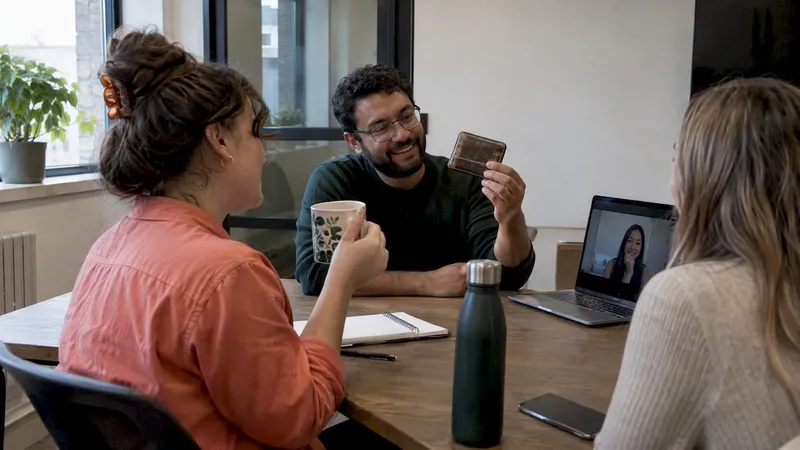
Run symmetric or split-cohort formats so remote participants are full contributors, not an audience. Device-based trivia and cross-location scavenger hunts do this well because everyone plays on the same footing, with the same screen and the same scoreboard. Research on hybrid work shows collaboration tools and intentional facilitation have to go together, and occasional in-person gather days work best as an anchor.
TL;DR:
- Match the format to the goal: use symmetric play for fair recurring sessions, split cohorts when physical space matters, and in person gatherings for milestones.
- Assign a dedicated remote facilitator, and give remote colleagues at least two meaningful roles, such as scribe, timekeeper, presenter, or scorekeeper.
- For teams across time zones, rotate live meeting times or run two sessions, then merge the results in a shared recap and asynchronous follow up.
- A sustainable rhythm pairs quarterly gather days in person with monthly 30 to 45 minute symmetric sessions and weekly five to fifteen minute rituals.
- Track fairness through consistent surveys, attendance, speaking turns, and completed tasks; one trial found gains in social support and psychological safety persisted for up to nine weeks.
Table of Contents
- 1. A 10-minute planning checklist before any hybrid session
- 2. Practical hybrid activity ideas, grouped by format
- 3. How to pick the right activity and run it so no one is a spectator
- 4. Operational rules that keep hybrid activities from failing
- 5. How do you know the activity actually worked?
- 6. Inclusion and accessibility rules for hybrid sessions
- 7. How often should you run hybrid team building?
- 8. What most hybrid team building gets wrong
- 9. Run symmetric games with no downloads, starting today
- FAQ
- Sources
1. A 10-minute planning checklist before any hybrid session
Most hybrid activities can falter because of setup, not concept. Run through this list before you invite anyone.
- Pick the event model. Choose symmetric (everyone joins from their own device), split-cohort (in-office and remote groups play separate but linked rounds), or gather (everyone in one place) based on your goal and budget.
- Do a tech check and assign moderators. A remote facilitator watches the chat and the remote tiles. An in-room tech lead handles the camera, audio and any shared screen.
- Build mixed teams. Put remote and in-person people on the same team and give each a concrete role, so no one is just along for the ride.
- Plan the wrap-up. Decide in advance on a short pulse survey, a highlight reel or screenshots, and one-sentence takeaways from each team.
- Sort out logistics early. Ship kits or offer reimbursements, turn on captions, and send materials the day before.
Pro Tip: Send the moderator roles in the calendar invite itself. People show up already knowing their job, and the first awkward minute disappears.
For more on facilitation roles and tech checks, see our guide to keeping remote participants engaged in hybrid meetings.
2. Practical hybrid activity ideas, grouped by format
Pick one format per session rather than stacking several. Each idea below includes a short note on how to run it so no one sits on the sidelines.
Symmetric, device-first games
Symmetry means everyone plays on a personal device, even if some people share a room. Device parity removes the advantage of sitting near the whiteboard or being able to whisper to a neighbor.
- Device-based trivia tournament. Mix general-knowledge rounds with questions about your own company or team history. Randomize team assignments so each team has both remote and in-office players, and let the scoreboard live in the browser, not on a wall display only the room can see.
- Browser multiplayer games. Word, drawing and quick-reaction games that run in a browser tab are ideal because there is nothing to install and nothing for IT to approve. Our overview of browser-based team building games explains why this setup removes so much friction.
- Lightning icebreakers. Brief prompts such as “your most useful object on your desk” work well at the start of any meeting. Our ready-to-run hybrid meeting icebreakers can be copied straight into an agenda.
Keep the competitive edge light. Structured competition can boost creativity and engagement, but only when the stakes stay low and the rules are clear. If you want games that colleagues will actually want to play, start with our list of team building games that don’t make people cringe.
Collaborative problem-solving
These formats suit teams that want to work together rather than simply have fun.
- Virtual escape rooms. Give remote members the clue documents and in-room members the physical puzzle photos, so each side holds information the other needs.
- Timed puzzle races. Split a large puzzle into pieces and distribute them across locations. The team finishes only when every piece is solved and shared.
- Synchronous design sprints. Set a time-limited challenge such as redesigning the onboarding checklist. Let a remote colleague lead the sketching and an in-office colleague scribe.
The key is to assign leadership roles deliberately. When remote members lead certain tasks, they stop being the ones who ask “can you hear me?” and become the ones others wait on.
Scavenger hunts and photo missions
Cross-location scavenger hunts are one of the simplest ways to make everyone equal. Send the same list to every participant: something blue, something older than five years, a view from your window, your favorite mug. Collect the photos in a shared gallery with a common scoreboard. Remote people show their homes and neighborhoods, office people show the workplace, and the result is a gallery of context that no standard meeting ever produces.
Asynchronous options for teams across time zones
Not every colleague can be online at the same hour. These formats keep people connected without forcing anyone into a 6 AM call.
- Knowledge-share videos. Each person records a short how-to on something they do well, work-related or not.
- Micro-mentoring pairs. Match colleagues for a period of short, regular chats, rotating pairs afterward.
- Asynchronous icebreaker threads. Post a weekly prompt in a team channel and let replies trickle in over a few days.
Wellness and workshop formats
Short wellness sessions give teams a shared break from output. Guided meditation, burnout-prevention workshops and brief skill sessions all work well in hybrid settings. Remote workers can face higher rates of depression, which is a good reason to treat social connection as a planned activity and not a happy accident. The broader workplace health and well-being context matters here too.
For accessibility, provide a transcript or captions, offer a camera-off option, and keep any movement or breathing exercise optional. When a workshop follows a structured multi-session path, a tool built for group coaching and cohort delivery can handle the sign-ups, progress and follow-up so you can focus on the content.
3. How to pick the right activity and run it so no one is a spectator
Start with the objective, then choose the format. A mismatch is the most common reason a good idea falls flat.
- Onboarding: structured introductions plus paired tasks, so new hires meet people one on one instead of in a crowd.
- Collaboration: synchronous problem-solving where each person owns a piece the group needs.
- Morale after a hard quarter: light, low-effort games and a recognition round.
- Reconnecting across locations: scavenger hunts and photo missions that surface personal context.
Apply the spectator test
Walk through your plan minute by minute and ask one question at every step: is any group passive right now? If the answer is yes, change it. Maybe the remote cohort only watches a demo in the room. Maybe the in-room group huddles around one laptop while remote players wait for a turn. Remove those moments or give the passive group a task.
Give people real roles
Roles turn attendance into participation. Useful ones include:
- Presenter: shares the answer or the finished work.
- Timekeeper: keeps the group to the clock, easily done remotely.
- Scribe: captures decisions in a shared document.
- Scorekeeper: tracks points and calls out the standings.
Assign at least two of these to remote members every time.
A simple facilitation flow
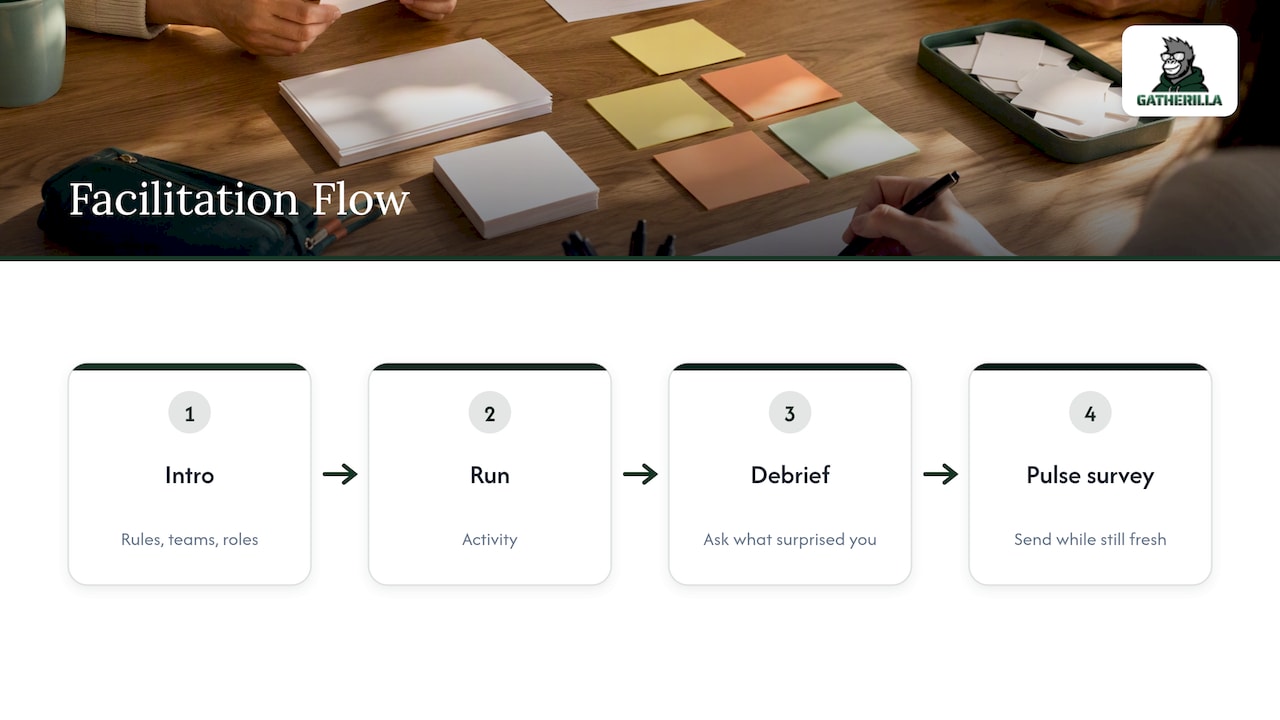
Open with a brief intro covering rules, teams and roles. Run the activity for a duration that suits the format. Close with a short debrief and send the pulse survey while the experience is still fresh.
Pro Tip: Ask the debrief question “what surprised you?” instead of “did you enjoy it?” People answer the first with a story and the second with a shrug.
4. Operational rules that keep hybrid activities from failing
Three models cover almost every situation, and the choice should follow your goal.
- Symmetric: everyone joins individually from their own device. Use it for most recurring sessions because it is the fairest and the cheapest to run.
- Split-cohort: in-office and remote groups run parallel experiences and then compare results. Use it when the activity needs physical space or when the two groups have different tools.
- Gather: everyone meets in person, with remote colleagues traveling in. Reserve it for kickoffs, planning weeks and milestone celebrations.
Be honest about time zones. Rotate session times so the same people do not always take the inconvenient hour, or split a session into two runs and merge the results in a shared recap. Budget for an asynchronous follow-up so no one is left out of the conversation.
Name a dedicated remote facilitator every time, and keep your collaboration tools consistent so people are not learning a new app for each event. Consider fewer, better in-person events anchored by lightweight virtual rituals between them.
Hybrid work also changes how people hold on to relationships. Researchers found that hybrid arrangements raise employees’ concern about relationship loss, and that people with strong ties to the organization respond by putting in extra effort to keep communication going. Planned rituals make that effort easier for everyone.
5. How do you know the activity actually worked?
You do not need a research team. A short survey and a few counts are enough to see whether the format is paying off.
- Pulse survey. Ask whether participants enjoyed the session, had a fair chance to contribute, and felt it was a good use of their time, using a consistent rating scale.
- Participation counts. Track attendance, the number of turns each person took and whether tasks were completed.
- Leading indicators. Watch for peer recognition messages and for how often people from different teams start working together afterward.
- Quick qualitative debrief. Ask for one comment on what to keep and one on what to change, then fold the top two items into the next session.
Evidence for structured team support is encouraging. A randomized controlled trial found that a team-regulation intervention improved social support, psychological safety and psychosocial management in hybrid teams, and the effects persisted for up to nine weeks.
6. Inclusion and accessibility rules for hybrid sessions
Inclusive design makes every activity better, not just more compliant.
- Share materials ahead of time and turn on captions. Let people contribute by chat, shared document or voice, whichever suits them.
- Avoid pure speed formats. Rapid-fire rounds and sensory-heavy tasks need a slower alternative.
- Offer opt-in roles that still matter. Scribe, timekeeper and scorekeeper let someone contribute without performing, and you should rotate them.
- Give prompts in advance. Introverts and neurodivergent colleagues do their best thinking when they can prepare a contribution before their turn.
Pro Tip: Post the questions in the team channel the day before. A two-minute head start changes who speaks first.
7. How often should you run hybrid team building?
Consistency beats intensity. A rhythm many teams can sustain looks like this:
- Quarterly: an in-person gather day for relationship building and planning.
- Monthly: a 30-to-45-minute symmetric session, such as a trivia round or puzzle race.
- Weekly: micro-rituals of five to fifteen minutes, such as a quick icebreaker or a shared photo prompt.
Match the length to the format. Energizers fit in 5 to 15 minutes, problem-solving needs 30 to 60, and workshops or gathers run half a day or longer. Record highlights and send an asynchronous recap so colleagues who missed the live session still feel part of it. For ideas that keep momentum between events, see our piece on remote team culture strategies.
8. What most hybrid team building gets wrong
The conventional wisdom says the fix for hybrid distance is to get everyone into the same room more often. I think that misreads the problem. The real issue is unequal participation, and you can have that in a conference room as easily as on a video call.
I once watched a trivia event where the remote group answered half the questions correctly and still finished last, because the room kept shouting answers over the audio. We ran the spectator test afterward, moved everyone to individual devices, and the next session had the quietest remote colleague on the winning team.
For a small team, skip the elaborate planning. One symmetric game, one remote facilitator and one three-question survey will teach you more than any big program. For larger programs, standardize the checklist and let local leads pick the activity. Whichever scale you work at, test small, ask for feedback right away, and change one thing at a time.
— Thomas
9. Run symmetric games with no downloads, starting today
The operational friction described above is exactly what we built Gatherilla to remove. Our games run in the browser, so there is nothing to install and nothing waiting on IT. That makes the symmetric model, where everyone plays on their own device, the easy default. If you want to try it without a budget conversation, start with the free tier.

- No downloads, quick setup: open a link, pick a game, and play on any video call tool.
- Device-first by design: everyone plays on their own device, so no one gets a room advantage.
- Daily engagement: a short daily challenge keeps the connection going between your bigger sessions.
- Free and Premium plans: compare them on our pricing page, with Premium listed at $0.50-1.00 per month per seat or $5-10 per year per seat.
Pick one of the games from the list above, send the link to your next team meeting, and see how the participation changes.
FAQ
What are some good 10-minute virtual team building activities?
Quick icebreakers, a short trivia round or a one-question photo prompt can fit into a brief session. Keep the rules simple and let everyone play from their own device. Our hybrid meeting icebreakers are built for exactly this slot.
How do you manage a hybrid team?
Make equal participation the default and assign a dedicated remote facilitator for every shared session. Pair that with consistent collaboration tools and regular rituals. Cisco’s 2025 study found only 49% of employees feel workflows are seamless across locations, so smooth handoffs deserve attention.
What are some fun team building activities for remote workers?
Online trivia, browser-based multiplayer games, virtual escape rooms and photo scavenger hunts are reliable favorites. Mix live sessions with asynchronous options such as short video shares so people in different time zones can join. Keep stakes low so the focus stays on connection.
What are the 5 C’s of a team?
There is no single official list, and definitions vary by author. A useful framework may cover communication, collaboration, commitment, trust and conflict resolution. Whatever list you use, hybrid team building should strengthen each of them through regular, well-run shared experiences.
Sources
- How Hybrid Work Shapes Communication Ties: The Role of Concern about Relationship Loss and Organizational Identification - Tröster - 2026 - Journal of Management Studies - Wiley Online Library
- Cisco Global Hybrid Work Study 2025
- Full article: The effectiveness of a team intervention to enhance team regulation in hybrid teams: a randomized controlled trial