

30 Get to Know You Games That Actually Work for Groups
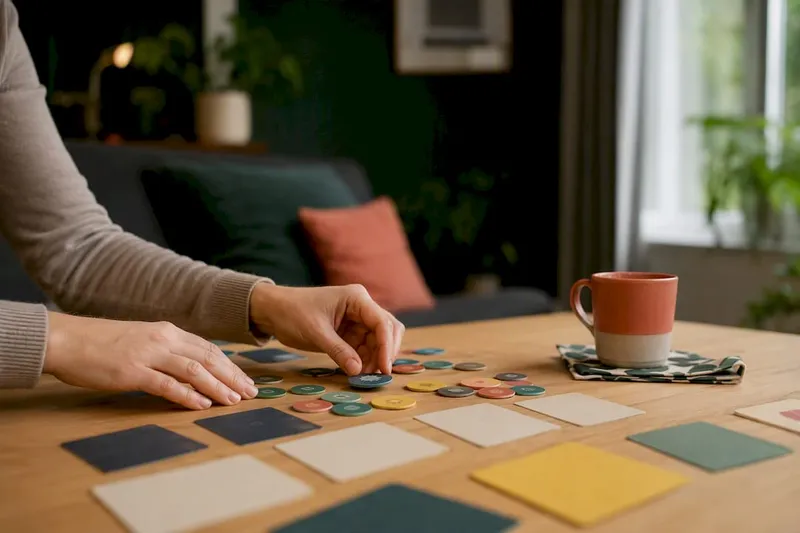
Run any of these right now: Two Truths and a Lie for groups under 15, Meet-Me Bingo for onboarding cohorts of any size, Would You Rather for a two-minute energy jolt, Show & Tell for remote teams craving something personal, and Top Five when you have exactly 10 minutes and nothing prepared. These five survive repeat use because they need almost no setup, scale up or down without breaking, and give every person in the room (or the call) a reason to talk.
- Two Truths and a Lie: best for 5 to 15 people, 10 to 15 minutes, builds curiosity fast.
- Meet-Me Bingo: best for 10 to 100+ people, 10 to 20 minutes, works in-person or virtual with almost zero facilitation skill required.
- Would You Rather: fits groups of various sizes, brief duration, ideal as a warm-up before starting an agenda.
- Show & Tell: best for 5 to 20 people, 15 to 25 minutes, surfaces personality faster than most structured prompts.
- Top Five: works well with small groups, brief to moderate duration, encourages specificity beyond small talk.
The full breakdown below covers exact scripts, timing, group-size thresholds, and virtual-friendly adaptations for each one, plus how to choose the right game when your group isn’t a typical case.
Key Takeaways
The right get-to-know-you game is chosen by group size and time available first, and prompt depth second, since format mismatches cause more awkwardness than any single bad question.
| Point | Details |
|---|---|
| Match game to group size | Full-group sharing works under 15 to 20 people; larger groups need parallel breakout formats. |
| Cap timing tightly | Five-minute openers like This or That fit before meetings; deep-share formats need 20+ minutes. |
| Build in an opt-out | Offer a genuine pass option every round to avoid forced-fun fatigue. |
| Use structure for large groups | Simultaneous browser games and leaderboards keep everyone active instead of waiting turns. |
| Reach for Gatherilla when prep time is short | Its browser-based multiplayer icebreakers and daily challenges skip the setup work custom games require. |
Table of Contents
- Top Get to Know You Games: Quick Reference By Group Size and Time
- How to Pick the Right Game for Your Session
- Games by Format: 5-Minute Openers to Long Deep-Share Sessions
- Step-by-Step Scripts for the Most-Used Games
- Facilitation Dos and Don’ts to Avoid Forced Fun
- Virtual and Hybrid Setup: Tech Checklist and Roles
- Why These Games Actually Build Connection
- A Facilitator’s Honest Take on Picking Games Under Pressure
- A Plug-and-Play Option When You Need Something Ready Now
- Frequently Asked Questions
- Sources
Top Get to Know You Games: Quick Reference By Group Size and Time
Some of these you already know by name. A few are worth adding to your rotation because they solve a specific problem: too many people, too little time, or a group that’s grown tired of the same three icebreakers.
- Two Truths and a Lie: small to midsize groups (5 to 15), 10 to 15 minutes. Goal: fun-fact recall and light suspicion-building. Virtual tweak: use chat for guesses instead of shouting out, so quieter participants get equal footing.
- Meet-Me Bingo: any size, 10 to 20 minutes. Goal: forces mingling and quick fact exchange. Needs printed or digital bingo cards with prompts like “has traveled to three continents.” Virtual tweak: use a shared digital bingo board or breakout rooms that rotate every two minutes.
- Would You Rather: flexible for group size, short duration. Provides fast energy without personal disclosure, good as a meeting opener.
- Show & Tell: small to midsize (5 to 20), 15 to 25 minutes. Goal: personal storytelling. Virtual tweak: ask people to grab an object from their desk or home in real time, which keeps it spontaneous instead of staged.
- Top Five: best for small groups, brief duration. Uses structured lists to quickly reveal personality.
- 21 Questions: pairs or small groups (2 to 10), 10 to 15 minutes. Goal: deeper one-on-one rapport. Best used in breakout pairs, not full-group format.
- Human Bingo: midsize to large (15 to 50), 15 minutes. Goal: same as Meet-Me Bingo but framed around personality traits instead of facts. Needs pre-made cards.
- Desert Island: suitable for any group size, brief to moderate duration. Encourages sharing of priorities and humor via a simple prompt.
- This or That: fits any group size, very brief duration. Uses simple binary choice prompts. Requires no preparation.
- The Name Game: small groups new to each other (5 to 15), 5 to 10 minutes. Goal: name recall through repetition and association, a staple covered in classic in-person icebreaker instructions.
- One Word Check-In: any size, 2 to 3 minutes. Goal: emotional temperature check, works well as a meeting opener since short prompts of two to ten minutes are ideal for kicking off virtual sessions.
- Guess the Baby Photo: midsize (10 to 30), 15 to 20 minutes. Goal: humor and connection, requires advance photo collection.
- Common Ground: small to midsize groups (6 to 20), split into groups of four, 10 minutes. Goal: teams race to find three things they all share.
- Two Facts and a Wish: adaptable to any group size, brief duration. A lighter alternative that reduces competitive pressure.
- Fact or Fiction Speed Round: large groups (30+), 10 to 15 minutes. Goal: keeps everyone active by pairing up in rapid rotations instead of one person speaking at a time.
- Would You Rather: Work Edition: flexible for group size, brief duration. Uses workplace-themed questions to stimulate culture conversations.
- Getting to Know You Card Games: small groups (4 to 8), 15 to 20 minutes. Structured card-based conversation games like You Think You Know Me give shy groups a built-in script instead of open-ended prompts.
- Question of the Day: any size, ongoing daily habit rather than a one-time game. Works well for distributed teams who check in async; Gatherilla’s work question of the day format is built around this exact use case.
Materials matter less than most facilitators think. The bigger variable is timing: a 20-person group needs a different structure than a 6-person group, which is exactly what the next section walks through.
How to Pick the Right Game for Your Session
Matching a game to your actual situation beats picking whatever’s trending on a listicle. Start with what you’re optimizing for, because “get to know you” can mean four different things depending on context.
If your goal is name recall, pick repetition-based formats like The Name Game or Human Bingo, where participants have to say and reuse names multiple times in a short window. If your goal is personal storytelling, Show & Tell or Top Five work better than trivia-style games, because they invite a narrative instead of a fact. If your goal is light competition to break tension, Two Truths and a Lie or a speed-round format gives people a reason to engage without oversharing.
Group size sets a hard ceiling on what formats work. Below 15 people, full-group round-robin sharing is fine, everyone gets a turn without the session dragging. Above roughly 15 to 20, round-robin sharing stalls out and you need parallel formats instead: breakout rooms, chat-based answers, or simultaneous browser games where everyone plays at once rather than waiting their turn.
Session length dictates depth. A 5-minute slot before a status meeting calls for This or That or One Word Check-In, not Show & Tell. A dedicated 30-minute onboarding block can handle deeper formats like 21 Questions in breakout pairs.
Privacy and comfort deserve real attention here, not a token mention. Some employees genuinely don’t want to share personal details with coworkers they’ve known for two weeks. Build in an opt-out or a “pass” option for every game, and offer prompts with adjustable depth: “favorite vacation spot” instead of “most embarrassing moment.” Games with a built-in structure, like card-based formats or bingo boards, tend to feel safer than fully open-ended sharing because the boundaries are already set.
Accessibility should shape your prompt design, not just your platform choice:
- Offer text-based alternatives to verbal prompts for anyone using screen readers or captions.
- Avoid prompts requiring physical movement (scavenger-hunt formats) unless you confirm the whole group can participate.
- Keep language simple and avoid idioms that don’t translate across non-native English speakers.
- Give a visual and a verbal version of instructions for hybrid rooms where some people are on a screen and some are in person.
Games by Format: 5-Minute Openers to Long Deep-Share Sessions
Different session lengths need genuinely different games, not just a shorter version of the same one. Here’s how to sort your options by the time and setting you’re actually working with.
Five-minute openers work as a warm-up before the real agenda, not as the main event. This or That, One Word Check-In, Would You Rather, and Two Facts and a Wish all fit here. Virtual adaptation: run these as chat-only responses so nobody has to unmute, which keeps the pace fast even with 40 people on the call.
Ten to twenty-minute activities give you room for something with a bit more structure. Two Truths and a Lie, Meet-Me Bingo, Desert Island, and Common Ground belong in this bracket. For virtual groups, breakout rooms of four to six people work better than a single large call, since smaller parallel groups keep everyone active instead of waiting through 15 turns.
Thirty-plus minute deep-sharing sessions suit Show & Tell, 21 Questions in rotating pairs, or a structured card game like You Think You Know Me. These work best with groups who already have some baseline comfort, new hires three weeks in rather than total strangers on day one. Gatherilla’s virtual show and tell playbook walks through exact scripting for this format on a video call.
Large-group formats need a different engine entirely. Human Bingo, Fact or Fiction Speed Round, and browser-based simultaneous games where everyone plays at once solve the core problem with big groups: too much waiting. A drawing-game format built for 20 to 30 players illustrates the principle well, everyone draws simultaneously instead of taking turns, which is the same logic behind scalable large-group icebreaker formats.
| Format | Group size | Prep time | Platform features needed |
|---|---|---|---|
| 5-minute openers | Any size | Under 5 minutes | Chat function |
| 10-20 minute activities | 5 to 30 | 10 to 15 minutes | Breakout rooms, shared doc |
| 30+ minute deep-share | 5 to 20 | 15 to 20 minutes | Breakout rooms, webcam |
| Large-group formats | 30+ | 15 to 30 minutes | Polling, leaderboards, simultaneous play |
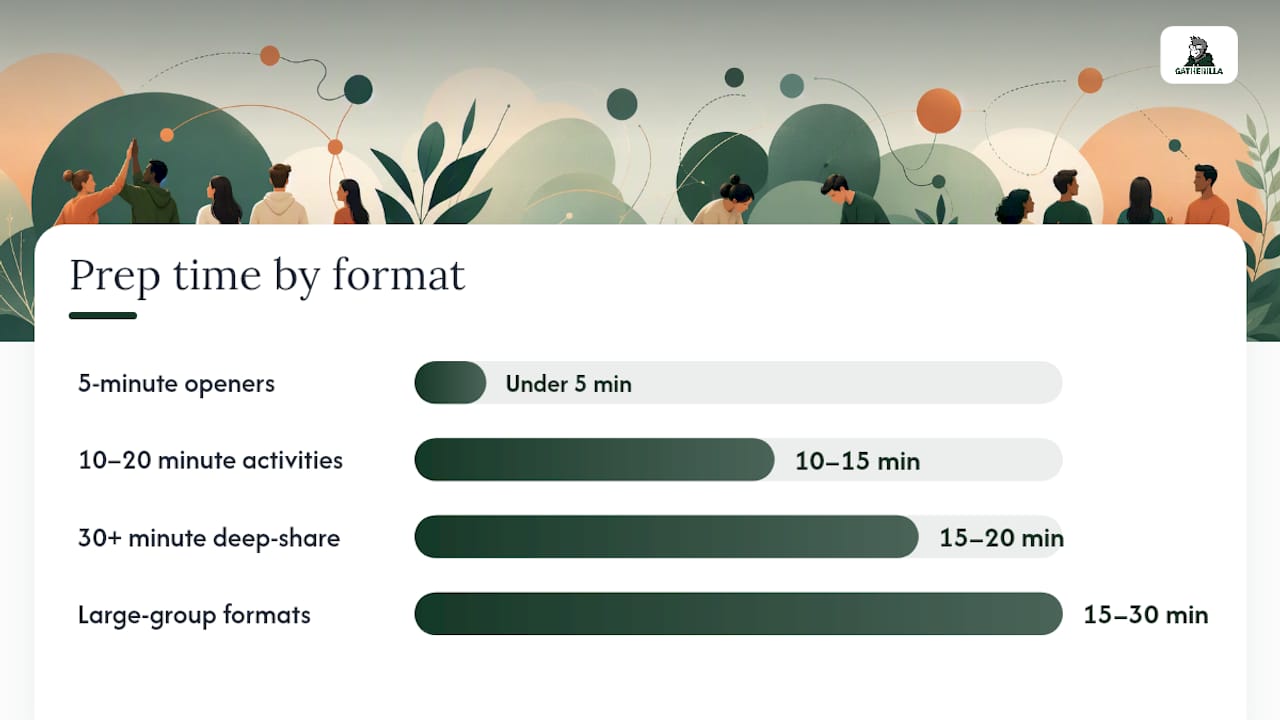
Prep time scales with how custom the prompts need to be. A generic Would You Rather deck takes zero prep. A Meet-Me Bingo card tailored to your actual team (“has worked here longer than 5 years”) takes 15 minutes to build but pays off in relevance.
Step-by-Step Scripts for the Most-Used Games
Here’s exactly how to run the six games facilitators reach for most, with timing built in so you’re not improvising mid-session.
- Two Truths and a Lie (10 to 15 minutes). Say: “Everyone, think of two true facts about yourself and one convincing lie. We’ll go around and guess which is which.” Give participants 60 seconds to think. Go person by person, 90 seconds each including guesses. For groups over 12, split into breakout pairs first, then bring two or three favorites back to the full group.
- Meet-Me Bingo (10 to 20 minutes). Say: “Everyone has a bingo card with different facts. Find people who match each square and get their initials. First to five in a row wins.” Hand out or share digital cards, set a visible timer for 10 minutes, call time and check for winners.
- Would You Rather (3 to 5 minutes). Say: “I’ll read two options. Move to the left of the room for option A, right for option B.” For virtual groups, use chat reactions or a poll instead of physical movement. Run three to five rounds, no debrief needed.
- Show & Tell (15 to 25 minutes). Say: “Grab something within arm’s reach that means something to you. You’ll have 90 seconds to tell us why.” Give one minute to find an object, then go around at 90 seconds per person. For groups over 15, run two parallel breakout rooms.
- Top Five (8 to 10 minutes). Say: “Name your top five favorite movies, in order, and be ready to defend your list.” Set a 30-second limit per person to keep pace tight.
- 21 Questions (10 to 15 minutes). Pair people up. Say: “You have 5 minutes each to ask your partner anything, then we’ll switch.” Best run in breakout pairs rather than full-group, since it’s built for one-on-one depth rather than group listening.
Scoring is optional for most of these. Meet-Me Bingo and speed-round formats benefit from a visible winner, since light competition raises energy without raising stakes. Two Truths and a Lie and Show & Tell work better without a “winner” at all; forcing a score turns a connection exercise into a performance.
Pro Tip: If a group goes quiet during Two Truths and a Lie, seed the round yourself. Share your own three statements first so participants see exactly how specific and playful the answers can get.
Debrief with one simple question after any of these: “What’s one thing you learned about someone that surprised you?” It takes 30 seconds and cements whatever connection just happened.
Facilitation Dos and Don’ts to Avoid Forced Fun
The fastest way to kill an icebreaker is to make it mandatory in tone, not just in name. People can tell the difference between an invitation and an assignment, and forced enthusiasm reads as exactly that: forced.

Do offer a genuine opt-out (“pass if you’d rather not answer this one”) every single time, not just when someone looks uncomfortable. Do read the room before committing to a full round; if energy is low, cut the activity to half the planned group instead of pushing through all 20 people. Do model vulnerability first as the facilitator, since people mirror whatever the leader does. Don’t call on people by name without warning if they haven’t volunteered. Don’t run the same three icebreakers every week; repetition breeds eye-rolls faster than almost anything else. Don’t force physical movement games on hybrid groups where half the room can’t participate anyway.
Accessibility checklist for any group:
- Confirm captions are on for virtual sessions before you start.
- Offer a low-sensory alternative (text chat instead of speaking aloud) for anyone who needs it.
- Keep prompts in plain language, avoiding idioms or regional references that don’t translate.
- Give instructions both verbally and in writing (chat or slide) so nobody misses the rules.
For a low-energy group, shrink the ask. Swap Show & Tell for One Word Check-In. If a game clearly causes discomfort mid-round, say: “Let’s pause this one and jump into the agenda, we can pick a different activity next time.” That single sentence resets the room without dwelling on the misstep.
Pro Tip: Keep a backup low-stakes game ready at all times. If the planned activity flops in the first 60 seconds, switching to This or That saves the moment instead of dragging through an awkward silence.
Virtual and Hybrid Setup: Tech Checklist and Roles
Running these games on a video call demands a bit more planning than an in-person room, mostly because the platform has to do work a physical room does automatically.
Confirm before the session starts: breakout room capability, a chat function that everyone can see, polling if you’re running a vote-based game like Would You Rather, and screen-sharing for any visual prompts like Meet-Me Bingo cards. If your platform lacks native polling, a shared doc or Gatherilla’s browser-based multiplayer format sidesteps the need entirely since it runs independent of your video tool.
Assign roles ahead of time rather than winging it solo:
- Host: reads prompts and keeps overall pace.
- Co-host or moderator: manages breakout room assignments and handles tech hiccups so the host doesn’t lose momentum.
- Timer: calls out time remaining at the halfway and 30-second marks.
- Scoreboard: tracks points for any competitive format, ideally on a shared screen everyone can see.
Have a backup plan for the two most common failures: a breakout room that won’t launch (fall back to full-group chat responses) and a participant who can’t unmute (build in a chat-based answer option from the start).
For large distributed groups, the timing math changes fast. A 10-person full-group round-robin at 60 seconds per person eats 10 minutes. The same format with 40 people eats 40 minutes, which is why parallel engagement structures like simultaneous browser games or chat-waterfall answers matter more as your headcount climbs.
Why These Games Actually Build Connection
Structured, low-stakes prompts work because they remove the guesswork from small talk. Nobody has to invent a question on the spot, the game hands them one, which lowers the social risk enough that quieter participants actually engage.
Short virtual icebreakers in the two-to-ten-minute range are most effective for kickoff moments, and single-word or single-photo prompts scale especially well because they demand almost no cognitive effort to answer.
That principle, drawn from guidance on structuring virtual meeting openers, explains why This or That outperforms open-ended “tell us about yourself” prompts. Constraint helps. Timing matters just as much: an icebreaker that drags past its natural length stops building rapport and starts creating fatigue, which is why every game above comes with a hard time cap.
Gatherilla’s platform is built around this same logic, short, structured, low-prep activities that keep large distributed groups moving without anyone waiting their turn.
A Facilitator’s Honest Take on Picking Games Under Pressure
I once watched a facilitator try to run Show & Tell with 35 people on a single video call. Twenty minutes in, half the group had checked out because they’d been waiting their turn the whole time. The game itself wasn’t the problem, the group size was.
The fix that actually works: the moment a group crosses roughly 15 to 20 people, stop planning full-group sharing and split into parallel activities instead. Run three breakout rooms doing the same Two Truths and a Lie simultaneously, then bring back just one or two favorite stories to the full group.
A Plug-and-Play Option When You Need Something Ready Now
Building your own bingo cards or writing custom prompts works fine when you have 20 minutes to spare. When you don’t, that prep time is exactly what stalls most facilitators before the session even starts.

Gatherilla runs entirely in the browser, no downloads, no IT approval, no software install for participants to fumble through before the meeting starts. Teams join with a link and play. The platform includes a rotating set of multiplayer icebreakers and a daily challenge designed specifically for remote and hybrid teams, so instead of building a Meet-Me Bingo card from scratch every week, you pick an activity and it’s ready. Automatic leaderboards handle the scoring problem that turns awkward in large groups, so a 40-person session runs as smoothly as a 6-person one.
If you’re planning a recurring team check-in or a one-off onboarding session, start with Gatherilla’s free tier and run your first game this week.
Frequently Asked Questions
What are the best get to know you games for a work team? Two Truths and a Lie, Meet-Me Bingo, and Would You Rather cover most work settings because they need minimal prep, scale from 5 to 50 people, and don’t require deep personal disclosure.
How long should a get-to-know-you game take in a meeting? Openers should run 3 to 5 minutes; deeper activities like Show & Tell need 15 to 25 minutes. Anything longer than 25 minutes risks losing group energy.
What’s a good get-to-know-you game for large virtual groups? Simultaneous browser-based formats and chat-waterfall prompts work better than round-robin sharing once a group passes roughly 15 to 20 people, since everyone stays active instead of waiting their turn.
How do I make icebreaker games feel less forced? Always offer a pass option, model the answer yourself first, and read the room before committing to a full round rather than pushing through discomfort.
What are some simple question prompts for get-to-know-you games? “What’s your top five favorite movies?”, “What’s one thing on your desk that means something to you?”, and “Would you rather work remote forever or in an office forever?” all work as low-pressure openers.
Sources
- 32 engaging ice breakers for virtual meetings (that won’t bore your team!) | SessionLab
- 10 of the best virtual games for large groups | RingCentral Blog
- Ice Breakers & Team Builders | Maryville University (PDF)