

Best GeoGuessr Alternatives for Remote Team Building

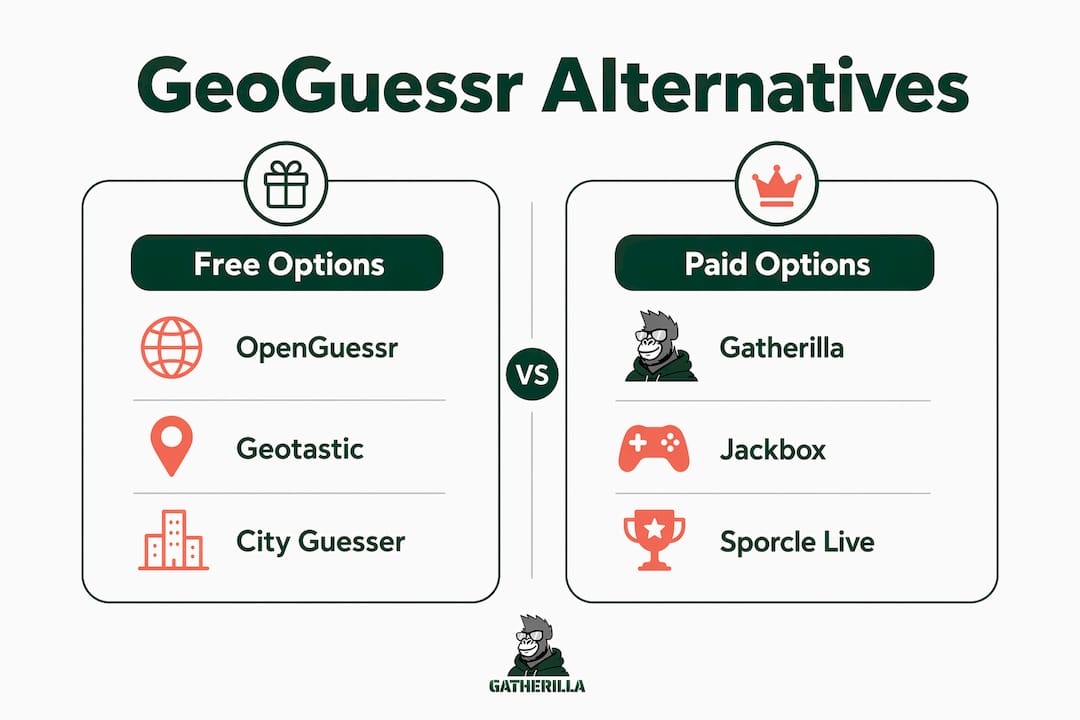
The five picks worth your time are Gatherilla (enterprise-ready with analytics), Geotastic (free, community-funded map rounds), City Guesser (short video clips, no setup), Globle (daily country-guessing, zero friction), and Jackbox Games (party-game variety for larger groups). Sporcle and Sporcle Live round out the list for quiz-heavy teams. All work in modern US browsers with no downloads required. Thomas, who runs team-building programs at Gatherilla, tested each option in remote sessions with small to medium groups before including it here.
Quick shortlist:
- Gatherilla — enterprise-ready with facilitator tools and analytics
- Geotastic — free unlimited play on a crowdfunded model
- City Guesser — short video clips, fast rounds, no account needed
- Globle — daily country puzzle, great for async warm-ups
- Jackbox Games — party-game variety, one host license covers the room
- Sporcle / Sporcle Live — geography quiz depth with a hosted live option
Table of Contents
- Which GeoGuessr alternatives work best for HR teams?
- What each alternative actually offers your team
- How to pick the right option for your team
- How to run a 20–30 minute remote session
- What’s the right call for your team?
- Key Takeaways
- A note from Thomas
- Gatherilla: the enterprise-ready option for HR teams
- Useful sources and places to play-test
Which GeoGuessr alternatives work best for HR teams?
The table below maps each category of alternative to the dimensions HR buyers care about most.
| Category | Best for | Price / free tier | Players | Setup | Customization | Analytics | Session length |
|---|---|---|---|---|---|---|---|
| Enterprise team-building platform (Gatherilla) | Recurring HR programs, onboarding, all team sizes | Free tier + per-seat paid plan | Unlimited (browser) | No download, works with any video call | Custom rooms, prompts, leaderboards | Yes — reports and facilitator dashboard | 20–30 min |
| Community-funded map sites (Geotastic, OpenGuessr, WorldGuessr) | Casual socials, small teams | Free | 2–20+ | Browser only, no account required | Limited — public lobbies | None | 15–30 min |
| Clip-based games (City Guesser, GeoClip) | Mixed groups, hybrid events | Free | 2–30 | Browser, no download | Minimal | None | 10–25 min |
| Daily puzzle (Globle) | Async warm-ups, icebreakers | Free | Solo or async group | Browser | None | None | 5–10 min |
| Party-game suites (Jackbox Games) | Larger groups, variety seekers | One-time game pack purchase | Up to 8–10 per game | Host streams; players use phones | Moderate | None | 30 min |
| Live quiz platforms (Sporcle Live) | Quiz-focused teams, trivia nights | Free site; Live events vary | Variable | Browser / hosted event | Limited | Limited | 30 min |
A few practical takeaways from the table:
- Casual socials: Free community sites like OpenGuessr or WorldGuessr are the easiest starting point. No budget, no setup.
- Hybrid or large groups: Clip-based options reduce the cognitive load of reading a static Street View panorama, which helps camera-off participants stay engaged.
- Recurring HR programs: You need analytics, private rooms, and a reliable SLA. Free sites can’t promise that.
One technical note worth flagging: most free map-guessing sites run on the Google Street View API, which is a paid service at high volume. When a site’s traffic exceeds its API budget, you get throttling or downtime. That’s fine for a one-off social. It’s a real risk for a monthly all-hands.
What each alternative actually offers your team
Gatherilla
Gatherilla is built specifically for HR use cases: no-download browser play, per-seat subscription pricing, real-time leaderboards, and a facilitator dashboard with reporting. You can create private rooms, load custom prompts tied to company culture, and pull engagement data after the session. For browser-based team building that scales from a 10-person standup to a 200-person all-hands, it’s the most complete option on this list.
Pros: Facilitator controls, analytics, custom content, no-download, works with Zoom/Teams/Meet Cons: Paid plan required for full feature set
Geotastic
Geotastic runs on a crowdfunded model, which keeps it free but also means no SLA and no guaranteed uptime. The gameplay is solid: classic Street View drop-ins with multiplayer lobbies. Good for a Friday social with a team of 6–10 when you don’t need reporting.
Pros: Free, multiplayer lobbies, active community Cons: No analytics, no private rooms, reliability tied to community funding
Pro Tip: For hybrid groups using Geotastic, assign one in-office participant as a “co-host” who reads scores aloud. Remote players can’t always see a shared screen clearly enough to track standings in real time.
City Guesser
Instead of static Street View images, City Guesser drops players into short video clips of real locations. The clip format is faster and more inclusive — participants who struggle with panorama navigation tend to engage more readily. Sessions run 10–25 minutes naturally.

Pros: Video clips reduce navigation friction, free, no account needed Cons: No team customization, no analytics, limited multiplayer structure
Globle
Globle is a daily country-guessing puzzle: you guess a country, and the globe shows you how close you are by color. It’s not a multiplayer game in the traditional sense, but it works well as an async icebreaker. Drop the daily Globle link in Slack before a Monday standup and ask everyone to share their score.
Pros: Zero setup, daily fresh content, async-friendly Cons: Solo play only, no facilitator features, not suitable for synchronous group sessions
Jackbox Games
Jackbox packs like Quiplash or Drawful aren’t geography games, but they’re worth including here because HR teams often want variety across a session. One host buys the game pack and streams it; everyone else joins on their phone. The geographic guessing games within Jackbox are limited, but the party-game format pairs well with a map round from another platform.
Pros: High production value, easy for large groups, no player downloads Cons: Host must purchase packs, geography content is minimal, max 8–10 players per game
Sporcle / Sporcle Live
Sporcle’s free site has hundreds of geography quizzes — country capitals, flag identification, map fill-ins. Sporcle Live is a hosted trivia event format, useful if you want a facilitator to run the session for you. Neither option offers the immersive drop-in-anywhere feel of a Street View game, but quiz-heavy teams often prefer the structure.
Pros: Deep geography quiz library, free site, hosted live option available Cons: No private multiplayer rooms on the free tier, no analytics, less immersive than map-based play
How to pick the right option for your team
Work through these criteria before committing to any platform:
- Team size. Under 15 players? Most free sites handle that fine. Over 30? You need a platform with confirmed concurrent-player support.
- Session frequency. One-off social = free site is fine. Monthly program = you need uptime guarantees and analytics.
- Browser and no-download requirement. Confirm every player can join from a browser tab. Avoid anything that requires a client install on managed devices.
- Privacy and data retention. Ask vendors: where is player data stored, how long is it retained, and is there a privacy policy that covers employee data?
- Cost per seat. Free sites cost nothing but offer nothing. Paid platforms should give you a clear per-seat or per-event price.
- Facilitator and analytics features. Can you see who participated? Can you pull a post-session report? For HR programs, this matters.
- Custom content. Can you load your own questions or prompts? Culture-specific content drives engagement far better than generic geography rounds.
Vendor questions to ask during a trial:
- What is the maximum number of concurrent players in a private room?
- How do you handle Street View API costs and what happens if the site goes down during our session?
- What data do you collect on participants, and how long do you retain it?
- Do you offer an SLA or support contact for larger events?
Red flags to watch for:
- No privacy policy or vague data-retention language
- Pricing that isn’t listed publicly (per-seat cost should be transparent)
- No facilitator controls or post-session reporting
- Reliance on unpaid API quotas with no stated contingency
How to run a 20–30 minute remote session
Here’s a facilitator runbook you can follow directly:
0:00–3:00 — Welcome and rules. Open the video call, share your screen, and paste the game link in chat. Explain the format in two sentences: “We’re guessing locations from images or clips. Closest guess scores highest. Three rounds, then we’ll see the leaderboard.”
3:00–18:00 — Rounds. Run three rounds of 4–5 minutes each. Between rounds, call out the top scorer by name and ask one player to share their funniest wrong guess. This keeps energy up without adding time.
18:00–22:00 — Leaderboard and recognition. Show final standings. Give a small shoutout to the winner and to anyone who made a notably creative guess. Keep it light.
22:00–25:00 — Debrief. Ask one question: “What location surprised you most?” Two or three answers is enough. This turns a game into a conversation.
25:00–30:00 — Wrap. Drop a link to the next session date in chat. If you’re using Gatherilla, share the post-session report link with your HR lead.
Pro Tip: For hybrid groups where some players are in a conference room together, assign a dedicated “room captain” who reads scores aloud and relays chat reactions to the in-room screen. It prevents the common problem where in-person participants dominate and remote players go quiet.
Clip-based rounds from GeoClip or City Guesser work especially well in the middle slot because they move faster than static panoramas and hold attention across the full group. For large-group icebreakers, consider splitting into breakout rooms of 4–6 for the first round, then merging for a final championship round.
What’s the right call for your team?
For a one-off Friday social with a small team, start with a free site like OpenGuessr or WorldGuessr. Zero cost, zero setup, done in 20 minutes.
For a learning-focused session or a team that wants quiz depth, Sporcle’s geography library gives you structure without requiring a facilitator.
For recurring HR programs — monthly team-building, onboarding cohorts, company-wide events — Gatherilla is the right fit. No downloads, per-seat pricing, facilitator dashboard, and analytics you can actually report on. The practical next step is to run one pilot session with a cross-functional team of 8–12 before rolling it out company-wide.
Key Takeaways
The most reliable approach for HR teams is to match the platform’s reliability tier to the session’s frequency: free sites for one-offs, a paid platform with analytics for anything recurring.
| Point | Details |
|---|---|
| Free sites for casual use | OpenGuessr, WorldGuessr, and Geotastic work well for one-off socials with no budget. |
| Clip rounds improve inclusion | Video-clip formats (City Guesser, GeoClip) keep hybrid and large groups engaged better than static panoramas. |
| API reliability is a real risk | Free map sites depend on Google’s Street View API; traffic spikes can cause downtime with no SLA protection. |
| Match platform to frequency | One-off social = free site; monthly HR program = paid platform with uptime guarantees and reporting. |
| Gatherilla for recurring programs | No-download browser play, per-seat pricing, and a facilitator dashboard make it the enterprise-ready option on this list. |
A note from Thomas
I work at Gatherilla, so you should know that upfront. Every option in this article was tested in remote sessions with 4–12 players before making the cut. My honest recommendation: run a free site first to see how your team responds to the format. If they enjoy it and you want to make it a regular thing, that’s when the lack of analytics and the API reliability question start to matter.
One metric worth tracking: participation rate before and after you introduce a regular game session. A simple Slack poll asking “Did you feel more connected to the team this week?” takes 30 seconds to send and gives you something concrete to report to leadership. Gatherilla’s analytics dashboard automates a version of this, but even a manual pulse check is better than nothing.
For teams that want to explore async options alongside live sessions, geography puzzles like Globle work surprisingly well as a low-pressure daily ritual.
Gatherilla: the enterprise-ready option for HR teams
Geography games are a great format. The gap shows up when you need to run them reliably, every month, with 50 people, and then explain to your VP of People why engagement went up.

Gatherilla gives HR teams browser-based multiplayer games with no downloads, private rooms, custom prompts, real-time leaderboards, and post-session reports. The free tier lets you test the format with one team today. The per-seat paid plan unlocks the full game library, analytics, and priority support for company-wide rollouts. Start with a pilot of 8–12 players, run one 25-minute session, and pull the engagement report. That’s enough to know whether it fits your program before you commit to a subscription.
Useful sources and places to play-test
- OpenGuessr — Free, unlimited Street View multiplayer; the easiest starting point for a quick trial.
- WorldGuessr — Another free, no-account option for casual rounds.
- Geotastic — Community-funded map game with multiplayer lobbies; solid for small groups.
- MapGuess on Sonsaur — Browser-based Street View guessing, no account required.
- GeoClip — Short real-world video clips for fast multiplayer rounds; good for hybrid groups.
- Google Maps Platform billing — The official reference for how Street View API costs work; worth reading if you’re evaluating free sites for recurring use.
- GeoGuessr alternatives roundup — A third-party list of map-based game formats useful for cross-checking gameplay styles.
- Gatherilla — The enterprise option: browser-based, no-download, with facilitator tools and analytics for HR programs.
Recommended
- Kahoot Alternatives for Team Building (That Aren’t Just Quizzes) | Gatherilla Blog
- Browser-Based Team Building Games: Play Together Without Downloads or IT Approval | Gatherilla Blog
- Team Building Games That Don’t Make People Cringe | Gatherilla Blog
- The Complete Guide to Remote Team Building (2026) | Gatherilla Blog