

Best Gather Town Alternatives for Remote Teams in 2026

What are the best Gather Town alternatives for remote team building?
Some of the notable Gather Town alternatives include Gatherilla, Remo, WorkAdventure, CrowdParty, and Kahoot. Each solves a different problem. Remo handles structured networking events with automatic table shuffling for 100+ participants. WorkAdventure gives developer teams open-source, self-hosted control over maps and data. CrowdParty and Kahoot lean into games and trivia. Gatherilla is the pick for HR teams who want browser-based multiplayer games, daily challenges, and zero IT friction.

The table below maps each platform across the criteria that matter most to HR professionals and team leaders.
| Platform | Use case focus | Proximity audio | Customizability | UI vibe | Pricing model | Setup ease | Team-building activities | Download required |
|---|---|---|---|---|---|---|---|---|
| Gatherilla | Remote team building and HR engagement | Works with any video call tool | Customizable multiplayer games, daily challenges | Playful, professional | Free tier + per-seat premium | Very easy, no IT needed | High variety: trivia, word games, icebreakers, onboarding | None |
| Remo | Structured networking events | Table-based spatial audio | Floor layout templates | Corporate, conference-style | Per-event and subscription | Moderate | Low | None |
| WorkAdventure | Open-source virtual office | Proximity-based | Full map control via Tiled editor | Pixel art, Gather-like | Free self-hosted + paid cloud | Requires developer setup | Community-built | None (browser) |
| CrowdParty | Casual team socials | Basic | Limited | Fun, casual | Free tier available | Very easy | Moderate | None |
| Kahoot | Trivia and quiz-based engagement | None | Quiz customization | Bright, gamified | Free tier + paid plans | Very easy | Quiz-focused | None |
A few things worth calling out. Gather Town itself processes personal data in the US, which creates GDPR exposure for European teams. If your organization has EU employees or partners, that compliance gap matters. Remo and WorkAdventure both support larger headcounts, while Gatherilla and Kahoot prioritize frictionless onboarding over spatial complexity.
Pro Tip: Before committing to any platform, run a 15-minute pilot with five to eight team members. The tools that feel obvious in a demo often hit friction the moment real people join from different devices and browsers.
How do you choose the right virtual team-building platform?
The wrong platform does not fail because of missing features. It fails because the team stops using it after week two. That “adoption cliff” is the biggest challenge HR leaders face when rolling out new virtual office tools, and it has almost nothing to do with the software itself.
Start with your team’s actual behavior, not a feature checklist. A team that already uses Slack and Zoom daily needs a platform that slots in without asking people to change habits. A team running quarterly all-hands events needs something that scales to 200+ participants without a tech support call. Those are different tools.
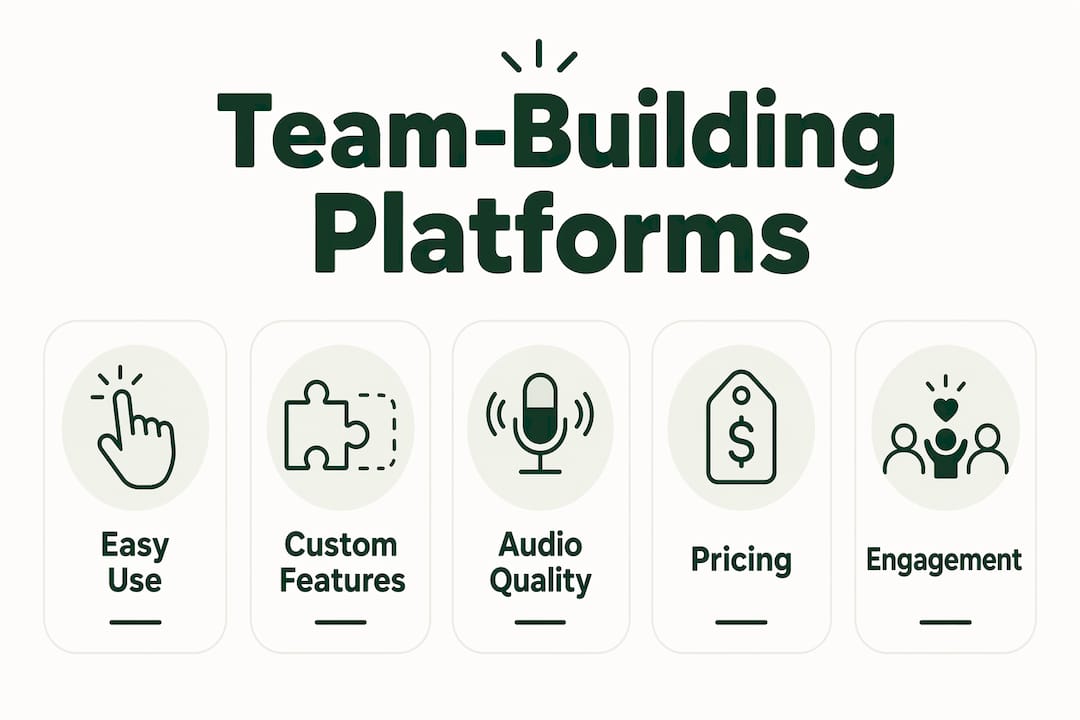
Here are the criteria worth evaluating before you sign up for anything:
- Browser-based access. No downloads means no IT approval delays and no barriers for contractors or new hires. Browser-based team building games remove the single biggest onboarding obstacle.
- Proximity audio. Spatial audio replicates the feeling of a room. Without it, virtual spaces feel like a video grid with a map underneath.
- Built-in activities. Platforms with native games and challenges keep engagement alive between scheduled meetings. A blank virtual office gets abandoned fast.
- Scalability. Know your ceiling. Some platforms cap concurrent users at 200; others handle thousands.
- GDPR and security. As of Q1 2026, GDPR compliance and drag-and-drop customization rank among the top evaluation criteria for teams with European members.
- Integrations. Slack and Zoom compatibility is table stakes. Microsoft Teams integration matters for enterprise teams.
- Mobile support. Not every team member is at a desk. Check whether the platform works on iOS and Android before you commit.
- Pricing model. Free tiers are useful for pilots, but per-seat pricing scales differently than per-event pricing. Map your team size against the cost curve.
Pro Tip: Set virtual etiquette norms before launch, not after. Decide upfront whether cameras are expected, how spontaneous interruptions work, and what “available” means in the platform. Managing these cultural shifts is what separates platforms that stick from ones that become glorified meeting rooms.
Teams increasingly want platforms that match their specific culture, not a one-size-fits-all space. A startup running weekly socials has different needs than a 500-person company onboarding remote hires every month. The shift toward tailored aesthetics and use cases is one of the clearest trends in the virtual platform space right now.
Why Gatherilla stands out among virtual gathering platforms
Gatherilla was built specifically for the problem HR teams actually have: keeping remote and hybrid employees genuinely connected, not just technically present. Most virtual office platforms treat team building as an afterthought. Gatherilla treats it as the whole point.
The platform runs entirely in the browser. No downloads, no plugins, no IT tickets. A team member gets a link, clicks it, and is playing a multiplayer game within seconds. That matters more than it sounds. Every extra step in the onboarding flow is a dropout point, and Gatherilla eliminates most of them.
What makes Gatherilla different is the daily engagement layer. Daily word and trivia challenges give teams a reason to show up even on days without a scheduled meeting. Real-time leaderboards create friendly competition that carries over from one session to the next. For HR professionals trying to build culture across time zones, that consistent touchpoint is hard to replicate with a blank virtual office.
The activity library covers the full range of team-building moments: icebreaker games for new hires, onboarding activities for day-one employees, trivia and word challenges for recurring engagement, and collaborative therapy activities and visual tools for corporate event solutions across company-wide gatherings. Everything works alongside existing video conferencing tools, so teams do not have to abandon Zoom or Microsoft Teams to use it.
Analytics give team leaders visibility into participation and engagement over time, which is useful when you need to show HR leadership that the investment is working. For Microsoft Teams users, Gatherilla’s games layer directly onto existing meeting workflows without replacing them.
Pro Tip: Use Gatherilla’s real-time leaderboards during onboarding weeks. New hires who compete in a trivia challenge on day one remember their teammates’ names faster than those who sit through a slide deck.
Key Takeaways
The best virtual team-building platform is the one your team will actually use consistently, not the one with the longest feature list.
| Point | Details |
|---|---|
| Browser access removes barriers | No-download platforms eliminate IT friction and speed up onboarding for new hires and contractors. |
| Adoption depends on culture, not features | Setting virtual etiquette norms before launch prevents platforms from becoming unused meeting rooms. |
| Match the tool to the use case | Remo fits structured networking; WorkAdventure suits developer teams needing open-source control. |
| GDPR compliance matters in 2026 | Teams with EU members should verify data processing location before committing to any platform. |
| Gatherilla leads on built-in engagement | Daily challenges, leaderboards, and multiplayer games give remote teams a consistent reason to connect. |
The virtual team-building space has matured, but most teams are still choosing wrong
The spatial platform category has come a long way since Gather Town proved that walking around a virtual space beats staring at a video grid. The options in 2026 range from open-source pixel-art environments to polished corporate platforms with physics engines. That variety is genuinely useful. It is also where most HR teams go wrong.
The instinct is to pick the platform with the most features or the best-looking demo. But a rich feature set means nothing if the aesthetic clashes with your team’s culture or the onboarding takes 20 minutes. A developer team that wants to self-host on their own servers should be on WorkAdventure. A team running one-off networking events for 200 people should be on Remo. An HR team trying to build daily connection habits across a distributed workforce should be on something with built-in games and a reason to come back tomorrow.
The platforms that actually stick are the ones that give people a reason to show up when there is no meeting scheduled. That is the gap most virtual office tools never close. They build the space and assume the culture will follow. It rarely does without a structured engagement layer baked in.
Gatherilla brings team building into every remote meeting
If you have been comparing virtual gathering platforms and realizing that most of them are really just fancier video call rooms, Gatherilla is worth a closer look.

Gatherilla is built for exactly the reader coming from this comparison: an HR professional or team leader who wants real engagement, not just a virtual office that sits empty between scheduled calls. The platform offers customizable multiplayer games, daily word and trivia challenges, icebreakers, onboarding activities, and real-time leaderboards, all running in the browser with no downloads and no IT involvement. It works alongside Zoom, Microsoft Teams, Google Meet, and any other video tool your team already uses.
The free tier lets you test it with your team today. The premium plan unlocks more activities, analytics, and priority support as your needs grow. Start with remote team building games and see whether your team shows up differently when there is something worth showing up for.