

Customizable Team Games for Remote and Hybrid Teams
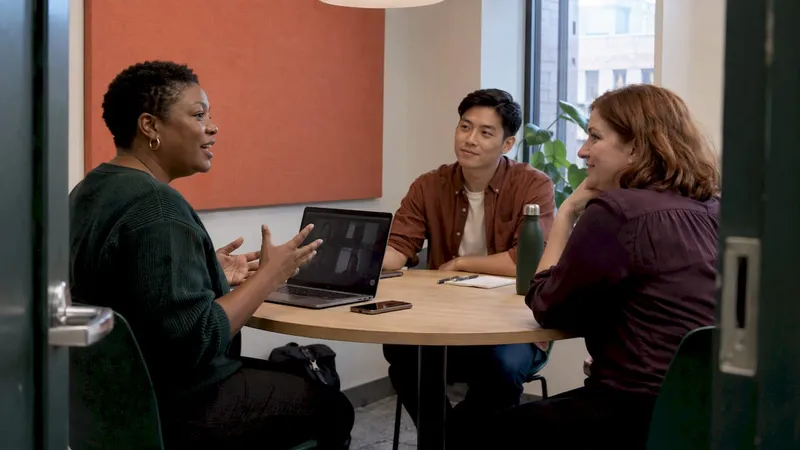
A customizable team game is one you can reshape to fit your group without building anything from scratch: the questions, the length, the difficulty and the moment in the workday when it runs. For remote and hybrid teams, the best ones also run in a browser, need no downloads and work in whatever video tool your team already uses. That is how Gatherilla is built: a browser-based platform of customizable multiplayer games for team bonding, icebreakers, onboarding and a daily challenge, with a free tier to start.
The rest of this guide covers what “customizable” should mean in practice, which games suit which job, and how to adapt them so people actually want to come back.
TL;DR
- Customizable means you can change the content, the timing and the format in minutes, not that you need a design project.
- Match the game to the job: a warm-up of five minutes or less for meeting starts, a communication game for collaboration, a debriefed activity for deeper learning.
- Small, repeated habits (a daily challenge, a weekly trivia tally) build more connection than one big annual event.
- Plan for inclusion from the start: optional participation, no downloads, and more than one way to play.
- Gatherilla offers a free tier and a Premium plan at $0.50 to $1.00 per seat per month, or $5 to $10 per seat per year.
Table of Contents
- What makes a team game customizable
- Match the game type to the job
- Quick icebreakers: how to adapt them
- Games that help remote employees connect regularly
- Customizing games for onboarding new hires
- How much time, prep and technology to plan for
- Make games inclusive and comfortable
- A simple routine to start this week
- Our perspective
- Try it with your team
- FAQ
- Sources
What makes a team game customizable
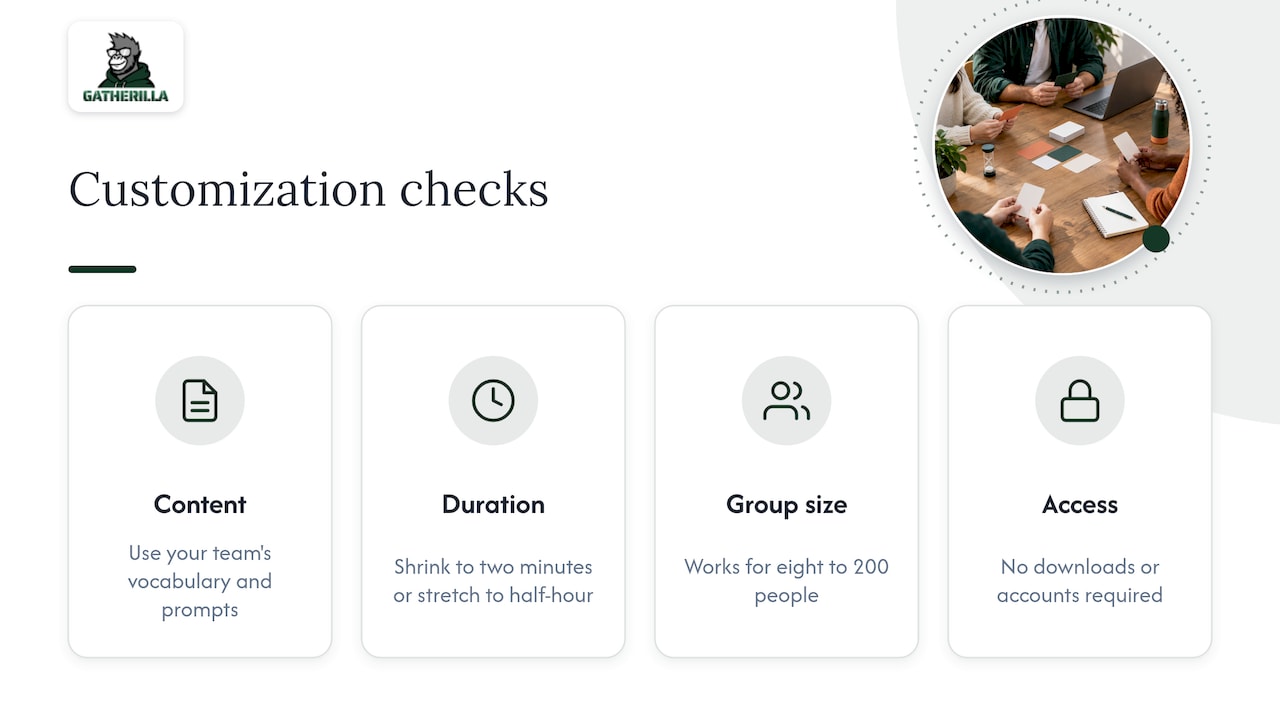
The word gets used loosely. A game with a “custom name” field is not customizable in any way that matters to a team leader. Four things are worth checking.
Content you can change. Trivia about your product, icebreaker prompts that fit your team’s humor, word challenges that use your company’s vocabulary. Generic content gets stale after two sessions. Content that references your own people and work does not.
Length you can control. A meeting opener that takes 20 minutes is not an opener. You want a game you can shrink to two minutes before a standup or stretch to a half-hour for an off-site-style session.
Group size that flexes. Eight people on a team call and 200 people at a company-wide event need different mechanics. Good platforms handle both without you rebuilding the activity.
Entry cost for the player. This is the one most often missed. If every participant must install software, create an account or learn rules, a third of your team will skip it. Zero-preparation, no-download games remove that barrier. Gatherilla’s positioning is built on exactly this: frictionless games that require no downloads or accounts, and that work with all video conferencing tools.
A useful test is the five-minute rule. If you cannot go from “let’s play something” to people playing in about five minutes, the game will rarely get used, however many options it has.
Match the game type to the job
Not every game does the same work. PositivePsychology.com separates virtual team games into three kinds: warm-ups of five minutes or less, communication exercises, and debriefed learning activities. That split is a handy way to choose.
| Job to be done | Game type | Typical time | What to customize |
|---|---|---|---|
| Start a meeting with energy | Quick icebreaker or word challenge | 2 to 5 minutes | Prompt, theme, number of rounds |
| Build daily connection | Daily word or trivia challenge | A few minutes, self-paced | Topics, difficulty, who plays together |
| Practice working together | Multiplayer communication game | 10 to 20 minutes | Team sizes, roles, scoring |
| Welcome new hires | Onboarding games | 10 to 30 minutes | Company facts, team in-jokes, intro prompts |
| Bring a whole company together | Corporate event format | 30 to 60 minutes | Brackets, leaderboards, prizes |
The same source recommends choosing one or more measures to assess before and after an activity, citing research by Kovalčík and colleagues from 2023. For most teams that does not need to be a formal survey. A single question works: “How connected do you feel to the people on this team, from 1 to 5?” Ask it before you start a games routine and again after a few weeks.
Quick icebreakers: how to adapt them
Icebreakers are the easiest place to start because the cost of getting one wrong is two minutes. The aim is to get everyone to speak once, early in the meeting, so that speaking later feels normal.
Conceptboard’s guide to virtual icebreakers offers practical ways to keep them fresh: change quick-question prompts each meeting, pick a new “take a picture of…” topic each week, or run ten trivia questions in 10 to 15 minutes with a weekly tally and a small prize. It also suggests one or two icebreakers per meeting, each with a time limit.
Here is how that translates into customization choices you can make in advance:
- Rotate the prompt owner. Let a different person pick the opening question each week. It spreads effort and surfaces what people actually want to talk about.
- Theme the round. Tie the game to something real: a product launch, a holiday, a quarter’s goal. Themed rounds feel like part of the work week rather than an interruption.
- Set a hard timer. Two minutes for a word challenge, five for trivia. A visible limit is a promise to your team that this will not eat the meeting.
- Keep a running score lightly. A leaderboard gives a reason to return next week. Keep stakes small so that quiet players are not put off.
If you run meetings in a specific tool, we have scripts and formats for each: Zoom icebreakers that take under two minutes, Microsoft Teams icebreakers and Webex icebreakers. For bigger rooms, see our icebreaker games for large groups.
Games that help remote employees connect regularly
One-off events create a good afternoon. Regular play creates familiarity, and familiarity is what remote teams lack. Without a hallway or a coffee machine, colleagues rarely have a reason to talk about anything that is not a task.
Three patterns work well.
A daily challenge. A short word or trivia puzzle that everyone solves on their own time, with scores visible to the team, gives a shared ritual with almost no scheduling. People compare results in chat, and the conversation starts itself. Gatherilla includes a daily challenge for this purpose, along with real-time leaderboards.
A weekly team game. Once a week, take ten minutes at the start of a regular meeting for a multiplayer game. Fixed time, fixed place on the calendar, no preparation. Our guide to virtual Minute to Win It games lists fast formats that suit this slot.
A recognition loop. Connection is not only play. Peer-to-peer recognition tied to your company values turns a game habit into a culture habit: people notice what colleagues do well and say so. This is part of how we think about engagement as a daily practice rather than an occasional event.
Add a short debrief when you want learning to stick
When the goal is collaboration rather than fun alone, a few minutes of reflection turn the game into something people can use. PositivePsychology.com describes a three-stage debrief based on experiential learning theory: “What happened?”, “So what?” and “Now what?” A five-minute warm-up needs at most one closing question. A longer learning activity deserves five to ten minutes of guided discussion.
A practical version for a team leader:
- What happened? “Which clue did we get stuck on?”
- So what? “What did that tell us about how we split up the work?”
- Now what? “What will we do differently in tomorrow’s planning call?”
You do not need this every time. Use it on the longer sessions and leave the short ones as pure play.
Customizing games for onboarding new hires
New employees in a remote company often spend their first weeks in a stream of one-way calls. A game changes that: it gives them a reason to speak, make a small mistake safely and learn names.
For HR managers, the customization is where the value sits. A few ideas:
- Company trivia. Build questions from your own history, products and customers so that a new hire learns the business while playing. Mix easy and hard questions so no one is embarrassed.
- Two truths and a story prompts. Ask for work-related facts first (“a project I’m proud of”) and personal ones second. People choose how much to share.
- Buddy pairings. Pair each new hire with a colleague from another department for a short game in week one. It starts a cross-team relationship that a team meeting would not.
- A repeat in week four. Run the same game again after a month. Seeing how much faster they play is a small, real sign of progress.
Because Gatherilla games run in the browser without downloads or accounts, a new hire can join on their first day without waiting on IT approvals. We have an entire set of onboarding games for new employees, and our guide to no-setup icebreakers that build psychological safety shows how to open with prompts that are easy to answer.
How much time, prep and technology to plan for
Be honest about your constraints before you pick a game. The most common reason a games routine dies is that it needs more preparation than anyone has.
| Format | Time to run | Prep for the host | Tech needed |
|---|---|---|---|
| Meeting icebreaker | 2 to 5 minutes | None to a few minutes | A link in the meeting chat |
| Daily challenge | A few minutes per person | None | A browser |
| Weekly team game | 10 to 15 minutes | Choose a theme | Browser and video call |
| Onboarding session | 15 to 30 minutes | Write company-specific content | Browser and video call |
| Company-wide event | 45 to 60 minutes | Plan teams, prizes, announcements | Browser, video call, a host |
A rule that holds up: the shorter the game, the less preparation it should demand. If your host spends 30 minutes preparing a three-minute opener, replace the opener. For hybrid teams, our hybrid team building ideas with 10-minute prep covers keeping remote participants on equal footing with people in the room.
Make games inclusive and comfortable
A game that excludes anyone is a bad game, however clever. Check these before you launch.
Make participation optional. Let people watch, pass or join late without comment. Pressure to be “fun” is the fastest way to make a game feel like a chore.
Offer more than one way to play. Some people think best typing, others speaking. Choose games where answers can be typed in the chat or entered in the browser, so that speed of speech and confidence on camera do not decide who wins.
Mind time zones and schedules. A self-paced daily challenge works across time zones in a way a live game cannot. Keep live games within normal working hours for most of the team and rotate the slot when you cannot.
Avoid topics that assume shared background. Sports references, local holidays and pop culture a decade old can leave colleagues out. Where you customize questions, ask people from different regions and age groups to review them first.
Reduce technical friction. No downloads, no required accounts and no special hardware mean fewer people locked out by company security settings or older laptops. Gatherilla’s browser-based approach, with enterprise-grade security controls, is designed with this in mind.
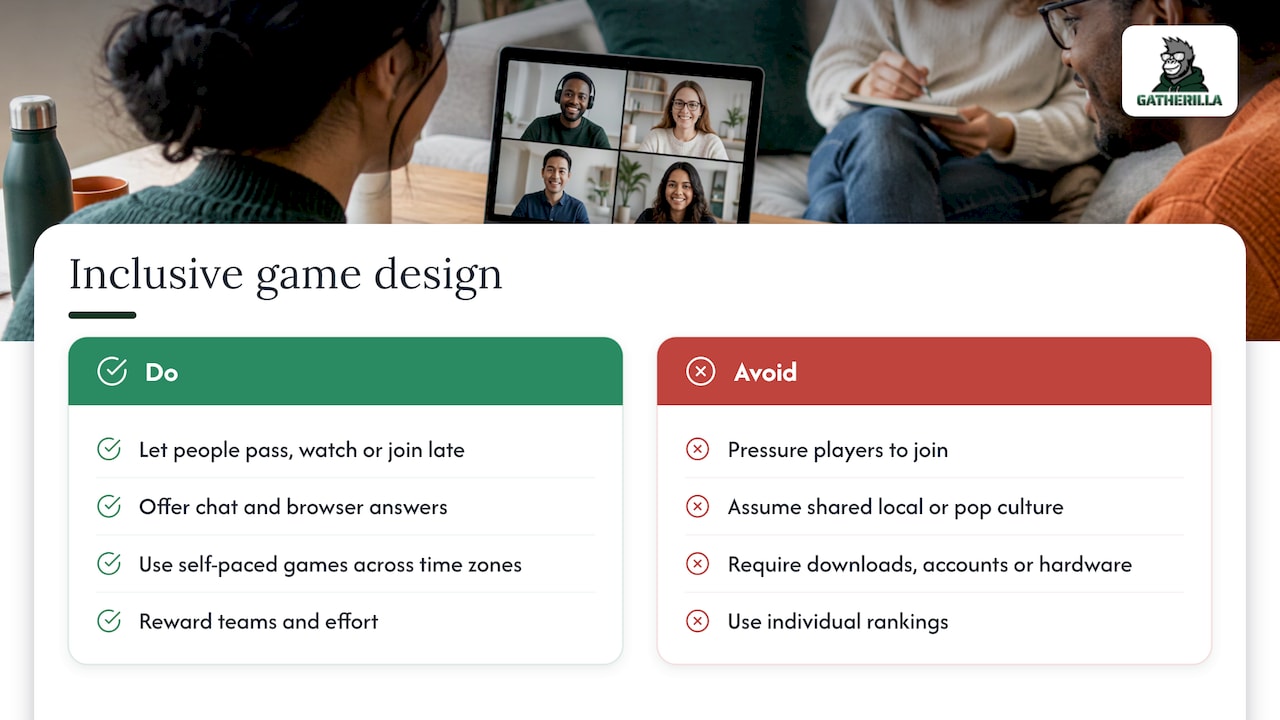
Keep scoring friendly. Team scores instead of individual rankings, small stakes and shout-outs for effort as well as wins keep competition from turning into a reason to stay away.
A simple routine to start this week
- Pick one job. Meeting openers, daily connection or onboarding. Do not start with all three.
- Choose a game of the matching type and set a time limit before you begin.
- Customize two things: the content (make it about your team) and the length (make it shorter than you think).
- Run it for four weeks at the same time, with the same host rotation.
- Ask one question at the start and end: how connected do people feel? Adjust the games to the answers.
Our perspective
We built Gatherilla on a simple belief: connection at work is a habit, not an event. Teams do not drift apart because they dislike each other. They drift because there is no easy, regular reason to interact that is not a task.
That is why we focus on games that take no preparation, no downloads and no accounts. Every extra step between “let’s play” and playing costs you a few people, and those few are often the ones who most need to feel included.
Customization matters most when it is cheap. If tailoring a game to your team takes an afternoon, it will happen once. If it takes a minute, it will happen every week, and the games will keep feeling like yours. A daily challenge, a leaderboard and recognition tied to your values add up to a rhythm that lasts longer than any single big event.
If you are a team leader or in HR, start small and start this week. A two-minute game that people look forward to beats a perfect program that never launches.
Thomas
Try it with your team
Gatherilla has a free tier, so you can run your first game with your team without a purchase decision. Premium adds more games, analytics, reporting and priority support, priced at $0.50 to $1.00 per seat per month or $5 to $10 per seat per year, as published on the pricing page.
You can look at the full range of team building games for remote and hybrid teams and pick a first icebreaker for your next meeting.
FAQ
What does “customizable” mean for a team game?
It means you can adjust the content, the length and the format to your team without technical work. Content might be your own trivia or prompts, length might be two minutes or thirty, and format might be solo, paired or team-based. The easier those changes are, the more often a team will actually play.
How long should a virtual team game last?
For a meeting opener, aim for five minutes or less, which matches the warm-up category described by PositivePsychology.com. Longer communication or learning games work in 10 to 20 minutes, ideally with a short debrief. Always set a visible time limit so people trust the game will not run over.
Do remote team games require downloads or accounts?
Not necessarily. Gatherilla’s games run in the browser, need no downloads and work with all video conferencing tools, so participants can join from a link. That keeps the barrier to joining low for new hires and for people on locked-down work laptops.
How can I use games for onboarding?
Build company-specific trivia, pair new hires with colleagues from other teams and use work-related prompts before personal ones. Run a short game in the first week and repeat it a month later. Our remote icebreaker guide for team leaders offers more openers to start from.
How do I keep games inclusive?
Make joining optional, allow typed answers, use team scores and review questions for cultural assumptions. Self-paced daily challenges also help teams spread across time zones.
Sources
- Virtual Communication Games: Helping Remote Teams Connect, PositivePsychology.com
- 7 Virtual Icebreaker Games for Remote Teams, Conceptboard