

Workshop Energizers for Facilitators: 10 Quick Activities
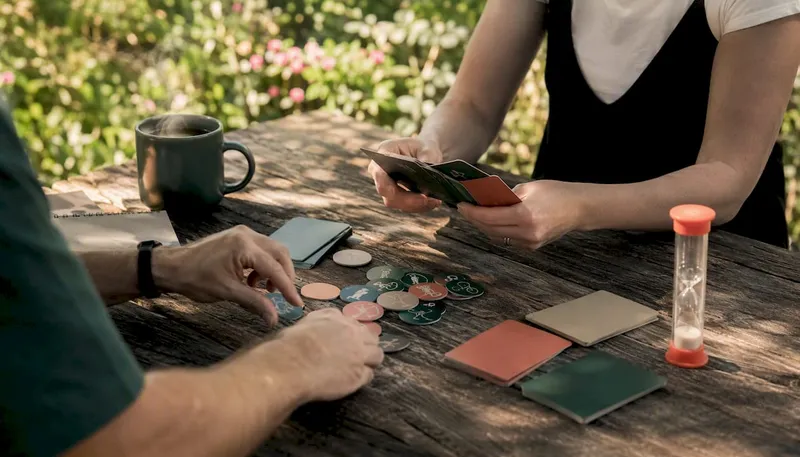
The fastest way to fix a flat room is a labeled shortlist you can grab in under a minute: pick an energizer tagged with time, group size, and remote-friendliness, state its purpose out loud, and make it optional. A quick set to keep on hand: Two Truths and a Lie (3 min, any size, remote-friendly), Desk Scavenger Hunt (5 min, 5+, remote-friendly), Human Bingo (7 min, 8+, needs adaptation), Stand Up If (2 min, any size, remote-friendly), Would You Rather (4 min, any size, remote-friendly), and Visual Explorer, a technique from the Center for Creative Leadership built around image-based reflection (10 min, small groups, remote-friendly with screen share).
- Name the purpose before you start (“we’re doing this to wake everyone up,” not silence).
- Always offer an opt-out. Forced fun kills the effect it’s supposed to create.
Pro Tip: If you’re running this on Zoom, test one poll or the rename feature before the workshop starts. A tool like Gatherilla can also load a ready-to-run energizer with zero setup.
Key Takeaways
Choosing the right workshop energizer comes down to matching time, group size, and remote-friendliness to the room’s actual energy and goal in the moment.
| Point | Details |
|---|---|
| Label before you choose | Tag energizers by time, group size, and remote-friendliness so picking one takes seconds, not minutes. |
| State the purpose out loud | Name why you’re running the activity (“to refocus,” “to connect”) before starting it. |
| Make participation optional | Always offer an opt-out or a quieter alternative to protect psychological safety. |
| Time it to the agenda | Place energizers after 60 to 90 minutes of focus, after lunch, or before a big decision. |
| Use built-in platform features first | Renaming, polls, and chat handle most virtual energizers without adding another tool, though Gatherilla’s browser-based games offer a ready-made option when you want zero setup. |
Table of Contents
- A Curated Shortlist of 10 Energizers You Can Run Right Now
- A Bigger Bank of Quick Energizers to Pull From
- How to Pick the Right Energizer in Under 30 Seconds
- Running Energizers on Zoom, Teams, and Hybrid Setups
- Setting Up, Debriefing, and Protecting Psychological Safety
- Why Energizers Actually Work
- A No-Download Way to Run Energizers on Any Call
- Frequently Asked Questions
- Sources
A Curated Shortlist of 10 Energizers You Can Run Right Now
These ten energizers cover common facilitation needs such as starting a session, revitalizing after breaks, and engaging remote participants, each including setup and adaptation advice.
1. Two Truths and a Lie
Purpose: Breaks the ice and gets people talking without needing props. Steps: Ask each person to write two true facts about themselves and one lie. Go around the group (or the chat, if virtual) and have others guess the lie. Reveal the answer. Move to the next person. Time: 3–5 minutes. Group size: Any. Materials: None. Remote-friendly: Yes, use chat for guesses. Variation: Theme it around work (“two things you’ve shipped, one you haven’t”). Accessibility: Let people type instead of speaking if verbal recall is hard under pressure.
2. Desk (or Home) Scavenger Hunt
Purpose: Gets bodies moving and breaks screen fatigue fast. Steps: Call out an item (“something red,” “something older than you”). Give 30 seconds. Everyone holds up what they found. Repeat three or four rounds. Time: 5 minutes. Group size: 5+. Materials: Whatever’s around. Remote-friendly: Yes, it’s built for cameras. Variation: Turn it into a points game and track a leaderboard. Accessibility: Give a “no items nearby” pass, no explanation required.

3. Human Bingo
Purpose: Surfaces shared interests among people who don’t know each other well. Steps: Hand out a grid of traits (“has traveled to 3+ countries,” “plays an instrument”). Participants mingle to fill squares with names. Time: 7–10 minutes. Group size: 8+. Materials: Printed or digital bingo card. Remote-friendly: Needs adapting; use breakout rooms and a shared doc instead of mingling. Variation: Replace traits with workshop-relevant skills to warm up a training session. Accessibility: Avoid traits tied to physical ability or nationality assumptions.
4. Stand Up If
Purpose: A fast physical reset that needs zero explanation. Steps: Call out statements (“stand up if you’ve worked here more than a year”). People stand, sit, repeat. Time: 2 minutes. Group size: Any. Materials: None. Remote-friendly: Yes, use “turn your camera toward you” as the stand-in gesture. Variation: Add a clapping or high-five element for in-person groups. Accessibility: Offer a hand-raise alternative for anyone who can’t stand.
5. Would You Rather
Purpose: Light, low-stakes conversation starter that works with strangers or close teams. Steps: Pose two absurd or work-related options. Have people vote by chat poll or raised hands, then ask two or three to explain their pick. Time: 4 minutes. Group size: Any. Materials: A poll tool or a show of hands. Remote-friendly: Yes. Variation: Build a bracket-style tournament for longer sessions. Accessibility: Keep questions culturally neutral; avoid food, holidays, or customs that vary by background.
6. One-Word Check-In
Purpose: Surfaces the room’s real energy level in seconds. Steps: Go around and ask everyone for one word describing how they feel right now. No follow-up, no judgment. Time: 2–3 minutes. Group size: Any. Materials: None. Remote-friendly: Yes, use chat for large groups. Variation: Repeat it at the end of the session to measure the shift. Accessibility: Allow an emoji or a typed word instead of speaking aloud.
7. Desk Yoga or Stretch Break
Purpose: Physically resets a group that’s been sitting for 90 minutes straight. Steps: Lead 60 seconds of shoulder rolls, neck stretches, and a standing reach. Narrate each move slowly. Time: 3 minutes. Group size: Any. Materials: None. Remote-friendly: Yes. Variation: Play music and let someone volunteer to lead next time. Accessibility: Frame every move as optional (“stretch what feels good, skip what doesn’t”).

8. Virtual Show and Tell
Purpose: Personal, low-pressure connection builder that works well with remote teams. Steps: Ask everyone to grab one object near them with a story attached. Give each person 30 seconds to share. Time: 6–8 minutes. Group size: Up to 15. Materials: Whatever’s on hand. Remote-friendly: Yes, it’s designed for cameras. Gatherilla runs a structured show and tell format if you want it pre-built. Variation: Theme it (“show something from your first job”). Accessibility: Let people describe an object verbally if they can’t hold a camera steady.
9. Rapid Fire Trivia
Purpose: Injects competition and quick thinking into a sluggish afternoon. Steps: Ask five fast trivia questions, work-related or general knowledge. Score by hand or with a live poll. Time: 5 minutes. Group size: 6+. Materials: A prepared question list. Remote-friendly: Yes. Variation: Split into teams for a longer version. Accessibility: Read questions aloud and post them in chat simultaneously for anyone with hearing difficulty.
10. Visual Explorer Reflection
Purpose: A slower, reflective reset for groups that need focus more than adrenaline. Steps: Show an ambiguous image. Ask each person to say what it reminds them of and why, in one sentence. Time: 8–10 minutes. Group size: Small, under 10 works best. Materials: One evocative image. Remote-friendly: Yes, via screen share. Variation: Tie the image choice to the workshop’s theme. Accessibility: Give quieter participants the option to type their answer in chat instead of speaking.
Pro Tip: If a room goes quiet during any of these, don’t fill the silence yourself. Count to five. Someone almost always jumps in once they realize you’ll wait them out.
A Bigger Bank of Quick Energizers to Pull From
When the ten above don’t fit the moment, a wider bank helps you scan for something that matches the tone, timing, or headcount you’re actually working with. A broad bank with virtual-friendly tags lets facilitators pick fast and adapt on the fly, which is the whole point of keeping one on hand.
Quick wake-ups (under 3 minutes, any group size, remote-friendly)
- Rapid Applause: Count down from five, everyone claps faster each number. Instant energy, zero prep.
- Name That Sound: Play three short audio clips, group shouts the answer. Works great over screen share.
- 60-Second Dance Break: One upbeat song clip, everyone moves at their desk. Skip if the group is very formal.
Movement-based (3–8 minutes, works best in person, adapt for remote by miming)
- Simon Says: Classic, fast-paced, no materials. Remote groups can play muted with cameras on.
- Group Juggle: Toss a ball around a circle calling names first. In-person only unless you swap for a verbal chain version.
- Follow the Leader Stretch: One person leads a stretch sequence, group mirrors. Works on camera too.
Reflective (5–10 minutes, small to mid-size groups)
- Gratitude Round: One thing you’re grateful for this week, 10 seconds each.
- Silent Line-Up: Line up by birth month without talking. Needs a physical space, so use a chat-based ranking version remotely.
- Weather Report: Describe your current mood as weather (“partly cloudy, chance of coffee”). Great low-stakes remote opener.
Creativity boosts (5–10 minutes, any size)
- 30 Circles: Draw as many objects as you can from 30 blank circles in 3 minutes. Remote-friendly with a shared whiteboard.
- Object Story: Grab any object, invent a 15-second backstory for it. Overlaps with the Show and Tell energizer above.
- Alternative Uses: Name unusual uses for a paperclip in 60 seconds. Works in chat or verbally.
Large-group friendly (10+ people, any setting)
- Human Knot: Physical, in-person only, needs open floor space.
- Team Trivia Bracket: Split into teams, elimination-style questions. Scales to dozens of people.
- Wave Cheer: A rolling round of applause across the group, one person at a time. Works surprisingly well on video grids.
Virtual-only options
- Rename Game: Everyone changes their display name to a fun fact, group guesses who’s who.
- Virtual Background Bingo: Everyone picks a themed background, group guesses the theme.
- Emoji Reactions Race: Post a scenario, first five reactions in chat win. Zero setup, one line of instructions.
Several of these map directly onto the curated shortlist above, just with a lighter script. If you’re running a fully remote team, remote icebreaker games built for that setting often outperform an in-person energizer forced onto a video call.
How to Pick the Right Energizer in Under 30 Seconds
Run through this checklist before you open your mouth:
- How much time do I actually have? (Two minutes and ten minutes call for different activities.)
- What’s the room’s energy right now? Flat, anxious, chatty, distracted?
- Is this in-person, remote, or hybrid? That decides whether movement or chat-based options work.
- Are cameras on or off? Off-camera groups need audio or chat-driven energizers, not visual ones. 9 What’s the actual goal: wake people up, refocus them, or build connection?
A few rules of thumb make the decision almost automatic. If the group is tired and time is short, go for a two-minute physical reset like Stand Up If. If the group is unfamiliar with each other, lean toward a connection-building activity like Two Truths and a Lie. If you’re heading into a hard decision or a creative task, a reflective or creativity-boosting energizer primes better thinking than a loud one does. Guides that organize energizers by purpose consistently warn against using them as filler; the activity should match what the agenda needs next, not just what’s fun.
Ask yourself, silently or out loud to the group: “Does this crowd need to wake up, loosen up, or reconnect?” That one question usually points to the right category faster than scrolling through a list.
Pro Tip: When you’re not sure what the room needs, default to something short, optional, and low-pressure. A two-minute check-in beats a ten-minute activity that flops.
Running Energizers on Zoom, Teams, and Hybrid Setups
Virtual and hybrid rooms need a different toolkit than a conference room does, but most of what you need is already built into the platform you’re using. Experienced remote facilitators lean on existing conferencing features, renaming, virtual backgrounds, chat, and polls, instead of adding another tool that needs a login. Testing those features during an energizer also builds comfort with tools people will need later in the session.
- Use the rename feature for icebreakers like Rename Game or theme-based check-ins.
- Run a quick poll for Would You Rather or trivia instead of asking for a verbal show of hands.
- Assign a co-host for breakout rooms ahead of time so small-group energizers don’t stall while you fumble with settings.
- In hybrid rooms, frame the camera so remote participants can see the whole room, not just whoever’s closest to the laptop.
- Set a one-mic rule: only one person unmuted at a time, so remote voices don’t get drowned out by in-room chatter.
- Ask “cameras on if you’re comfortable” rather than demanding it. Compliance goes up when it’s a request, not a mandate.
Icebreakers and energizers succeed when they match the time available, group size, and participation style of the specific meeting, not a generic template. That’s especially true in hybrid setups, where remote attendees are one distracted click away from checking out. A hybrid meeting engagement guide is worth a read if hybrid sessions are a regular part of your calendar.
Pro Tip: Skip the third-party app when speed matters. Zoom’s poll and rename features, or Teams’ Together Mode, can run half the energizers on this list with nothing to install.
Setting Up, Debriefing, and Protecting Psychological Safety
How you introduce an energizer matters as much as which one you pick. Say the purpose out loud: “We’re doing a two-minute reset before we tackle the budget numbers.” Add an explicit opt-out: “Jump in if you want, totally fine if you’d rather just watch.” Time-box it clearly so nobody feels trapped in an open-ended activity.
When things stall, a few fixes cover most situations:
- Dead silence: Wait it out for five seconds before jumping in yourself. Silence usually breaks on its own.
- Low energy or refusal: Don’t force it. Ask if a quieter option (typed instead of spoken) would work better.
- Camera resistance in virtual sessions: Switch to a chat-based or audio-only version rather than pushing the issue.
After the energizer, connect it back to the session in one sentence: “That’s the kind of quick thinking we’ll need for the next exercise.” Watch for participants from different cultural backgrounds who might find certain prompts (personal disclosure, physical touch, direct eye contact) uncomfortable, and always have a lower-pressure alternative ready.
Pro Tip: Ask for a volunteer to lead the next energizer instead of always running it yourself. Ownership spreads engagement faster than any single activity you choose.
Why Energizers Actually Work
Short energizers do real physiological and social work in a room. Brief bursts of movement increase blood flow and disrupt mental fatigue, while novelty interrupts the kind of circular thinking that stalls a stuck discussion. Shared laughter or play, even a 90-second version of it, builds rapport faster than another slide ever could.
Energizers should serve a stated objective, whether that’s aligning the group, refocusing attention, or building connection. Running one without naming that objective turns it into filler instead of a tool.
That framing matters because energizers scheduled without a clear purpose tend to feel gimmicky, and groups notice. Practical session plans suggest placing them after 60 to 90 minutes of focused work, right after lunch, or just before a major decision, exactly when attention naturally drops.
Measuring whether it worked doesn’t require anything complicated. A one-question poll (“energy level 1 to 5?”) right after the activity gives you a number. Watching for cameras turning back on, more people speaking up unprompted, or simply louder laughter in the room works just as well as a formal metric.
Author perspective: three lessons from running energizers for remote and in-person teams
Know five energizers cold, the kind you can run without notes, because the moment you need one is rarely the moment you have time to plan one. Match intensity to the agenda: a room heading into layoff conversations needs a one-word check-in, not a dance break, and misjudging that gap kills trust fast. In hybrid rooms specifically, physical games that ignore the camera almost always leave remote attendees watching rather than playing, while chat-based or poll-based energizers pull everyone in at the same speed. This week, pick one energizer from the shortlist above and actually memorize the steps instead of bookmarking the page.
A No-Download Way to Run Energizers on Any Call
If prepping your own energizer script every week sounds like one more thing on your plate, Gatherilla gives you the shortcut: ready-to-run, browser-based games built specifically for remote and hybrid teams, with no downloads and no IT approval needed before your call starts.

Every game loads straight from a link and works inside whatever video tool your team already uses, so there’s no extra login for participants to fumble through mid-meeting. The browser-based format means you can drop an energizer into a Teams or Zoom call with a link, not a lecture on how to install anything. Gatherilla also runs a daily challenge to keep teams warmed up between workshops, plus a free tier so you can test the format before committing to a paid plan with more games and reporting. If you’re planning a larger rollout across departments, pairing this with a digital transformation partner can help standardize how teams use it. Try a free game on the Gatherilla platform before your next session and see how it fits your agenda.
Frequently Asked Questions
What are workshop energizers? Workshop energizers are short activities, usually two to ten minutes, that reset a group’s attention, mood, or energy level during a training session or meeting. They’re distinct from icebreakers, which focus on introductions rather than re-engagement.
How long should a workshop energizer last? Most effective energizers run for a short duration suitable to the session. Anything longer risks eating into the actual agenda and losing the room’s patience.
What are good energizer activities for virtual meetings? Chat-based games like Two Truths and a Lie, quick polls, and rename-based icebreakers work well because they don’t depend on physical space or camera visibility.
How often should you use energizers in a workshop? Once every 60 to 90 minutes of focused work is a reasonable default, plus one right after lunch when energy typically dips hardest.
Can energizers work for large groups? Yes. Poll-based and trivia-style energizers scale well past 20 or 30 participants, while activities like Human Knot or small-group reflection work better under 10 or 15 people.
Sources
- 15 Workshop Energizers – Quick Group Activation Activities
- Virtual Icebreakers Perfect for all kinds of Meetings. 30 quick ideas!
- 20+ online warm-ups & energizers to try with your team
- Five Virtual Energizers for Your Next Online Meeting — Dancing with Markers