

Department Challenge Ideas That Get Teams Talking

The best department challenges are short, repeatable and easy to join from anywhere: a five-minute icebreaker at the start of a meeting, a daily trivia or word game, a cross-department coffee hour, a scavenger hunt that works for remote and in-office people alike. Pick one that fits your team’s schedule, run it for a few weeks, ask for feedback, and keep what people actually enjoy. This guide gives you ideas sorted by the situation you are in, plus a simple way to run them so they do not fizzle after the first week.
TL;DR
- Start small: a no-materials check-in or a quick “Would You Rather?” round costs nothing and takes minutes.
- Make it a habit, not an event: short daily or weekly challenges keep people connected better than one big day.
- Mix departments on purpose: coffee hours, meet-and-greets and swap challenges connect people who rarely work together.
- Design for every shift and location, so the challenge never becomes extra work.
- Try an idea, collect feedback, repeat what works. That is the whole method.
Table of Contents
- What a good department challenge looks like
- Quick challenges for the start of a meeting
- Daily and weekly challenges that build a habit
- Challenges that connect departments
- Scavenger hunts, photo contests and other classics, adapted for remote
- Onboarding challenges for new hires
- Make it work for every role and shift
- How to run a department challenge in five steps
- Run daily challenges without the setup
- Our perspective
- FAQ
- Sources
What a good department challenge looks like
A department challenge is a light, structured activity that a team or several teams do together for fun: a game, a contest, a shared goal over a week or a month. The goal is not the prize. It is the conversation around it.
Three traits separate challenges that last from those that do not.
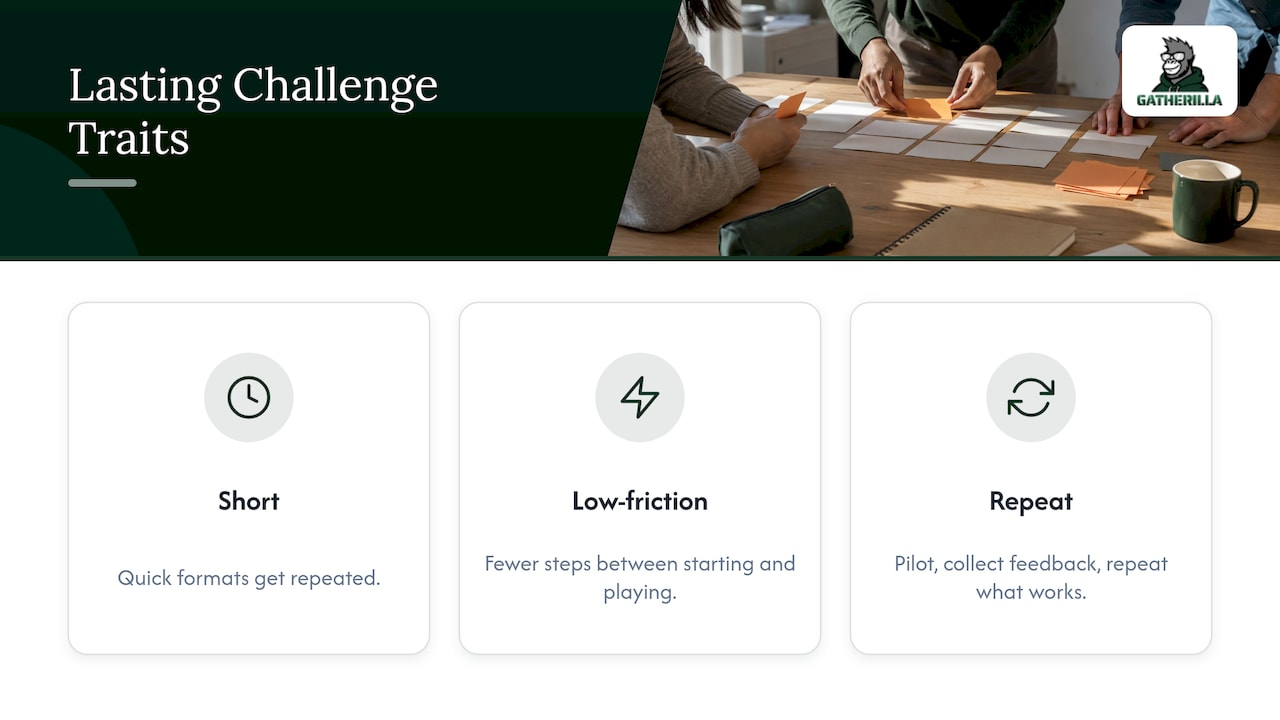
They are short. If a challenge needs an hour of preparation from you and an hour of attention from everyone, it will be run once. Quick formats get repeated.
They are low-friction. Every extra download, login or piece of equipment loses participants. The fewer steps between “let’s play” and playing, the higher the turnout.
They are repeated and adjusted. The USC WorkWell Center’s Social Connection and Belonging Toolkit recommends trying activities, collecting feedback and repeating the ones that work. Treat your first challenge as a pilot, not a verdict.
Quick challenges for the start of a meeting
If you only have two to five minutes, these are the formats to reach for. None needs preparation beyond a question.
The one-question check-in
UC Berkeley’s HR Team Building Toolkit describes a staff check-in that needs no materials: you choose a question ahead of time, and at the start of the meeting each person answers it briefly. Good questions are specific and low-stakes: “What was the best thing you ate this week?” or “What is one small win from the last few days?”
Where it goes wrong: the question is too personal, or answers run long. Cap answers at one sentence and go first yourself.
Would You Rather?
The U.S. Chamber of Commerce’s meeting icebreaker guide recommends “Would You Rather?” as a fast meeting game and notes it can also be played asynchronously through a messaging platform such as Slack. That makes it useful for teams across time zones: post the prompt in the morning and let people vote through the day.
Three things in three minutes
The same Chamber guide describes a pairing game: two people have three minutes to find three things they have in common that are not obvious. “We both work here” does not count. Pairs then share one with the group. It works well when departments are mixed, because the answer is rarely what you would guess.
For more ready-made prompts, our guides to Zoom icebreakers with scripts, Microsoft Teams icebreakers and Slack icebreakers for channels and meetings cover each platform.
Daily and weekly challenges that build a habit
One-off events feel good and fade. Connection comes from repetition, which is why the strongest department challenges are small and recurring.
A daily word or trivia game
A shared daily puzzle takes two or three minutes, gives people something to talk about in chat and creates a light, friendly rivalry. A leaderboard adds a bit of competition without needing anyone to organize anything. The key is that people can join in seconds, with no account setup to get through first.
Short, regular team meetings
Cornell University HR’s supervisor guide to orientation recommends frequent short team meetings, whether daily, weekly or biweekly, for staying connected, and “getting to know you” activities for remote new hires. Put a one-minute challenge at the top of each one and it becomes a ritual.
A weekly gratitude or connection challenge
The USC toolkit lists shared social-connection and gratitude challenges among its department-level ideas. A simple version: each Friday, everyone names one person who helped them that week and why. It is free, it takes ten minutes, and it gives managers a real view of who is supporting whom.
A rotating-pairs coffee call
Pair people randomly each week for a 15 to 30 minute call with no agenda. The point is to reach beyond the people someone already works with every day. Rotate the pairs so that, over a quarter, most of the department has talked one-on-one.
Challenges that connect departments
Most organizations have colleagues who share a building or a chat workspace and never speak. Cross-department challenges fix that on purpose.
Department-to-department coffee hours
The USC toolkit includes department-to-department coffee hours among its suggestions. Schedule one per month between two departments, with a loose theme such as “what does your team actually do all day?” Each side brings one surprising fact about their work.
Department swap challenge
Two teams trade a small task or a day-in-the-life explainer. Marketing walks finance through a campaign; finance shows marketing how a budget request is approved. Nobody has to master anything, but both sides walk away with less mystery and more empathy.
Trivia between departments
Trivia is a classic for a reason: it works for any size, needs no skill beyond curiosity, and produces banter. Mix categories so everyone has a topic they can win: pop culture, company history, geography, food. Run it as a monthly league and keep a running leaderboard so the rivalry continues between rounds.
Volunteer and appreciation challenges
The USC toolkit also lists volunteer activities and employee-appreciation days. A department-versus-department drive, such as who logs the most volunteer hours in a month, adds purpose to the competition.
Skill-sharing challenge for technical teams
For distributed engineering and IT groups, a learning challenge can double as team building: each person teaches a five-minute skill to the group. If you want to plan which capabilities your teams should build first, this article on prioritizing skills in upskilling initiatives is a helpful starting point. For a lighter tone, see our developer team icebreakers.
Scavenger hunts, photo contests and other classics, adapted for remote
The contests that dominate search results for workplace competitions, such as scavenger hunts, photo contests and costume days, were built for offices. They adapt well if you change the rules rather than cancel the format.
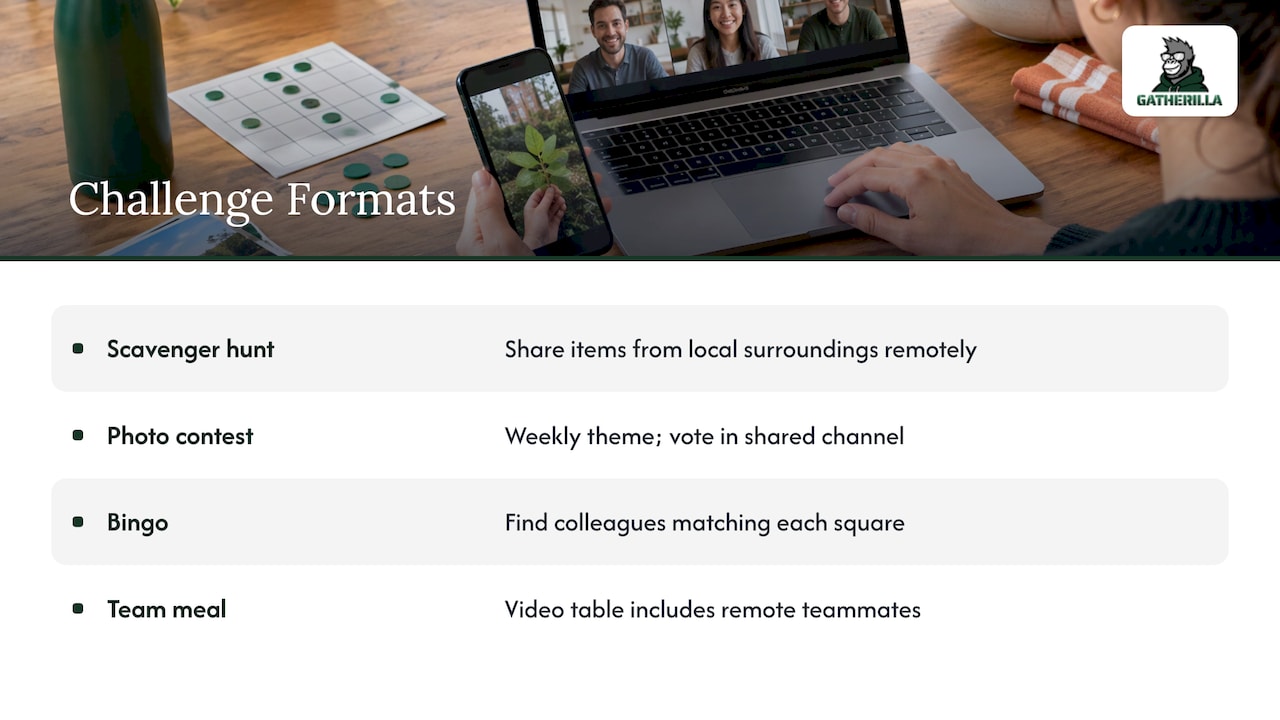
Scavenger hunt. The USC toolkit suggests a themed hunt in which remote participants find and share items from their own surroundings, running alongside an in-office version. Afterward, people share highlights and stories over video or chat. Themes that work: “something older than you,” “something blue,” “your favorite mug.” Our list of virtual scavenger hunt ideas has 50 to pull from.
Photo contest. Set one theme per week, such as “workspace,” “view from my window” or “pet cameo.” Let people vote in a shared channel. Keep categories playful so that no one is judged on how nice their home is.
Bingo. Also on the USC list. Build a card of workplace and personal squares (“has worked in three time zones,” “owns a plant that is thriving”). People find a colleague who matches each square, which forces conversations they would not otherwise have.
Team breakfast or lunch. For hybrid teams, the in-person version stays in the mix, with a video table for people who are remote. Keep the topic simple and give everyone the same question.
Onboarding challenges for new hires
HR managers often need activities that welcome new people without overwhelming them. Cornell’s guide makes two points that shape the design: onboarding applies to onsite, remote and hybrid hires alike, and it continues through the employee’s first year. So the challenge should not be a single welcome session.
What to try:
- Meet-and-greets across departments. Cornell recommends virtual or in-person meet-and-greets with people from different departments, to introduce new hires to stakeholders and to how the organization works. Turn it into a game: each new hire gets a short list of questions to ask three people, such as “What is the first thing you wish you had known here?”
- A new-employee coffee or lunch. The USC toolkit includes this directly. Keep it small and unstructured, with a buddy.
- A first-week trivia round. Questions about the company, the team and its in-jokes, answered together. New hires learn the culture, and the team gets a reason to share stories.
- “Getting to know you” prompts for remote hires. Cornell recommends these for remote new hires. Ten minutes at the end of week one is enough.
If you are a manager new to your own team, our new manager icebreakers give you first-meeting formats.
Make it work for every role and shift
A challenge that suits a desk-based team on a shared schedule can leave out half the company. The Points of Light report on making social impact accessible for all employee roles and settings identifies four barriers to participation: shift coverage, limited access to company communication channels, dispersed locations and differing employee motivations. The same report cautions that activities should not become an added burden for workers whose roles or schedules limit their ability to step away from work.
Turn those findings into design rules:
- Let people play on their own time. An asynchronous challenge, such as a daily puzzle or a poll, works for people on different shifts. Avoid anything that only counts if you are online at 10 a.m.
- Use the channel everyone can reach. If frontline staff do not have company email or chat, a challenge that lives only there excludes them. A link that opens in any browser avoids that.
- Offer more than one way to win. Some people like competition, some like creativity, some like helping others. Mix a trivia round, a photo theme and a gratitude prompt.
- Keep it optional and short. A challenge should feel like a break, never like another task on the list. For teams with tight shifts, our icebreakers for customer support teams run 30 to 60 seconds.
- Never reward only the loudest. Recognize participation, effort and kindness, not only top scores.
How to run a department challenge in five steps
- Define one outcome. “Help our remote team talk to each other more” is better than “boost morale.” You can tell if it is working.
- Pick one format and keep the rules to three lines. If it takes a paragraph to explain, shorten it.
- Choose the time and place. Attach it to something that already happens, such as the start of a weekly meeting or the Friday afternoon slot. Do not invent a new recurring meeting for it.
- Run it for three or four rounds. One round tells you little. A few tell you whether people are coming back.
- Ask for feedback and adjust. Two questions are enough: “What did you like?” and “What should we change?” Keep what works and drop the rest, as the USC toolkit advises.
A worked example: a 12-person hybrid support team wants more connection. The lead puts a “Would You Rather?” question at the top of Monday’s meeting (two minutes), a daily trivia link in the team channel, and a monthly 20-minute coffee hour with the sales team. After a month she asks the team which of the three they would keep. Two of them stay, one is replaced with a gratitude round. That is the whole system.
Run daily challenges without the setup
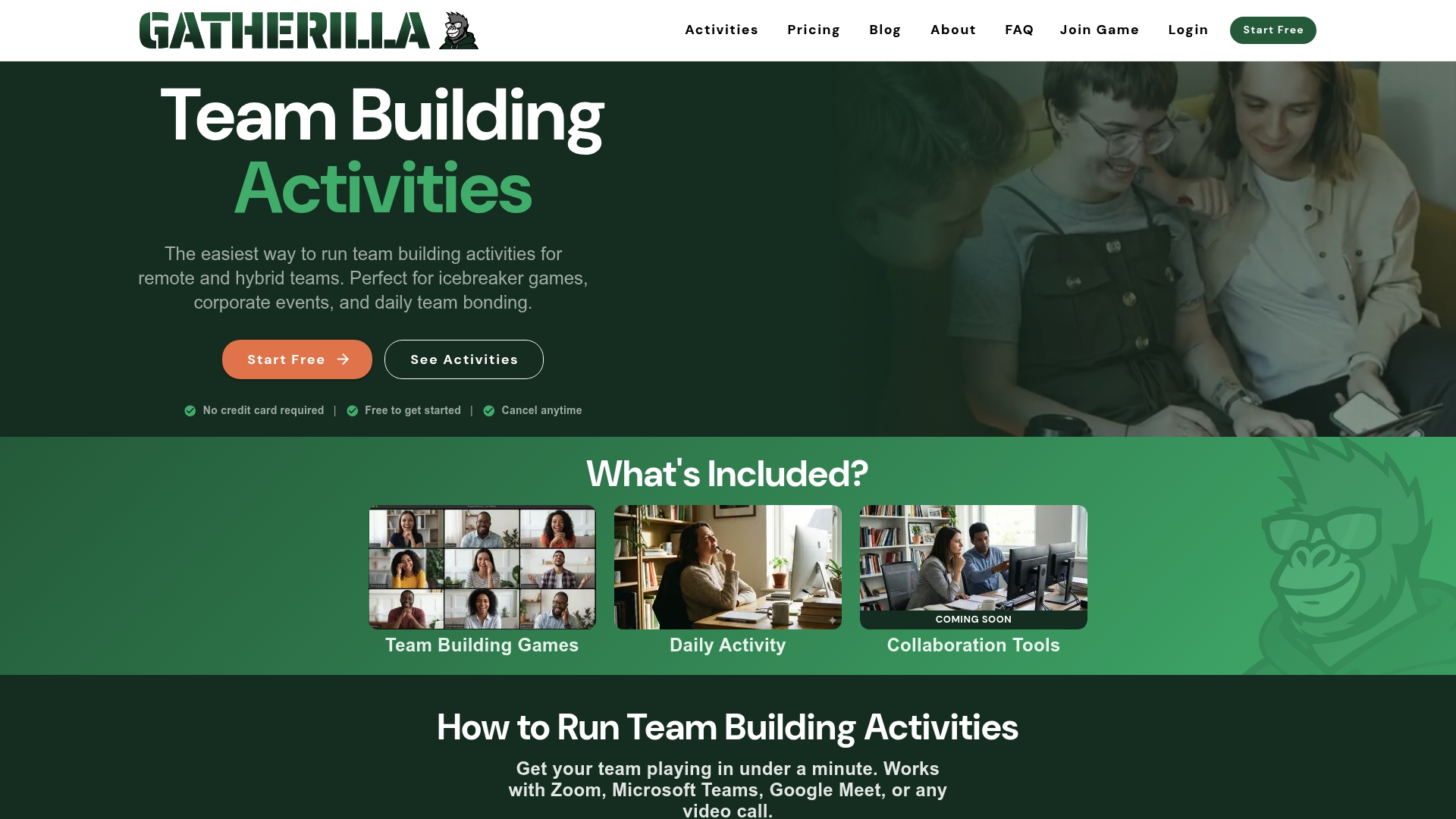
The hardest part of a recurring challenge is not the idea but the upkeep: finding questions, collecting scores, reminding people. This is where Gatherilla fits. It is a browser-based platform for remote and hybrid teams with multiplayer team-building games, daily word and trivia challenges, meeting icebreakers, onboarding games and real-time leaderboards. It needs no downloads and works with all video conferencing tools, so you can start a game in the middle of a call.
There is a free plan to begin with. Premium adds more games, analytics, reporting and priority support, at $0.50 to $1.00 per seat per month, or $5 to $10 per seat per year, as listed on the pricing page.
For a longer list built for distributed teams, see our remote team challenge ideas and the hybrid meeting icebreakers written for HR and team leaders. If marketing is your department, the marketing team icebreakers are a good place to start.
Our perspective
Most department challenges fail for a boring reason: the person organizing them runs out of energy. A big event takes weeks to plan, gets a great turnout once, and then nobody has the capacity to do it again.
We built Gatherilla around the opposite idea. Engagement should be a daily, sustainable habit rather than an occasional event. That is why our games need zero preparation, no downloads and no accounts to get started, and why the daily challenge sits in the flow of the day instead of on top of it.
The other piece is recognition. A game is more than a game when colleagues see each other’s names, cheer each other on and acknowledge good work in line with the company’s values. For HR leaders and team managers, that turns a pile of one-off activities into a culture people can feel, even when no two team members are in the same room. We also provide enterprise-grade security controls, so the people team can say yes with confidence.
Start with one small challenge this week. If it makes people smile, you already know what to do next.
Thomas
FAQ
What are some good department challenge ideas?
Start with something that takes under five minutes: a one-question check-in, “Would You Rather?” or a daily trivia game. For something bigger, try a cross-department coffee hour, a department swap challenge or a themed scavenger hunt with remote and in-office versions. Choose one, run it for several rounds and keep what people enjoy.
How often should a department run a challenge?
Short challenges work best when they are frequent. Cornell’s guide recommends short team meetings daily, weekly or biweekly for staying connected, so a one-minute challenge at each is a natural fit. Larger formats, such as cross-department trivia or a scavenger hunt, fit better monthly or quarterly.
How do I run a challenge for a remote or hybrid team?
Choose formats that work from any location and that people can join without installing anything. Give hybrid teams the same rules in the office and at home, and let people take part at their own time where shifts differ. A themed scavenger hunt, where remote people find items in their own surroundings, is a proven way to keep both groups involved.
What challenges work for onboarding new employees?
Meet-and-greets with people from other departments, a new-employee coffee or lunch, a first-week trivia round and “getting to know you” prompts for remote hires. Onboarding continues through a new hire’s first year, so repeat a light activity at the one-month and three-month marks.
How do I keep a challenge from feeling like extra work?
Make it optional, short and tied to a meeting or routine that already exists. For people whose schedules limit their ability to step away, let them take part asynchronously. Ask for feedback and drop anything that feels like a chore.
Sources
- Social Connection and Belonging Toolkit 2025, USC WorkWell Center
- Team Building Toolkit, UC Berkeley Human Resources
- Fun and Unique Meeting Icebreakers, U.S. Chamber of Commerce
- Hiring Supervisor Guide to New Employee Orientation, Cornell University Human Resources
- Making Social Impact Accessible for All Employee Roles and Settings, Points of Light