

Company-Wide Competition Ideas Your Whole Team Will Join

The best company-wide competitions are short, repeatable and easy to join from any location, with stakes low enough that a new hire and a senior director both want to play. Run them as a daily or weekly habit instead of a once-a-year event, and put the fun ahead of the scoreboard. That is also how we built Gatherilla: browser-based multiplayer games that need no downloads, so a competition can start in the first minute of a meeting.
Below you will find 20 ideas sorted by how much time they take, advice on matching them to team size, a way to run competitions for new hires, and the research on how to keep them welcoming.
TL;DR
- Pick formats that take 1 to 15 minutes and work from a browser or phone, so remote, hybrid and in-office staff play on equal terms.
- Rotate between quick meeting icebreakers, a daily challenge and one larger monthly event, rather than relying on one big annual contest.
- Reward participation, creativity and kindness as well as winning. Research links competitive climates with impostor feelings and, for newcomers, with higher stress.
- For new hires, choose games built around guidance and getting to know people, not rankings.
- Split groups larger than 10 into smaller teams so everyone gets a turn.
Table of Contents
- What makes a company-wide competition work
- Quick competitions for meetings (1 to 5 minutes)
- Daily and weekly competitions (5 to 20 minutes)
- Larger events (30 to 90 minutes)
- Match the format to your team size
- Keep it fair and welcoming
- Competitions that help new hires settle in
- How to run a company-wide competition, step by step
- What we offer for company-wide competitions
- Our perspective
- FAQ
- Sources
What makes a company-wide competition work
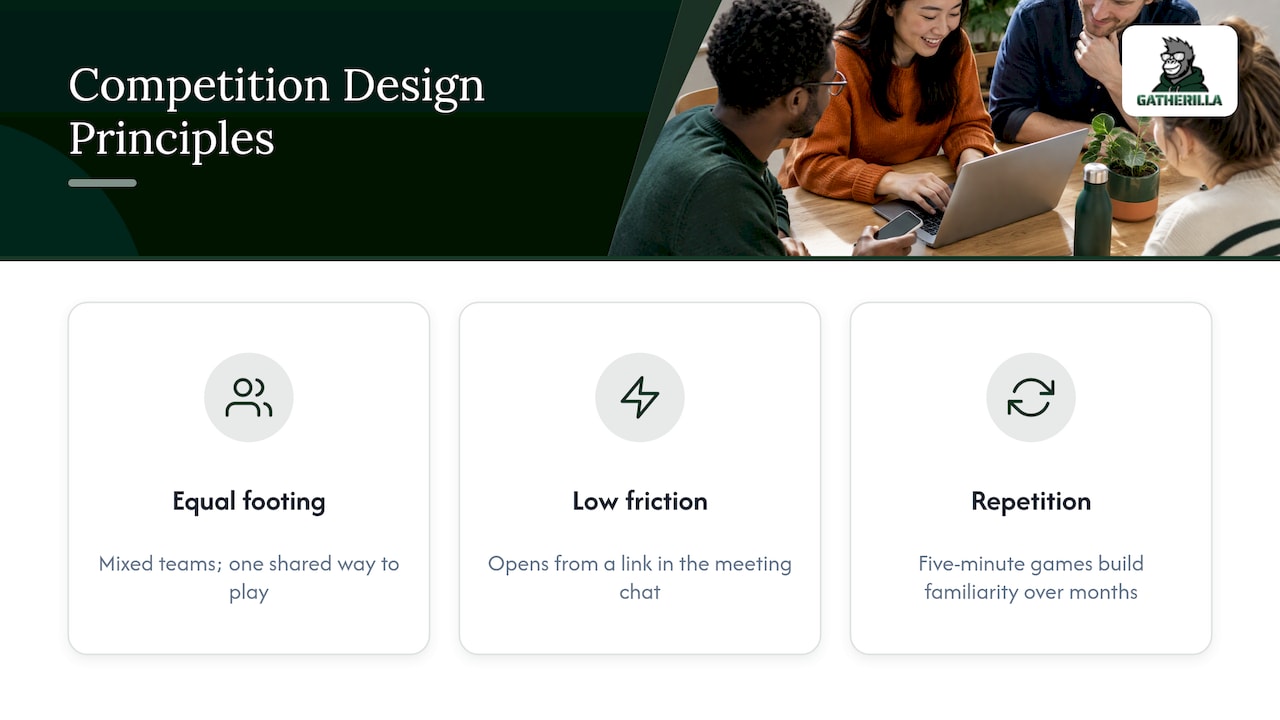
Most lists of competition ideas are written for a single office: tug of war, sack races, a ping pong bracket. They fall apart the moment half your company is on video or spread across time zones. Three design rules matter more than the specific game.
Equal footing. UC Berkeley’s HR Team Building Toolkit advises recognizing the accomplishments of remote and in-person employees alike and avoiding separating them into different projects or teams. For a competition, that means mixed teams and one shared way to play, not a room-versus-screen split.
Low friction. Every download, account or setup step shaves participation. A game that opens from a link in the meeting chat gets more players than one that needs installation.
Repetition. One event a year gets remembered for a week. A five-minute game that shows up in the daily routine builds familiarity over months. That is the idea behind a daily challenge: a small habit people can join without planning.
Quick competitions for meetings (1 to 5 minutes)
These fit at the start of an all-hands, a weekly sync or a department call. They need no preparation from the host.
- Word challenge. Everyone gets the same puzzle and races or compares results. Daily word games are easy to repeat and need no explanation.
- Trivia round. Use company trivia (founding year, product names, office locations) or general knowledge. Mix both so long-tenured staff and new hires each have a chance.
- Two-minute ranking. Ask the group to rank five lunch foods, five movie genres or five commute options, then reveal the group’s combined order. Votes and rankings also hold up better than speed-based games when internet connections lag.
- Guess the colleague. Collect one surprising fact from each person ahead of time, then have teams guess who it belongs to.
- Map pin. Everyone drops a pin where they would most like to be this weekend. Closest to the group average wins a small, silly title.
- Emoji description. One person describes a film or a company product using only emoji while others guess.
If you want ready-made scripts for this slot, our guides to Zoom icebreakers under two minutes and hybrid meeting icebreakers walk through them.
Daily and weekly competitions (5 to 20 minutes)
These turn engagement into a routine.
- Daily word or trivia streak. People play on their own time, and a leaderboard shows streaks as well as scores, so consistency counts as much as skill.
- Team-versus-team trivia week. Mix departments and locations into teams of four to six and total the scores on Friday.
- Photo-of-the-week contest. Themes like “my desk setup”, “best view from my window” or “oldest object in my home”. Everyone votes.
- Recipe or playlist swap. Teams submit a favorite, the company votes, and the winning playlist plays before the next all-hands.
- Random virtual coffee pairs. Pair people from different teams for a short chat, with an optional game to play together. Not a contest, but a good low-stakes warm-up for bigger ones.
- Kindness or recognition race. Teams earn points for recognizing colleagues in ways that match company values. This rewards the behavior you want to see more of, and nobody has to be “best” at anything.
Larger events (30 to 90 minutes)
Plan these monthly or quarterly, and use them as a milestone rather than the whole program.
- Company game show. Rounds of trivia, word puzzles and picture questions with host commentary, played by cross-department teams.
- Virtual scavenger hunt. Teams find items at home or answer clues about the company’s history. Keep the list flexible so no one needs to buy anything.
- Creative contest day. Categories like best team name, best slogan for an imaginary product, best desk pet photo. Judge by popular vote.
- Step or movement challenge. Teams combine daily steps, stretches or walks. Set flexible rules, such as counting any movement, so people with different abilities and schedules can take part.
- Problem-solving sprint. Mixed teams solve a puzzle or logic challenge in 30 minutes. Make it about the puzzle, not about a business metric.
- Charity challenge. Points convert to a donation to a cause the company picks. It shifts the goal from beating colleagues to beating a shared target.
- Open-mic talent hour. Not scored. Quick acts of two minutes each, with applause reactions as the “leaderboard”.
- Company-wide tournament. Weekly rounds of a simple game, with brackets seeded randomly so departments mix. Keep the final short and the prize modest.
Match the format to your team size
Group size changes what works. Atlassian’s icebreaker guide suggests choosing a format based on group size, location and desired outcome, and using smaller breakout groups when a group is larger than 10 so communication and engagement stay high.
| Group size | Format that works | Example |
|---|---|---|
| Up to 10 | Everyone plays together, one scoreboard | Trivia round, ranking, guess the colleague |
| 11 to 50 | Breakout teams of 4 to 6, scores combined | Team-versus-team trivia week |
| 50 to 500 | Cross-department teams plus individual daily play | Daily challenge with a company leaderboard, monthly game show |
| 500+ | Regional or department heats with a final | Tournament brackets, charity challenge |
For teams with specialized roles, a themed set lands better. We have collected ideas for developer teams, marketing teams and customer support teams whose shifts leave only 30 to 60 seconds.
Keep it fair and welcoming
Competition can lift energy, but how you frame it matters. A 2025 set of six studies with 1,288 participants found that a workplace climate emphasizing competition increased impostor feelings, partly because people compared themselves with higher performers. The practical lesson for organizers is to design contests where comparison is gentle and everyone has a way to contribute.
Several habits help:
- Score participation as well as skill. Give points for joining, streaks and creative entries.
- Use luck and knowledge-sharing formats. Rankings, votes and guessing games let anyone win on a given day.
- Rotate team membership. Fixed teams create permanent rivals and permanent underdogs.
- Keep prizes small and symbolic. A title, a shout-out or a donation works better than a large reward that makes the stakes personal.
- Offer an opt-out that costs nothing. Observers can still react, vote or cheer.
- Never tie results to performance reviews.
People enjoy these formats too. Atlassian reports that in its Teamwork Lab experiment, 97% of participants reported joy and 87% reported connection after a team-connection activity, which is a good reminder that the aim is the feeling people leave with.
Competitions that help new hires settle in
Onboarding is where competition needs the most care. A 2023 study of 575 workers in the United Kingdom and United States found that guidance, social connectedness, accomplishment and playfulness were associated with lower perceived occupational stress, while competitive and challenging experiences were associated with higher stress during adjustment. The same research suggests gamification helps when it supports guidance and social connection.
That points to a clear approach for HR teams:
- Make it cooperative. Pair a new hire with two or three colleagues on a team trivia round, so the group wins or loses together.
- Teach through the game. Use questions about the company’s products, teams and traditions, so new people learn while they play.
- Hide individual rankings in week one. Show team results only.
- Add a personal round. Guess-the-colleague and two-truths formats let a new hire be known as a person before being known by output.
- Follow with a buddy check-in. A short chat after the game turns a fun moment into a relationship.
Gamified onboarding looks promising on engagement. In a 2026 study of 56 people, 23 who went through gamified onboarding scored a mean engagement of 4.23, against 3.34 for 33 who had traditional onboarding. The study also found no significant link between how many gamification elements were used and engagement, so a few well-chosen games beat a pile of badges. For more starting points, see our list of new hire icebreakers for HR teams.
How to run a company-wide competition, step by step
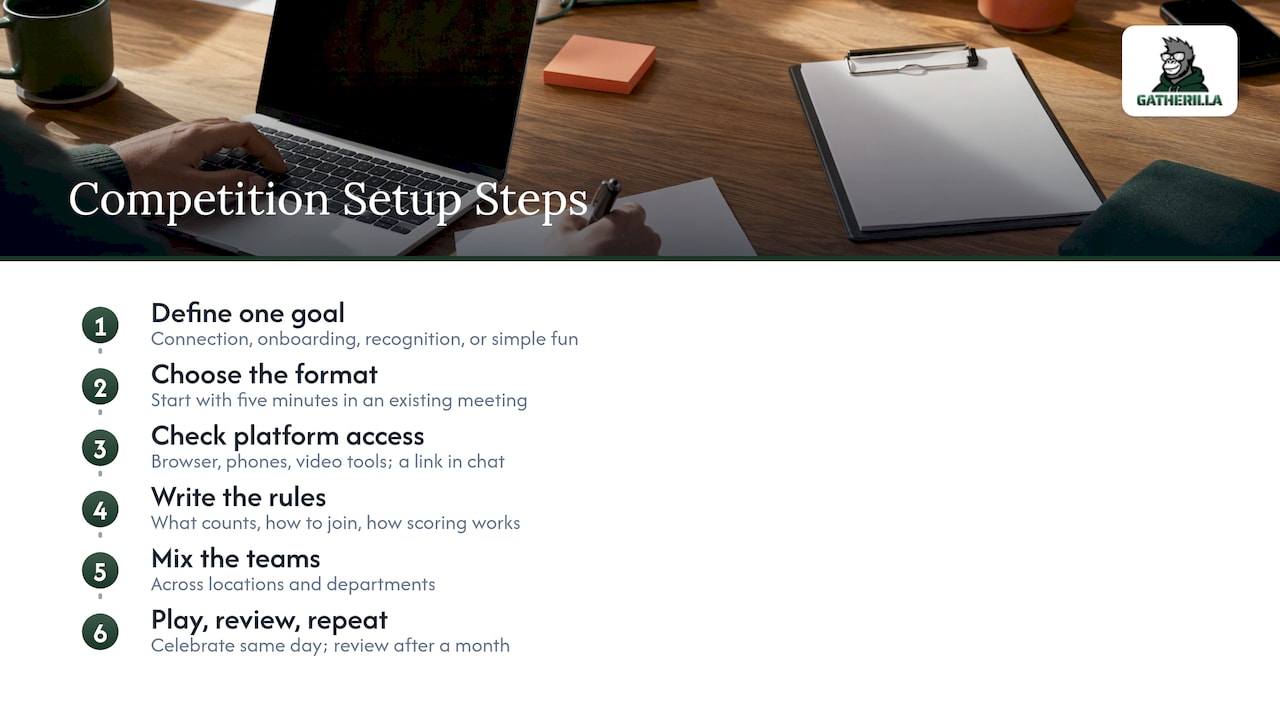
1. Define one goal. Connection across departments, onboarding, recognition, or simple fun. A goal tells you whether to use teams, individuals or a streak.
2. Choose the format by time and size. Use the table above. If you are unsure, start with a five-minute game inside an existing meeting.
3. Pick a platform that everyone can open. Check that it works in the browser, on phones and in whichever video tool you use. Anyone who must install something or create an account is a possible drop-out. Our games open in the browser and work with all video conferencing tools, so a link in the chat is enough.
4. Write the rules in three lines. What counts, how to join, how scoring works. Long rules signal complexity.
5. Mix the teams. Berkeley’s guidance on not segregating remote and in-person staff applies here. Build teams across locations and departments.
6. Announce, play, celebrate. Share results the same day, and name specific things people did, such as the funniest answer or the longest streak.
7. Review after a month. Check how many people joined, who has not, and what they would change. Then keep the formats that people asked for again.
8. Keep the cadence. A small recurring game beats a one-off spectacle. Add a larger event once a quarter.
What we offer for company-wide competitions
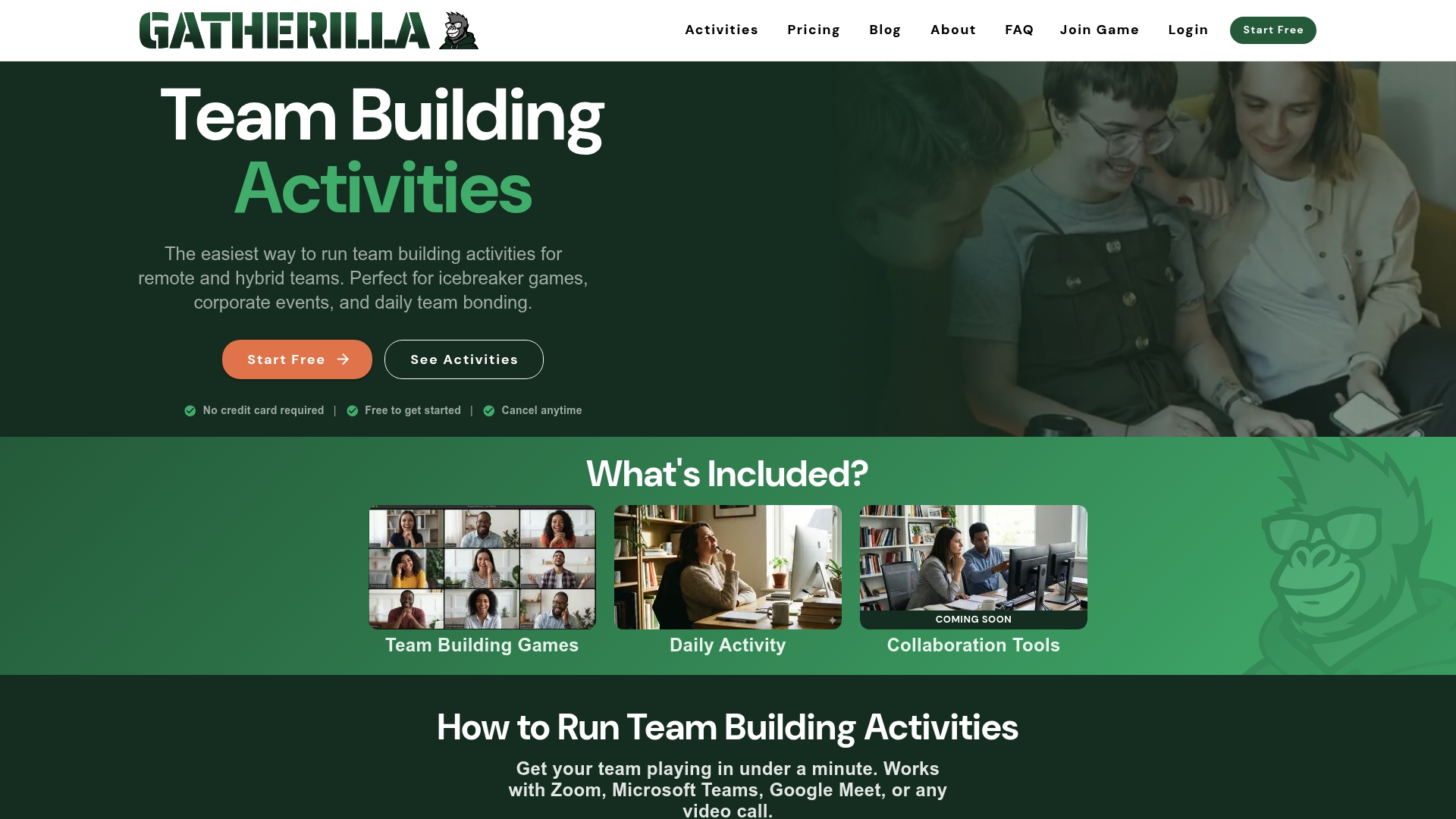
Gatherilla is a browser-based team-building platform for remote and hybrid teams. It includes customizable multiplayer games, daily word and trivia challenges, meeting icebreakers, onboarding games and real-time leaderboards, and it supports company-wide corporate events. There is a Free plan, and the Premium plan is priced at $0.50 to $1.00 per seat per month or $5 to $10 per seat per year, according to our pricing page. Premium adds more games, reporting and priority support. You can start on the Gatherilla home page.
If you are building a program from scratch, our guide to remote icebreaker games for team leaders is a good companion for the first few weeks.
Our perspective
We built Gatherilla around one belief: engagement is a habit, not an event. A company picnic or a quarterly tournament is pleasant, but the people who feel connected are usually the ones who share a small, shared moment most days.
That is why we focus on zero-preparation games, no downloads and a daily challenge. If a team leader needs an hour to prepare a competition, it will happen twice and then stop. If it takes one link and one minute, it can happen every week for years.
We also think competition works best when it is about playing together. Leaderboards are fun when they show streaks, team totals and recognition tied to company values, and when everyone has a way to appear on them. Our approach is to make participation the win.
If you take one thing from this article, start small: one five-minute game in your next meeting, repeated for a month. Then add a bigger event.
Thomas
FAQ
What are some fun company-wide competition ideas?
Trivia rounds, daily word challenges, photo-of-the-week contests, virtual scavenger hunts and charity step challenges all work across locations. Pick formats that people can join from a browser or phone, and keep rules flexible so no one is excluded by where they work.
How long should a workplace competition last?
Quick meeting games take one to five minutes, daily challenges five to fifteen, and larger events 30 to 90 minutes. Short, frequent formats usually build more participation than a single long event.
How do I keep competitions inclusive for remote and hybrid staff?
Build mixed teams, use one shared way to play, and recognize accomplishments equally across locations, as UC Berkeley’s HR toolkit advises. Favor votes, rankings and trivia over formats where a faster connection or a seat in the office gives an edge.
Should new hires take part in competitions?
Yes, in cooperative formats. Research on newcomers links guidance and social connection with lower stress and competitive pressure with higher stress, so use team-based games and hide individual rankings during the first weeks.
How often should we run company-wide competitions?
A daily or weekly light game, plus one larger event each month or quarter, keeps momentum without causing fatigue. Review participation after a month and adjust.
Sources
- Team Building Toolkit, UC Berkeley Human Resources (2024)
- Icebreaker Activities, Atlassian Team Playbook
- Study of workplace stress among newcomers, United Kingdom and United States (2023)
- Are You Better Than Me? Competitive work climates and impostor feelings (2025)
- Gamification as an Element of Building Employee Engagement, Lasota (2026)