

Ready to Run Virtual Conference Icebreakers for Team Leaders With No Setup

The simplest fix is also the most reliable one: open with a 1 to 5 minute icebreaker before you touch the agenda. Groups that start this way tend to see faster time-to-first-comment and higher live participation than meetings that jump straight into business. For zero setup, use a browser-based spinner, a live poll, or a tool like Gatherilla, all of which run in a shared tab with no downloads or accounts.
TL;DR:
- Using a quick, structured icebreaker at the start of meetings can increase engagement and participation, especially in hybrid or virtual settings.
- Specific prompts, such as energy levels or recent wins, are more effective in eliciting responses than vague questions, and should be kept under five minutes.
- Larger conferences benefit from mission-based activities like breakout bingo or topic-tagged rooms, which involve participants without requiring everyone to speak.
- Tech setup is critical; share browser tabs for tools, launch polls after most attendees join, and confirm breakout room assignments to avoid delays.
- Tracking engagement metrics and participant feedback over multiple sessions helps identify the most effective prompts and refine icebreaker strategies.
Table of Contents
- Quick Virtual Conference Icebreakers You Can Run in Under 5 Minutes
- Short Team-Building Activities for Meetings (5 to 10 Minutes)
- Longer Icebreaker Formats for Virtual and Hybrid Conferences (10 to 20 Minutes)
- How to Choose the Right Icebreaker for Your Meeting
- Setting Up the Tech and Moderation So Nothing Falls Apart
- Matching Icebreaker Formats to Group Size and Time
- Gatherilla’s Playbook: Scripts, Setup, and What to Track
- How to Tell If Your Virtual Icebreaker Actually Worked
- What Changed When One Team Stopped Skipping the Warm-Up
- Run Icebreakers Without the Setup Headache
- Sources
- FAQ
Quick Virtual Conference Icebreakers You Can Run in Under 5 Minutes
Most facilitators overthink this. You don’t need a theme, a slide deck, or a warm-up email. You need one good question, a clear turn-taking rule, and a timer. Below are ready-to-run prompts grouped by tone, each with a one-line host script you can read verbatim.
Structured prompts do real work here. Research summarized by the Behavioral Science working paper at the University of Chicago found that quieter participants contribute faster and more often when the question is specific and time-boxed, compared to an open “anyone want to share?” ask. Vague prompts create silence. Specific ones create answers.
Quick check-ins work best when people are still settling in, still juggling a second screen, or joining from a hybrid room.
- “In one word, how’s your week going?” Host script: “I’ll call on three people, then we move on. No essays.”
- “What’s your energy level right now, 1 to 10?” Host script: “Drop your number in chat. I’ll read a few out loud.”
- “What’s the best thing that happened to you since Monday?” Host script: “You have fifteen seconds. Go.”
Energizers work when the room feels flat or you’re coming off a heavy topic.
- “If your week had a soundtrack, what’s the theme song?” Host script: “Type it in chat, don’t overthink it.”
- “Show us something within arm’s reach that says something about you.” Host script: “Hold it up, thirty seconds each, camera-on folks only.”
- “What’s the most useless talent you have?” Host script: “I’ll pick two names from the wheel.”
Creative and think prompts fit sessions with more room to breathe, like a conference before a keynote.
- “You get a time machine but only for lunch. Where do you eat?” Host script: “Type your city and era in chat.”
- “If you could automate one part of your job, what would it be?” Host script: “One sentence answers only, I’m calling on volunteers first.”
- “What’s a skill outside of work you’re weirdly proud of?” Host script: “Unmute if you’re comfortable, or drop it in chat.”
Light personal prompts build connection without getting invasive, which matters for mixed seniority groups.
- “What’s a small thing that made you smile this week?” Host script: “Chat only, I’ll read three aloud at the end.”
- “Coffee, tea, or something else entirely?” Host script: “Quick poll, results on screen in ten seconds.”
- “What’s your go-to comfort food?” Host script: “Type it, I’ll call out the most common answer.”
A note on cameras: never make camera-on a requirement for participation. Offer a chat-based alternative for every prompt above, and say so out loud. “Camera or chat, whatever works for you” removes the awkwardness of forcing a choice publicly. This single line does more for inclusion than any prompt on this list.
Pro Tip: Keep a running doc of which prompts got the most chat activity in your last three meetings. Retire anything that consistently gets one-word answers with no follow-up. That’s your signal a prompt has worn out.
For platform-specific versions of these scripts, Gatherilla’s Zoom icebreaker guide walks through zero-setup options that work the same way across Zoom, Teams, and Meet.
Short Team-Building Activities for Meetings (5 to 10 Minutes)
Once you’ve got more than five minutes, you can run something with a little more structure without turning it into a production. Here are seven activity recipes, each with a goal, the tech you need, and the exact steps to run it.
Two Truths and a Lie, chat edition. Goal: light-hearted personal connection. Tech: chat window only. Steps: each person posts three statements about themselves in chat, the group votes on which is false by typing a number, host reveals the answer. Timing: 90 seconds per person, cap the group at six.
Poll-based hot take. Goal: fast, low-effort participation for larger groups. Tech: your platform’s built-in poll feature. Steps: post a divisive but harmless question (“Pineapple on pizza: yes or no?”), let results populate live, host reads out the split and asks one person from each side to defend their vote. Timing: 3 minutes total.
Paired share, breakout of two. Goal: deeper one-on-one connection before a big group session. Tech: breakout rooms. Steps: pair people randomly, give one prompt (“What’s a project you’re proud of?”), 3 minutes to talk, then one sentence report-back when the room reconvenes. Timing: 5 minutes including report-back.
Quick trivia round. Goal: shared fun, works well for company-wide calls. Tech: shared screen or chat. Steps: host asks three questions about the company, industry, or pop culture, participants answer in chat, first correct answer gets called out. Timing: 5 to 7 minutes for three questions.
Chat waterfall. Goal: get everyone typing at once instead of one at a time. Tech: chat only. Steps: ask a question, tell everyone to type their answer but hold Enter, count down from three, everyone hits send together. Timing: 2 minutes.
Emoji mood board. Goal: quick temperature check with almost no effort required. Tech: chat or reactions feature. Steps: ask people to react with an emoji that matches their week, host narrates the pattern. Timing: 90 seconds.
Shared doc word cloud. Goal: visual, collaborative warm-up for a bigger conference session. Tech: a shared Google Doc or Jamboard. Steps: everyone types one word describing how they feel about the topic on the agenda, host reads the cluster out loud. Timing: 3 minutes.
The facilitation rule that ties all seven together: always assign turn-taking, or use a spinner tool to pick names, rather than asking for volunteers. Open volunteering creates dead air, and dead air kills momentum faster than any bad question does.
Longer Icebreaker Formats for Virtual and Hybrid Conferences (10 to 20 Minutes)
Conferences need more structure than a weekly team meeting, mostly because attendees don’t know each other and the group is bigger. A good 10 to 20 minute format has three parts: a mission, breakout instructions, and a report-back.
The mission is your icebreaker’s actual objective, stated as a task rather than a vague “get to know each other.” A weak mission says “network in your group.” A strong one says “find one thing everyone in your room has in common that isn’t work-related, and be ready to share it in 60 seconds.” Specificity gives people something to do instead of staring at each other waiting for someone else to talk first.
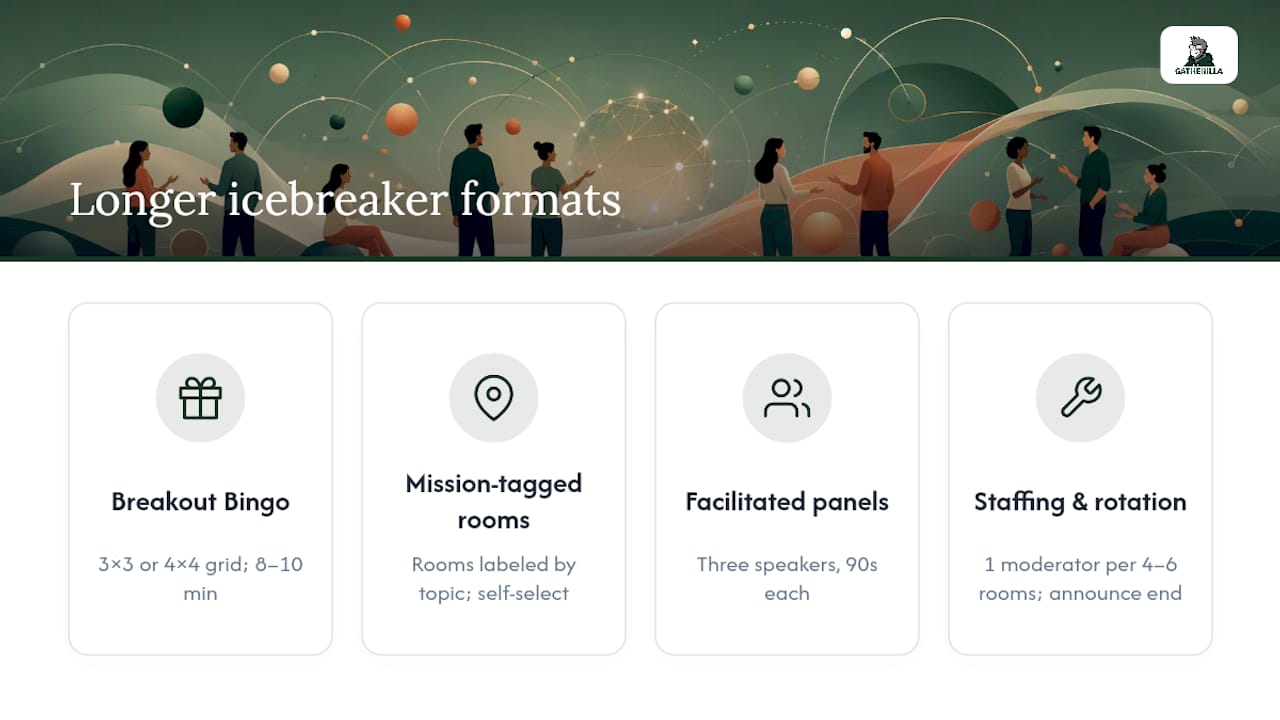
Breakout Bingo works well for conferences with 50 or more attendees. Each participant gets a 3x3 or 4x4 grid with prompts like “has traveled to three continents” or “started their career in a different field.” They spend 8 to 10 minutes rotating through breakout rooms or DMs finding matches, then the group reconvenes for a 5 minute report-back where a few people share their most surprising match. Gatherilla runs a version of this as a browser-only Bingo template that needs no downloads, which matters when you’re managing a conference with attendees on locked-down corporate laptops.
Mission-tagged breakout rooms work when you want smaller group depth. Tag each room with a topic (“biggest lesson from a failed project,” “favorite productivity hack”) and let people self-select which room to join based on interest rather than random assignment. This alone tends to produce better conversation than random pairing, because people arrive already curious about the topic.
Short facilitated panels suit conferences where a few voices need to model the behavior you want. Pick three attendees ahead of time, give them the same icebreaker question, and have them answer live for 90 seconds each before opening chat for others to add their own answers.
Staffing and rotation matter more here than at the small-meeting scale. Topic-tagged small groups of 6 to 8 people with a scheduled close time retain more attendees than open-ended breakout rooms without a clear end point. Plan for one moderator per 4 to 6 breakout rooms if you’re running live support, and always announce the exact minute the rotation ends before you send people into rooms.
How to Choose the Right Icebreaker for Your Meeting
Picking the right format comes down to five things: purpose, group size, time available, how formal your culture is, and accessibility needs. Get these four right and the actual question you ask matters much less than people assume.
Start with purpose. Are you warming up a recurring team meeting, or building rapport among strangers at a conference? A weekly standup needs something fast and low-stakes. A conference of people meeting for the first time needs something with a built-in reason to talk, like a shared prompt or a mission.
Run through this checklist before you pick a format:
- Is your group under 12 people? Use a quick round-robin prompt or a spinner tool.
- Is your group between 13 and 50? Use paired shares or directed chat prompts instead of open mic questions.
- Is your group over 50? Use a mission-based breakout or a bingo format, never an open networking room with no structure.
- Do you have under 5 minutes? Stick to chat-only or poll-based prompts, skip breakouts entirely.
- Is your team culture more formal? Choose reflective prompts over energizer-style ones.
- Do any attendees need a non-video option? Confirm chat-based participation is announced before you start.
Watch for red flags that mean it’s time to rotate or retire a prompt. If the same three people answer every time and everyone else stays quiet, the question is too personal or too vague. If a format consistently runs long, cut its time box rather than dropping it. A good rule of thumb: refresh your prompt bank every four to six weeks so regulars don’t see the same question twice in a row.
Pro Tip: Keep three formats in rotation at all times: one fast chat prompt, one paired activity, and one visual or game-based option like a spinner or bingo card. Rotating between these three prevents the “oh no, not this again” reaction that kills engagement over time.
Setting Up the Tech and Moderation So Nothing Falls Apart
Most icebreaker failures aren’t about the question — they’re about the tech. A spinner wheel that lags because someone full-screened it instead of sharing a browser tab. A poll nobody sees because it launched before people finished joining. A breakout room where nobody knows who’s supposed to talk first. For tips on creating an immersive event experience that engages attendees early, tech setup is key. They’re about the tech. A spinner wheel that lags because someone full-screened it instead of sharing a browser tab. A poll nobody sees because it launched before people finished joining. A breakout room where nobody knows who’s supposed to talk first.
Share a browser tab instead of your full screen when running a spinner or wheel tool, since tab-sharing keeps the animation smooth on Zoom, Meet, and Teams alike. Launch polls about 60 seconds after the session starts, once most people have actually joined, not the second the call opens.
The moderator role deserves its own checklist, separate from whoever’s leading content:
- Surface interesting chat comments out loud so chat-only participants feel heard.
- Keep visible time on screen so activities don’t run long.
- Call on quieter attendees by name rather than waiting for volunteers.
- Confirm breakout room assignments landed correctly before starting the clock.
Accessibility isn’t an add-on here, it’s part of the setup. Turn on live captions by default, not just when someone asks. Offer a text-based alternative to every camera-on activity, and say it out loud each time: “Chat is just as good as unmuting.” For attendees with slower connections, avoid activities that require holding up physical objects on camera, since that assumes a fast, stable feed.
Matching Icebreaker Formats to Group Size and Time
The same icebreaker rarely works from a 5-person standup to a 200-person conference. Size changes everything about which format holds up.
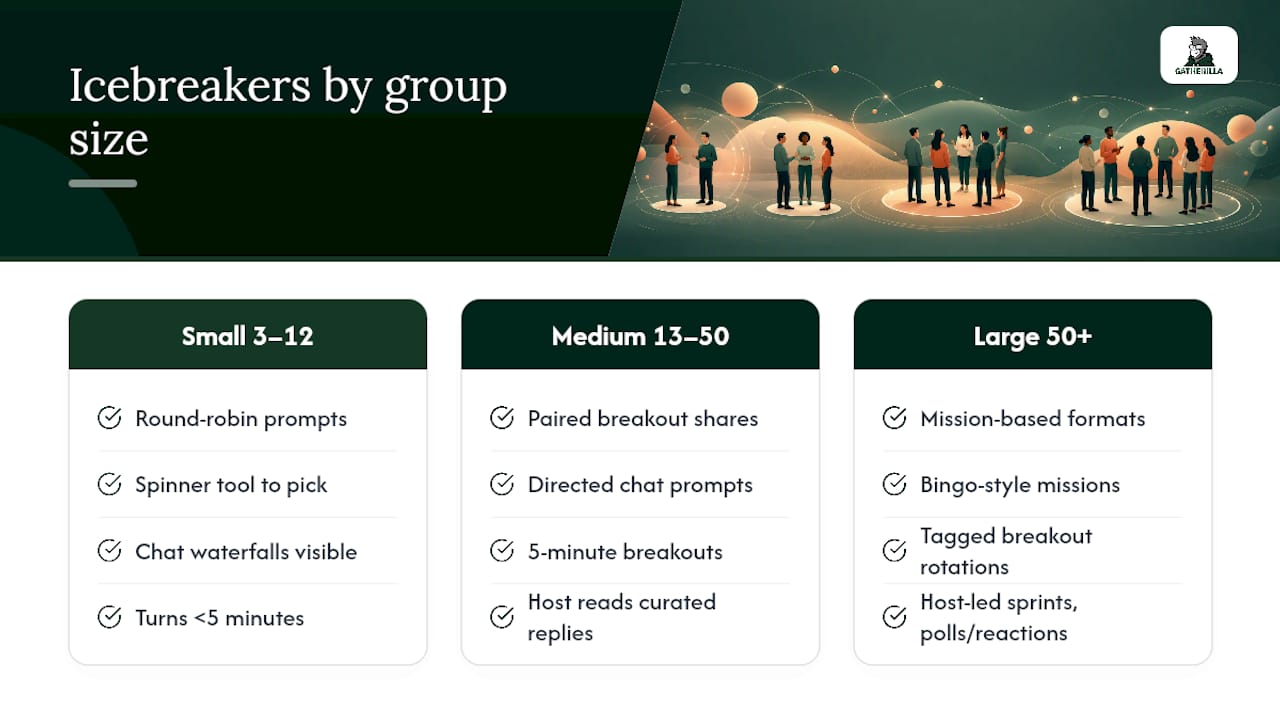
Small teams, 3 to 12 people: Quick round-robin prompts work well because everyone can realistically get a turn inside 5 minutes. A simple spinner tool to pick who answers next removes the awkward “who goes first” pause. Chat waterfalls also shine here since the group is small enough that everyone’s answer is visible without scrolling.
Medium groups, 13 to 50 people: Round-robin breaks down once you cross about 15 people, since the “waiting my turn” feeling sets in. Paired shares in breakout rooms of two or three work better, along with directed chat prompts where the host reads out a curated selection rather than everyone speaking live. Short 5 minute breakout rooms fit well before returning to a group discussion.
Large groups, 50 and up: This is where mission-based formats earn their keep. Bingo-style missions, topic-tagged breakout rotations, and short host-led sprints (a rapid three-question trivia round, for instance) scale without needing every single attendee to speak. The goal shifts from “everyone talks” to “everyone participates in some visible way,” whether that’s a chat reaction, a poll vote, or a bingo square.
Gatherilla’s Playbook: Scripts, Setup, and What to Track
Three scripts worth keeping on hand. For a 30 second chat waterfall: “Type your answer to [prompt], hold it, and send on my count of three.” For a 60 second paired share: “You’ve got a partner and one question. Talk for a minute, then be ready to say one sentence about what they told you.” For a spinner-based prompt: “I’m spinning the wheel, whoever it lands on answers first, then we go clockwise.”
Browser-only team games can follow the same logic: no downloads, no account setup, just a shared link and a daily challenge that keeps teams checking in between meetings. That zero-setup approach matters most on conference days, when IT lockdowns and unfamiliar laptops make anything requiring installation a liability.
Track three numbers to know if a format is working: participation rate (how many people responded versus attended), chat message count during the activity, and speed to first comment after you ask the question. Simple to record in a shared doc after each session.
How to Tell If Your Virtual Icebreaker Actually Worked
The honest answer is you won’t know unless you track something. Gut feeling (“that felt good”) is a fine starting point, but it doesn’t tell you which prompt to reuse next month.
Participant feedback is the simplest lever. A one-question pulse survey after the meeting, “Did the opening activity feel worthwhile, yes or no,” takes ten seconds to answer and gives you a trend line over a few months. Pair that with the engagement metrics you’re already watching: participation rate, number of chat messages during the activity window, and how quickly the first response lands after you ask the question.
Planned social activities correlate with higher perceived team cohesion in remote teams, according to a review in Frontiers in Psychology, which means the payoff from a good icebreaker habit shows up in team surveys weeks later, not just in the meeting itself. That’s the real test. Not whether the joke landed, but whether your quarterly engagement numbers move.
Keep a simple log: date, format used, participation rate, and one note on what to change. After eight to ten sessions, patterns emerge fast. Some prompts consistently outperform others for your specific group, and that’s worth more than any generic best-practices list.
What Changed When One Team Stopped Skipping the Warm-Up
A recurring leadership sync used to open cold, straight into the agenda, because “we’re all busy.” Attendance was fine, but the first ten minutes were always the same three people talking. Adding a 90 second paired share before the agenda, just “tell your partner one win from this week,” changed the shape of the whole meeting. People who’d been silent for months started adding comments later in the call, not during the icebreaker itself, but afterward, once they’d already spoken once in a low-stakes way.
The takeaway isn’t the specific activity. It’s that getting someone to say one sentence early removes the psychological barrier to saying a second sentence later. If your meetings have a few people who never speak, the fix probably isn’t a better agenda. It’s giving them a reason to unmute in the first ninety seconds.
— Thomas
Run Icebreakers Without the Setup Headache
Some platforms are built for exactly the problem this article covers: no downloads, no accounts, no fumbling with a spinner tool while forty conference attendees wait. You open a link, the game loads in the browser, and everyone’s playing inside a minute, whether it’s a quick daily challenge for a standing team meeting or a larger session for a company-wide conference.

Getting started costs nothing to try. The Free plan gives you enough to test how your team responds before committing to anything, and the Premium tier unlocks the full game library plus participation analytics if you want to track the engagement metrics covered above without building your own spreadsheet. Check out the full lineup of browser-based team games and pick one for your next meeting. If it lands, upgrade. If it doesn’t, you’ve lost nothing but five minutes.
Sources
- Icebreaker Wheel — Random Icebreaker Questions Spinner Free | WheelOrbit
- Virtual event engagement tactics: keep them watching past the keynote | WebMobi
- Structured social activities and team cohesion | Frontiers in Psychology
- Behavioral Science / Human dynamics working paper (summary) | BFI, University of Chicago
FAQ
What are some good icebreakers for a virtual meeting?
A quick check-in question like “one word for your week” or a chat waterfall where everyone types and sends together at the same time both work well. Keep it under 5 minutes and always give people a chat-based option instead of forcing unmuting.
What are some funny icebreakers for a Zoom meeting?
“Show us the weirdest thing in arm’s reach” or “what’s the most useless talent you have” tend to get genuine laughs without putting anyone on the spot. Pair the prompt with a spinner tool to pick who answers first, since spinner mechanics solve the awkward volunteer-fatigue problem that kills momentum in unstructured Zoom calls.
What are good icebreaker games for a conference meeting?
Breakout Bingo and mission-tagged breakout rooms scale well for conferences with dozens or hundreds of attendees, since they don’t require every single person to speak live. Gatherilla’s browser-only Bingo format is one option that needs no downloads, which matters on conference days when attendees are on locked-down work laptops.
What are some good 5 minute icebreakers for meetings?
A paired share in a breakout room, a poll-based hot take, or an emoji mood check all fit comfortably inside 5 minutes. The key is picking one format and assigning turn-taking rather than opening the floor for volunteers, which tends to create dead air instead of momentum.
How much does Gatherilla cost?
Gatherilla offers a Free plan to start, with Premium pricing available on the pricing page for teams that want the full game library and engagement analytics. Exact current rates are listed on the site rather than fixed here, since plans get updated periodically.