

Gamified Meeting Agenda: How to Build One That Works

A gamified meeting agenda is a normal agenda with game mechanics built into its slots: a timer, a visible score, a short challenge at the start, a leaderboard at the end. It works when the games sit inside the agenda’s structure and never replace it. Keep every item timeboxed, give each one an owner and an outcome, and use a two-to-five-minute game to open the meeting or reset attention between topics. We built Gatherilla for that job: browser-based multiplayer games that run in any video call with no downloads, so you can add a game slot without adding prep.
TL;DR
- Start with a plain agenda: every item has an owner, a timebox and an outcome. Then add games only where they help.
- Use games for three jobs: opening icebreaker, mid-meeting energy reset, closing recap or recognition.
- Keep the game share small. In a 30-minute meeting, 5 to 8 minutes of play is plenty.
- Make participation opt-in and offer more than one way to join (chat, poll, voice), so quieter people are not shut out.
- Judge success by what people do: who speaks up, whether decisions get made on time, whether people keep showing up.
Table of Contents
- What a gamified meeting agenda actually is
- Start with the agenda, then add the game
- Where games fit in the agenda
- Games that suit remote meetings and onboarding
- How to explain a game so the meeting does not stall
- A sample 30-minute gamified agenda
- Make it work for different people and time zones
- Keep scoring light
- How to tell whether it is working
- Perspective: why a daily habit beats a big event
- Run your game slots with Gatherilla
- FAQ
- Sources
What a gamified meeting agenda actually is
Gamification means applying game design elements and mechanics to professional tasks to raise engagement and motivation. In a meeting, those elements are familiar: points, rankings, challenges and timers. A gamified agenda lays them out in advance, slot by slot, so the team knows what is coming.
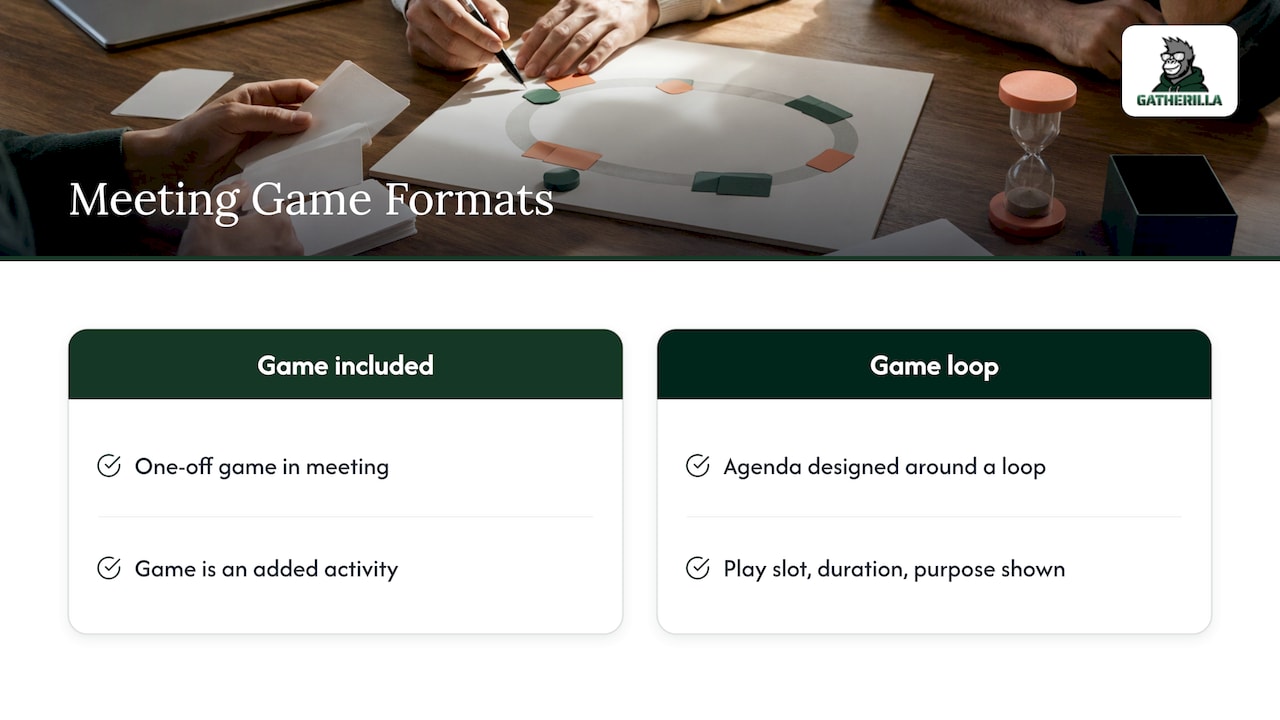
Two things get confused here. One is a meeting that includes a game. The other is a meeting designed around a game loop. The first is fine for a one-off. The second is what the keyword describes: the agenda itself shows where play happens, how long it lasts and what it is for.
For a remote or hybrid team, the case is practical. On video there is less body language to read, so people disengage faster and leaders get less feedback. A consultant quoted in USA Today noted that the mood and energy you read in a room are missing on video, so he gives direction more explicitly and more than once. A scheduled game gives everyone a clear, low-stakes way to take part.
Start with the agenda, then add the game
The most common mistake is picking a game first and fitting the meeting around it. Reverse it.
Sort every item before you gamify anything
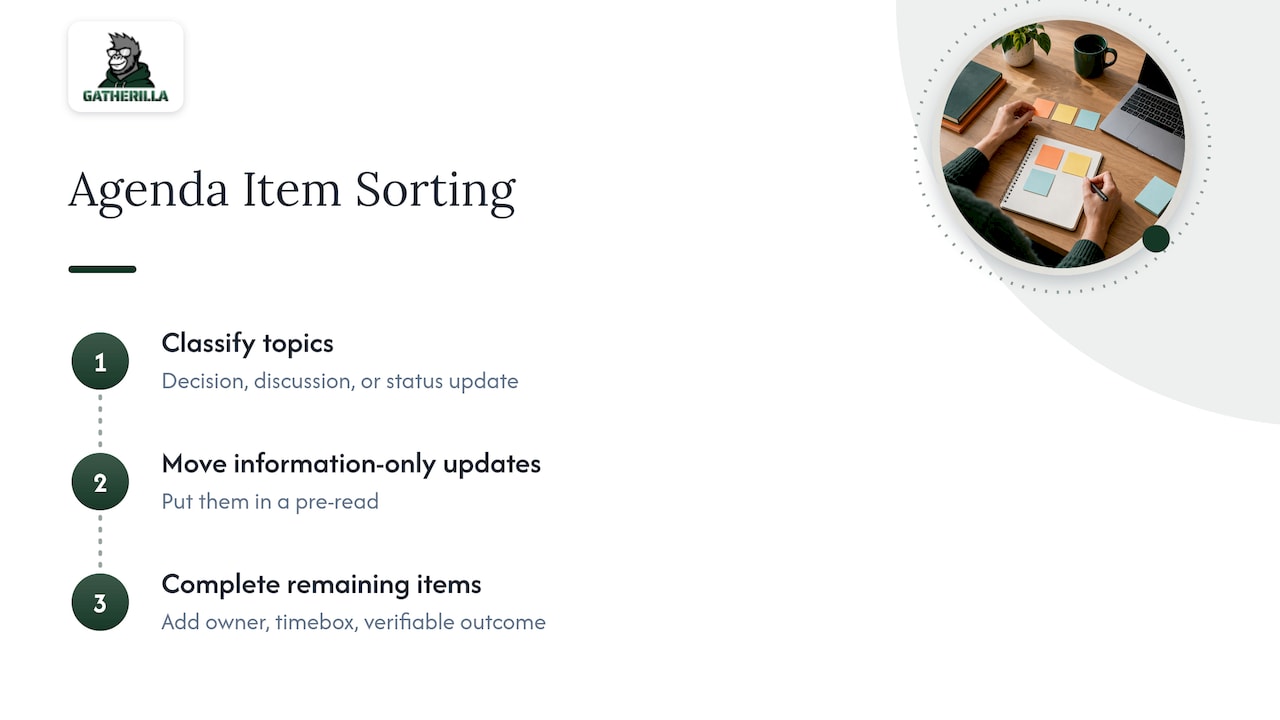
Classify each topic as a decision, a discussion or a status update. Status updates that only inform can move into a pre-read. That frees minutes, and those minutes are what you spend on play. This sorting method comes from a published meeting-agenda method, which also says every surviving item needs an owner, a timebox and an outcome you can verify, for example “[20 min] Decide the top 3 Q3 roadmap bets” with the outcome “ranked list of 3.”
Timebox and leave a buffer
Add up your timeboxes and keep the total at the meeting length minus a 5-minute buffer. A game that runs over eats the buffer first, which is exactly what it is for. If you need a rule of thumb for step length, one facilitation guide from SPUR suggests dividing total time by 12, which gives roughly 5 minutes per step in a 60-minute session.
Show progress
People tolerate structure better when they can see it. Yu-kai Chou, a gamification designer, recommends showing participants where they are in the agenda (for example “Step 2 of 4”), what is done and what remains. Put the agenda on a shared slide or in the meeting invite and update it as you go. A visible timer does the same job for a single game.
Where games fit in the agenda
There are three slots worth using. Each has a different goal and a different length.
| Slot | Goal | Length | Example |
|---|---|---|---|
| Opener | Get everyone talking and present | 2 to 5 minutes | One-question icebreaker, quick word or trivia round |
| Mid-meeting reset | Restore attention after a heavy topic | 3 to 5 minutes | Timed team challenge, short poll with a reveal |
| Closer | Recap, recognize, end on a high | 2 to 3 minutes | Leaderboard review, shout-outs tied to team values |
Not every meeting needs all three. A daily stand-up of 15 minutes might take only a 2-minute opener. A weekly team meeting of 45 minutes can carry an opener and a reset. A monthly all-hands might use all three.
The opener
The opener does the most work for the least time. Gamal Palmer of the Diversity Gym consultancy told USA Today that he starts every meeting with a prompt to put something in chat or answer a poll, and asks game-like questions such as which name would describe how you feel today. That is a fine template: low effort, quick, and everyone answers at once.
If you want ready-made prompts, we keep a library of scripts: 5-minute icebreakers, Zoom icebreakers and Microsoft Teams icebreakers cover the most common calls, and hybrid meeting icebreakers cover rooms where some people are together and others are on screen.
The mid-meeting reset
A reset works best right after the densest item. Keep it short and physical or playful, and make sure it ends cleanly so the next topic can start on time. A timed challenge is ideal because the timer enforces the stop for you. Our virtual Minute to Win It guide lists games built on exactly that idea.
The closer
End with a recap in game form: a leaderboard, a vote for the best contribution, or peer shout-outs tied to team values. Recognition fits naturally here because the team has just spent the meeting working together. Keep it to two or three minutes, and never let a score decide anything that matters for someone’s performance review.
Games that suit remote meetings and onboarding
Most teams need a small rotation, not a big catalog. Known formats and their typical lengths, from Asana’s team-building guide:
- Two Truths, One Lie: 2 to 3 minutes per person.
- Show and Tell: 2 to 3 minutes per person.
- Photo Caption Contest: 10 to 15 minutes.
- Morning coffee calls: 15 to 30 minutes.
Do the math before you commit. Two Truths, One Lie at 2 to 3 minutes per person takes 20 to 30 minutes for a team of ten. That is a whole meeting, not an opener. For anything inside a normal agenda, use formats where everyone answers at the same time: a chat prompt, a poll, or a timed word or trivia round.
For onboarding, the same rule applies with one addition: choose games that help new hires learn names and working styles without putting them on stage. Short icebreakers work best for new teams or groups who barely know each other. Our guide on new manager icebreakers covers first team meetings, and our overview of remote icebreaker games helps you pick by team size.
How to explain a game so the meeting does not stall
The fastest way to lose three minutes is a vague explanation. A rule from the SPUR facilitation guide is to link each step to the one before it, then give the why and how of the next. For example: “What you just did was a quick vote on priorities. Now you are going to play a 90-second word round to reset, and then we move to the budget.”
A simple routine for any game slot:
- Name the purpose in one sentence.
- State the rules in one sentence, written on screen.
- Start a visible timer.
- Play.
- Debrief in one line, then move on.
That mirrors the explain, exercise and debrief structure that facilitator Scott Berkun recommends for workshops, scaled down to a few minutes. If you run several games in one session, make the second harder than the first.
If you want a group to agree the shape of the meeting before it starts, a clock-face exercise works well. Participants divide the available minutes into timed slices and agree on the order of topics, with a timekeeper watching the transitions. United We Transform describes it for groups of 4 to 24.
A sample 30-minute gamified agenda
Here is a weekly team meeting, with a 5-minute buffer, so planned time totals 25 minutes.
| Time | Item | Owner | Outcome |
|---|---|---|---|
| 0:00 to 0:03 | Opener: one-question icebreaker via chat | Facilitator | Everyone has spoken or typed |
| 0:03 to 0:08 | Wins and blockers (status, taken from pre-read) | Team lead | Blockers listed |
| 0:08 to 0:18 | Decision: pick the next sprint priority | Product owner | Ranked list of 3 |
| 0:18 to 0:22 | Reset: timed team challenge | Facilitator | Score on leaderboard |
| 0:22 to 0:25 | Actions and shout-outs | Team lead | Owners and dates recorded |
| 0:25 to 0:30 | Buffer | None | Meeting ends on time |
The game takes 7 of 25 minutes, and each game slot has a job. If the decision runs long, the reset shrinks. The decision never does.
Make it work for different people and time zones
Games fail quietly when they only suit extroverts or one time zone. A few design choices prevent that.
- Make play opt-in. Let people join by chat, a raised hand or a written follow-up, rather than going round the room. Avoid surprise performance formats, such as singing or improv, that shut out people who do not thrive in them.
- Do not force cameras on. Encourage them, but accept a casual option.
- Write the rules in one sentence on screen and give people a role (timekeeper, scorer) if they prefer a job to a spotlight.
- Plan for time zones. With teams across one to three zones, pick an overlap window. For four to eight, rotate the meeting time. Beyond that, move the game to an asynchronous daily challenge that people play whenever they log on.
The broader communication habits behind this are covered in practical remote team communication tips, which pair well with the participation choices above. For teams spread around the world, our guide to icebreakers that build psychological safety goes deeper.
Keep scoring light
Points and leaderboards are the most visible mechanics, and the easiest to misuse. Three guardrails help:
- Score the games, not the work. A leaderboard for a word round is fun; a leaderboard for who closed the most tickets is pressure.
- Reset scores regularly so a new hire is never permanently behind.
- Tie recognition to team values rather than to winning.
How to tell whether it is working
Decide before you start what you will look at, and check it after four to six meetings. Useful signals:
- Participation: how many people speak or type in the first five minutes, compared with before.
- Timeliness: whether the meeting finishes on time and decisions land in their slot.
- Follow-through: whether outcomes (the ranked list, the action owners) exist at the end.
- Voluntary play: whether people join an optional daily challenge without being asked.
Ask the team one question every few weeks: does the game help or interrupt? Keep what helps, cut the rest. A rotation of a few formats beats a long list that nobody remembers.
Perspective: why a daily habit beats a big event
We have watched teams treat engagement as an event: one offsite, one game night, one big quiz. It feels like progress and fades within a week.
Our view is that the agenda is the better place to start. Every team already has meetings, so a three-minute game inside an existing slot costs almost nothing and repeats every week. That repetition is what builds familiarity between people who never share a hallway.
That is why Gatherilla is built around zero-preparation games that run in the browser, with no downloads or accounts, and a daily challenge that keeps the habit going between meetings. Engagement should be sustainable, not occasional.
Our advice to leaders: write the agenda first, protect the decisions, then give play a defined place. Done that way, games are part of how the team works, not a tax on it.
Thomas
Run your game slots with Gatherilla
If you want the game slots in your agenda to take no preparation, Gatherilla is a browser-based platform of multiplayer team games, daily word and trivia challenges, meeting icebreakers and onboarding games, with real-time leaderboards. It works with all video conferencing tools and needs no downloads.
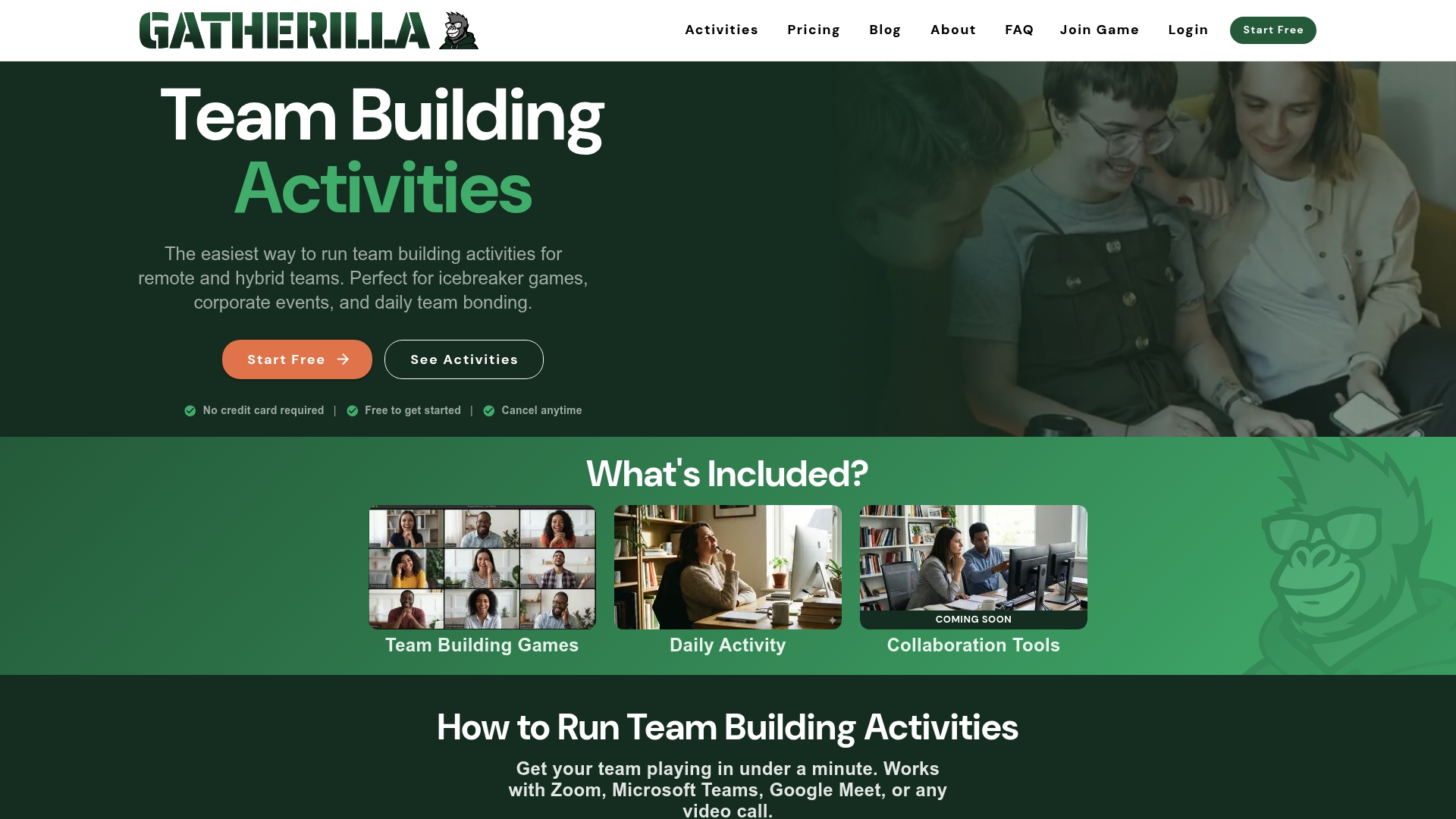
There is a free tier to start with. The Premium plan adds more games, analytics and priority support, at $0.50 to $1.00 per seat per month or $5 to $10 per seat per year, as published on the pricing page. You can see everything on the Gatherilla homepage.
FAQ
How much of a meeting should be games?
Keep play to roughly a quarter of the planned time or less. In a 30-minute meeting, that means 5 to 8 minutes, split between an opener and a reset. If decisions are slipping, cut the game before you cut the decision.
Do gamified agendas work for small teams?
Yes, and they are easier to run. Small teams can play simultaneous formats such as chat prompts or timed rounds, so nobody waits for a turn. Groups of 4 to 24 suit structured exercises, and larger groups do better with polls and leaderboards than with round-robin games.
What is a good icebreaker for a new hire’s first meeting?
Pick a one-question prompt answered in chat or a poll, and let people opt in. New hires then learn names and styles without performing. Lighter formats such as Two Truths, One Lie work for new groups too, but plan 2 to 3 minutes per person.
How do I keep games from feeling forced?
Explain the purpose in one sentence, keep the rules short, and make joining optional. Let people choose how to take part, by chat, voice or a written answer. Stop on time every time, so the game earns its place in the agenda.
Sources
- Gamification overview and work gamification guide
- USA Today: making online meetings work with fun and interaction
- Meeting agenda method: owners, timeboxes and outcomes
- SPUR Design Dash facilitators guide
- Yu-kai Chou: gamify strategy sessions
- Asana: team building games
- Scott Berkun: how to run a good workshop
- United We Transform: Pie Chart Agenda
- Remote team communication tips